Malware development trick 64: PE file bloating and overlay data. Simple C example
﷽
Hello, cybersecurity enthusiasts and white hackers!
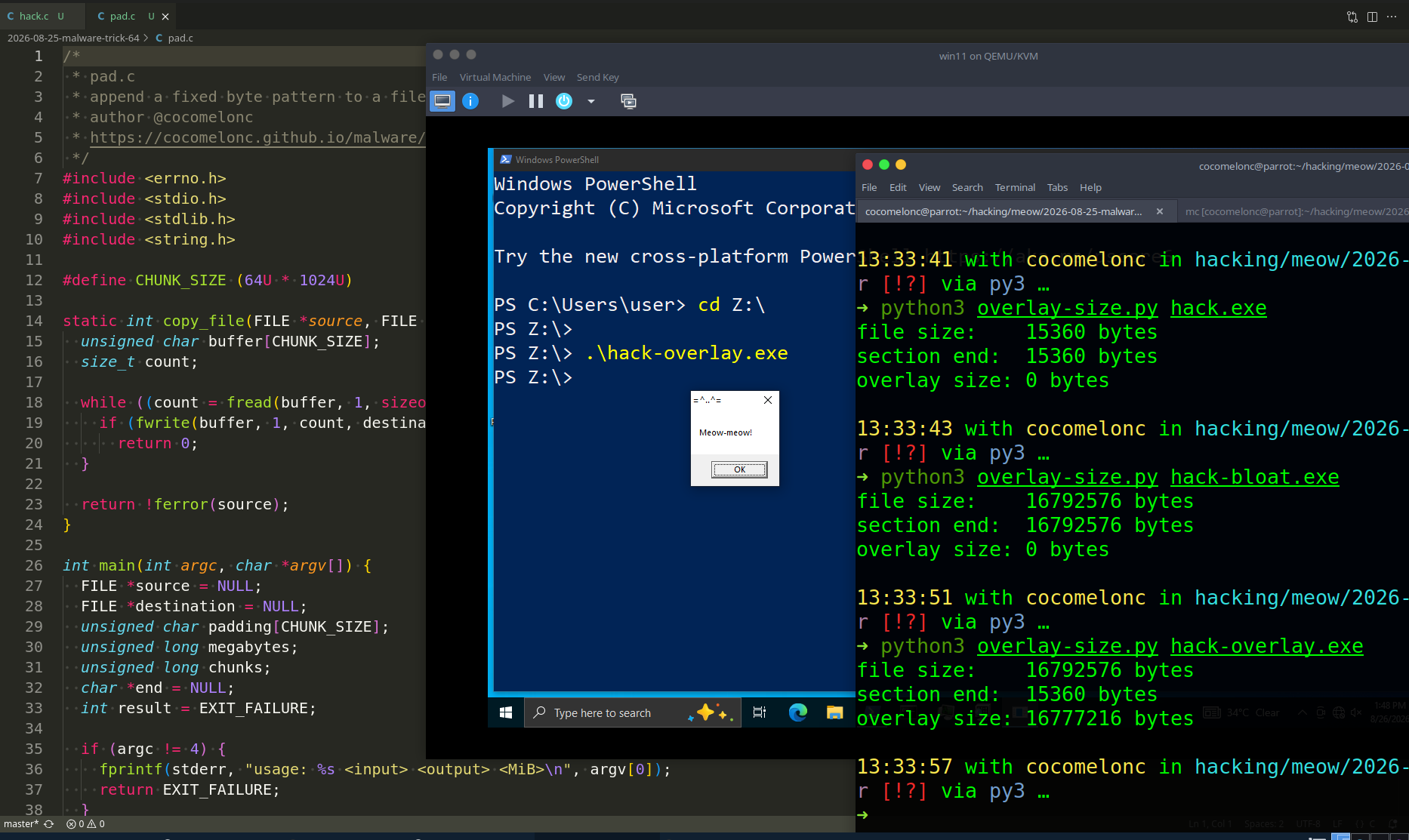
In this post I want to look at another simple PE trick: file bloating, also known as binary padding. The idea is to make an executable much larger without changing its main behavior. This technique is mapped to MITRE ATT&CK T1027.001 - Binary Padding.
Historically, attackers used oversized files to waste analyst time or to exceed file-size limits in scanners, sandboxes, mail gateways, and upload services. Modern security products should not trust size as a safety signal, and many of them can inspect large objects or apply partial scanning. Therefore, bloating is not a reliable bypass by itself.
For this laboratory experiment our program is harmless as usual: it only displays a Meow-meow! message box. We will compare two ways to enlarge it:
- compile a large byte array into a real PE section;
- append bytes after the last section as an overlay.
Both files still run, but their layouts are different and defenders can detect the difference.
PE sections and overlay
A normal PE file contains headers followed by the raw data of its sections. Each section has a PointerToRawData and SizeOfRawData value in the section table. The Windows loader maps the required sections into memory according to the PE headers.
Data placed after the end of the last section is commonly called an overlay:
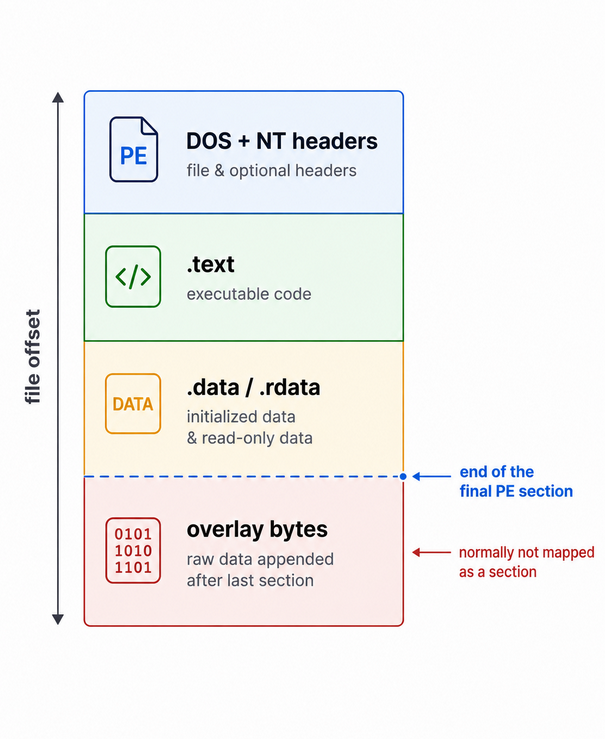
An overlay is not automatically malicious. Installers, self-extracting archives, packers, and signed files can legitimately contain data outside ordinary sections. Context matters.
practical example
First, create the baseline program (hack.c):
/*
 * hack.c
 * harmless PE file-bloating experiment
 * author @cocomelonc
 * https://cocomelonc.github.io/malware/2026/08/25/malware-tricks-64.html
 */
#include <windows.h>

int WINAPI WinMain(
  HINSTANCE instance,
  HINSTANCE previousInstance,
  LPSTR commandLine,
  int showCommand
) {
  (void)instance;
  (void)previousInstance;
  (void)commandLine;
  (void)showCommand;

  MessageBoxA(NULL, "Meow-meow!", "=^..^=", MB_OK);
  return 0;
}
Compile it with MinGW-w64:
x86_64-w64-mingw32-gcc hack.c -o hack.exe -mwindows -Wall -Wextra -s
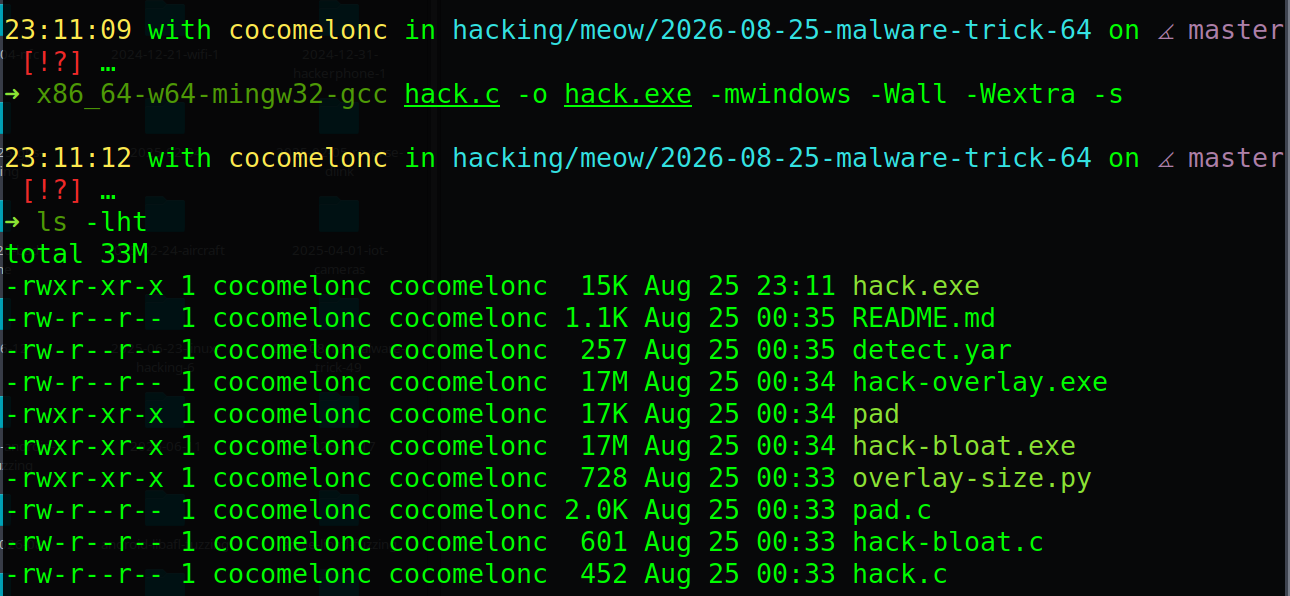
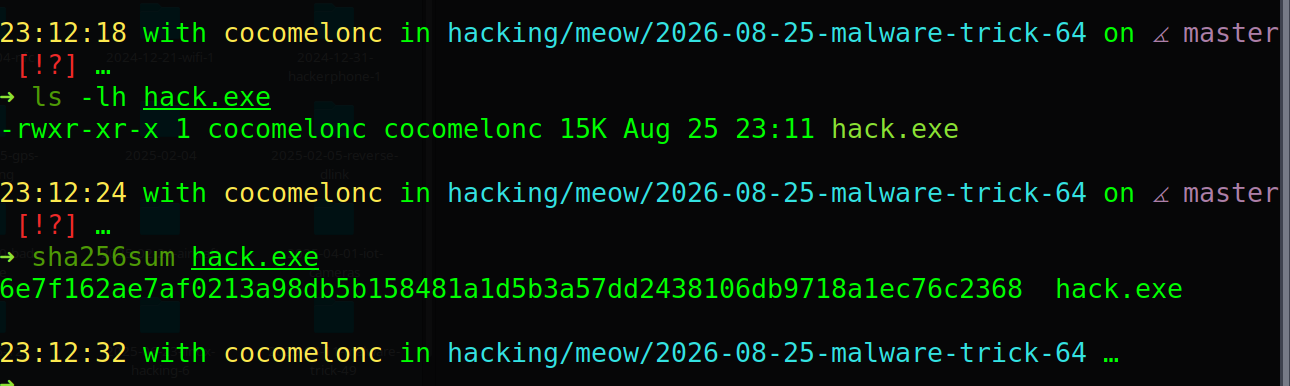
Check the initial size and hash:
ls -lh hack.exe
sha256sum hack.exe
practical example - method 1: a large PE section
The first approach is to define an initialized array and explicitly place it in a new section named .bloat. At least one non-zero initializer is used so the compiler has to store the array in the executable instead of treating it as zero-initialized storage.
Create hack-bloat.c:
/*
 * hack-bloat.c
 * initialized padding stored in a PE section
 * author @cocomelonc
 */
#include <windows.h>

#define BLOAT_SIZE (16U * 1024U * 1024U)

__attribute__((used, section(".bloat")))
const unsigned char bloat[BLOAT_SIZE] = { 0x4d };

int WINAPI WinMain(
  HINSTANCE instance,
  HINSTANCE previousInstance,
  LPSTR commandLine,
  int showCommand
) {
  (void)instance;
  (void)previousInstance;
  (void)commandLine;
  (void)showCommand;

  MessageBoxA(NULL, "Meow-meow!", "=^..^=", MB_OK);
  return 0;
}
Compile the bloated version:
x86_64-w64-mingw32-gcc hack-bloat.c -o hack-bloat.exe -mwindows -Wall -Wextra -s
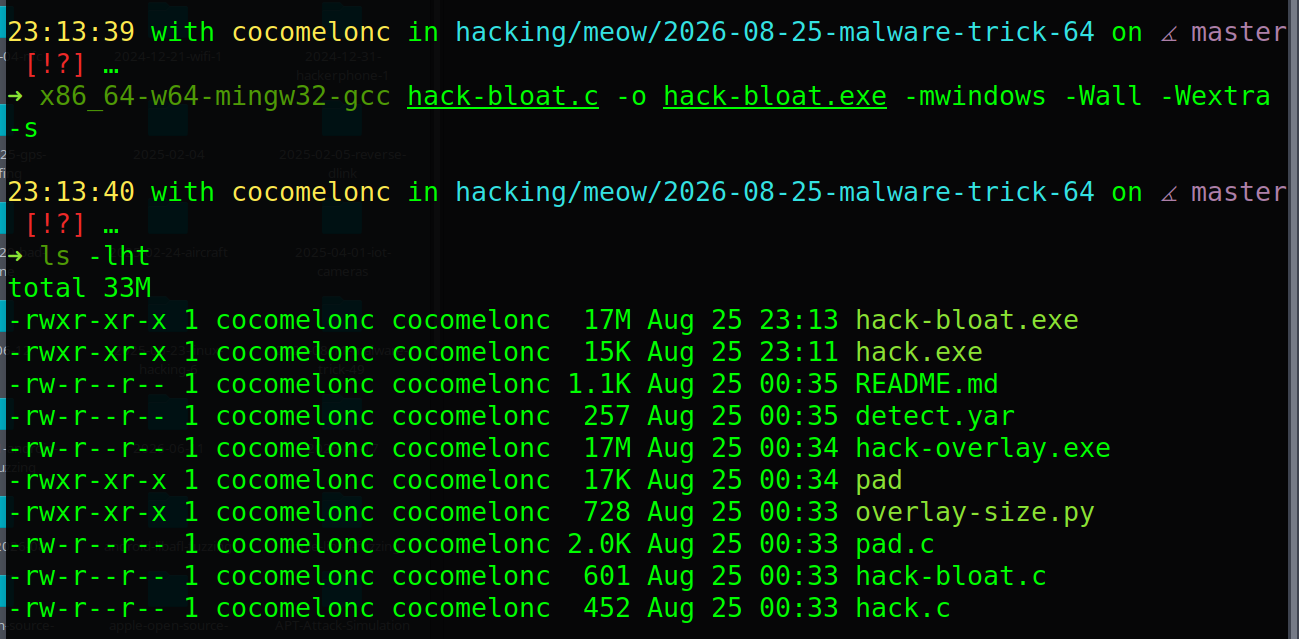
Then compare both artifacts:
ls -lh hack.exe hack-bloat.exe
sha256sum hack.exe hack-bloat.exe
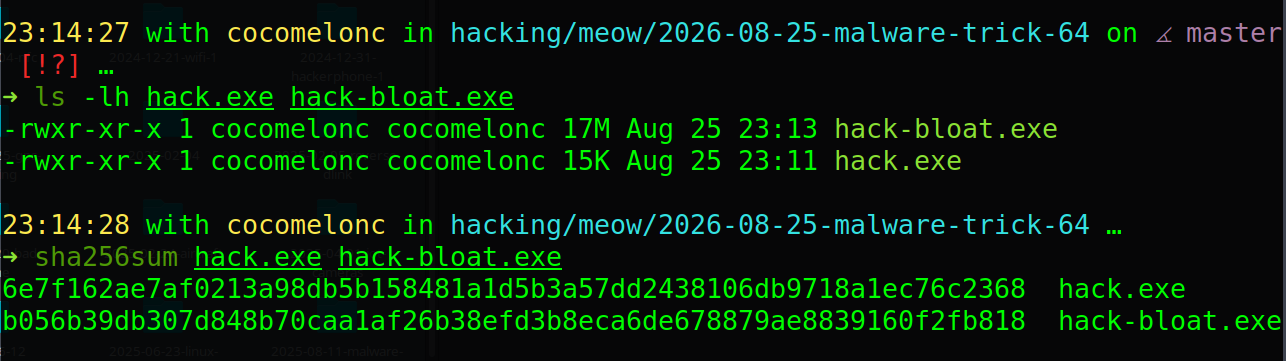
and:
x86_64-w64-mingw32-objdump -h hack-bloat.exe
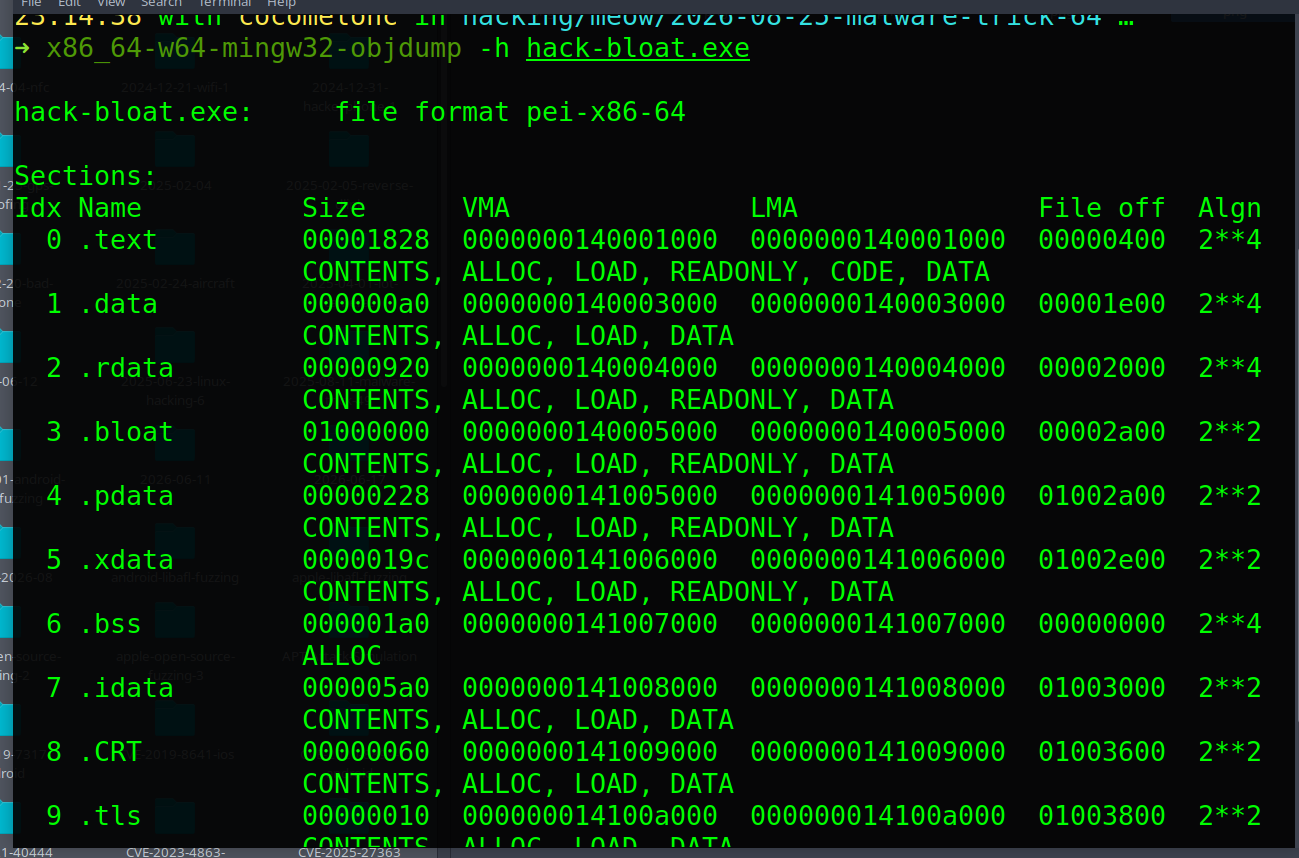
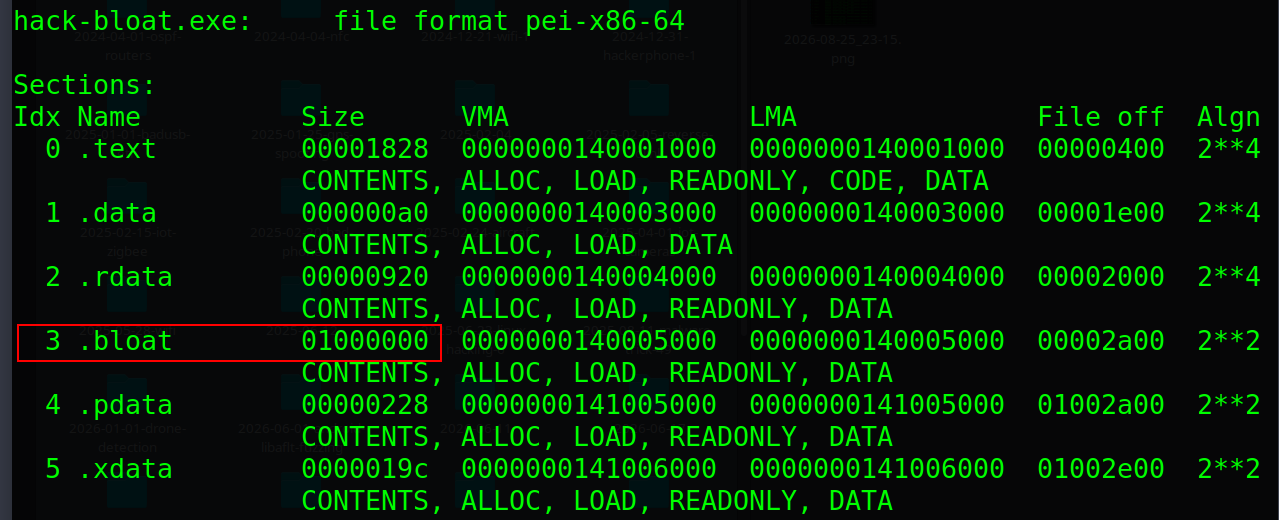
The section table should now contain .bloat with approximately 16 MiB of raw data. Because this is a real section, the padding participates in the PE layout. Depending on the section characteristics generated by the toolchain, it can also affect the virtual image size.
Run it on the Windows test VM:
.\hack-bloat.exe
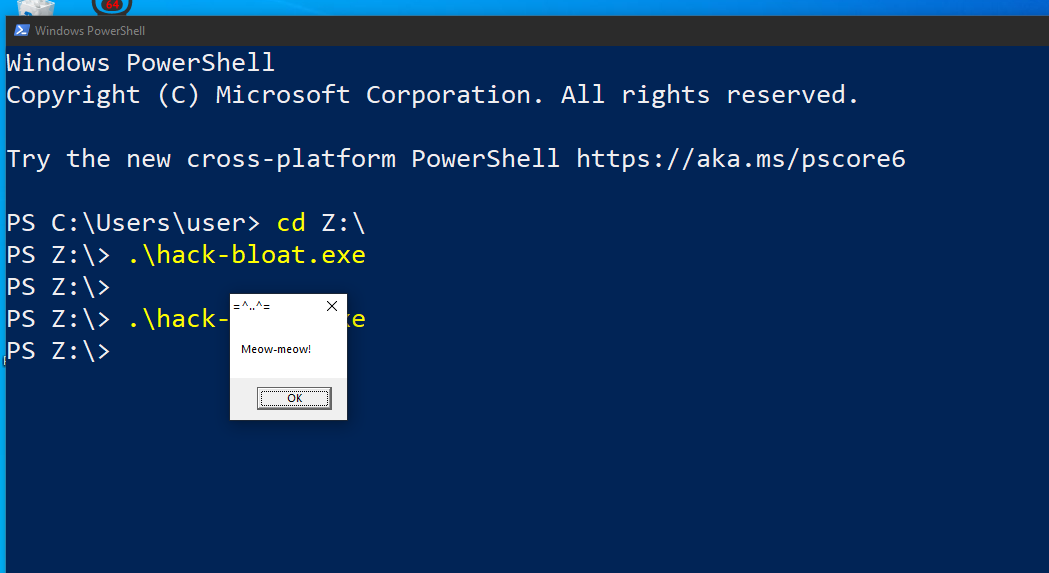
The visible behavior is the same as the baseline “malware” program
practical example - method 2: append an overlay
The second method leaves the original section table unchanged and appends padding to the end of a copy of the executable. The following small utility copies an input file and writes a selected number of mebibytes after it (pad.c):
/*
 * pad.c
 * append a fixed byte pattern to a file
 * author @cocomelonc
 */
#include <errno.h>
#include <stdio.h>
#include <stdlib.h>
#include <string.h>

#define CHUNK_SIZE (64U * 1024U)

static int copy_file(FILE *source, FILE *destination) {
  unsigned char buffer[CHUNK_SIZE];
  size_t count;

  while ((count = fread(buffer, 1, sizeof(buffer), source)) != 0) {
    if (fwrite(buffer, 1, count, destination) != count)
      return 0;
  }

  return !ferror(source);
}

int main(int argc, char *argv[]) {
  FILE *source = NULL;
  FILE *destination = NULL;
  unsigned char padding[CHUNK_SIZE];
  unsigned long megabytes;
  unsigned long chunks;
  char *end = NULL;
  int result = EXIT_FAILURE;

  if (argc != 4) {
    fprintf(stderr, "usage: %s <input> <output> <MiB>\n", argv[0]);
    return EXIT_FAILURE;
  }

  errno = 0;
  megabytes = strtoul(argv[3], &end, 10);
  if (errno != 0 || end == argv[3] || *end != '\0' || megabytes == 0) {
    fprintf(stderr, "invalid padding size: %s\n", argv[3]);
    return EXIT_FAILURE;
  }

  source = fopen(argv[1], "rb");
  if (source == NULL) {
    perror("fopen input");
    goto cleanup;
  }

  destination = fopen(argv[2], "wb");
  if (destination == NULL) {
    perror("fopen output");
    goto cleanup;
  }

  if (!copy_file(source, destination)) {
    fprintf(stderr, "failed to copy input file\n");
    goto cleanup;
  }

  memset(padding, 0x41, sizeof(padding));
  chunks = megabytes * (1024U * 1024U / CHUNK_SIZE);

  for (unsigned long i = 0; i < chunks; ++i) {
    if (fwrite(padding, 1, sizeof(padding), destination) != sizeof(padding)) {
      fprintf(stderr, "failed to append padding\n");
      goto cleanup;
    }
  }

  printf("appended %lu MiB to %s\n", megabytes, argv[2]);
  result = EXIT_SUCCESS;

cleanup:
  if (destination != NULL && fclose(destination) != 0)
    result = EXIT_FAILURE;
  if (source != NULL)
    fclose(source);
  return result;
}
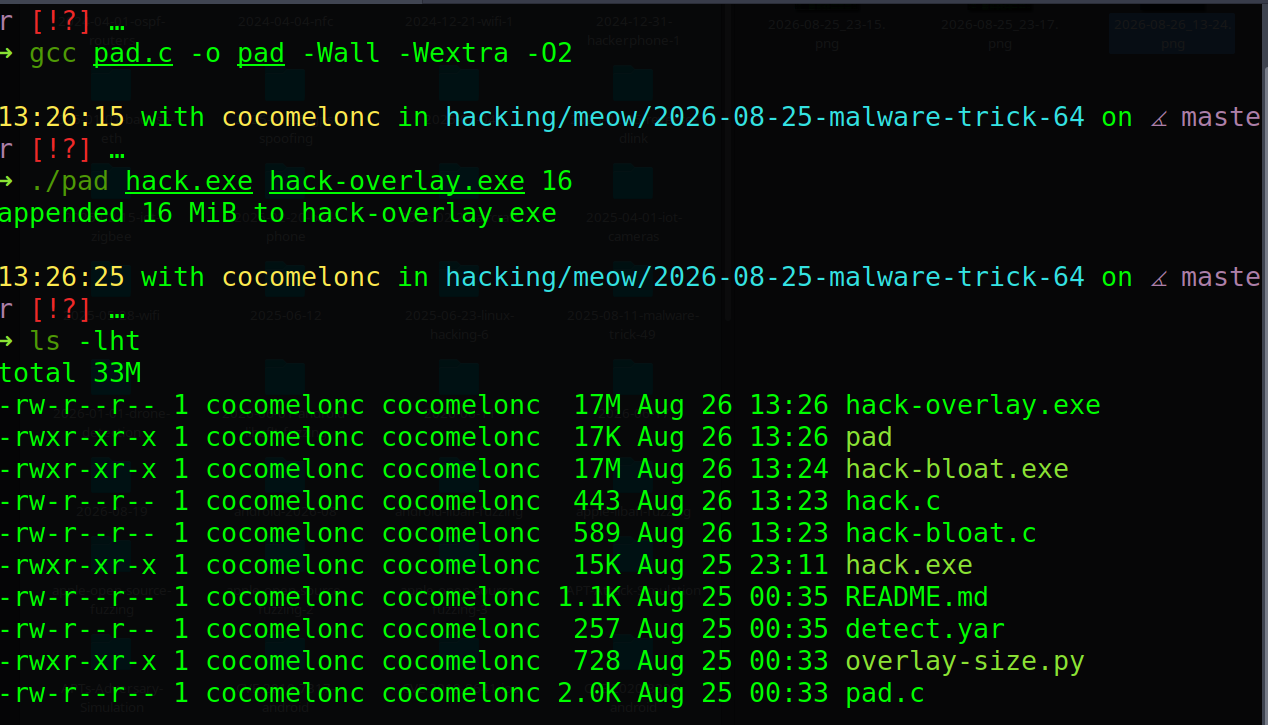
Build the utility on Linux and append a 16 MiB overlay:
gcc pad.c -o pad -Wall -Wextra -O2
./pad hack.exe hack-overlay.exe 16
ls -lh hack.exe hack-overlay.exe
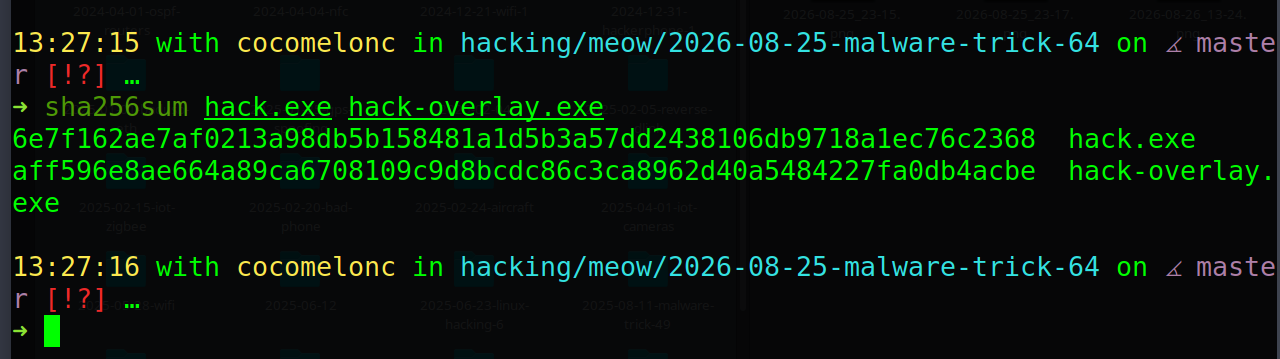
sha256sum hack.exe hack-overlay.exe
Copy hack-overlay.exe to the Windows VM and run it:
.\hack-overlay.exe
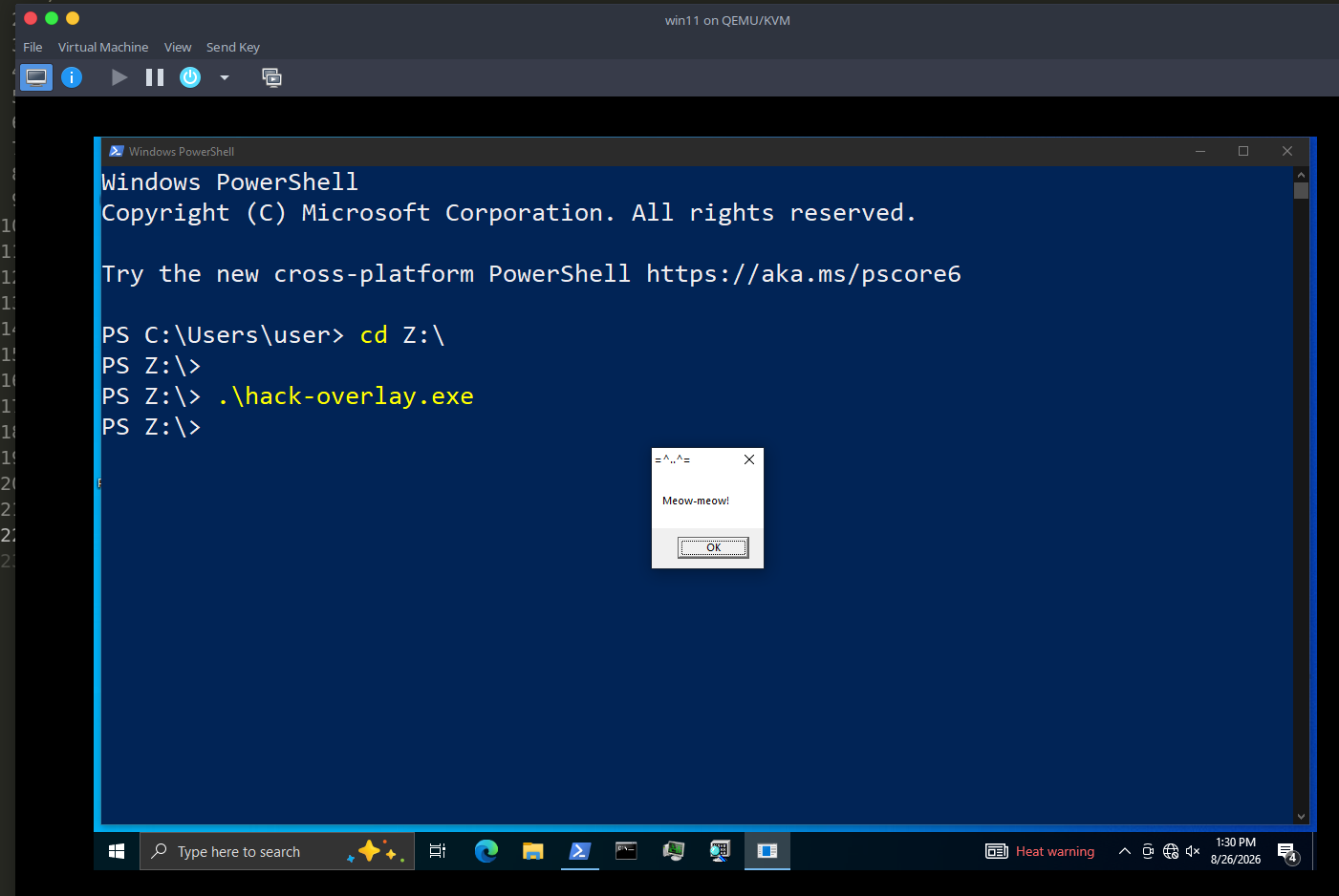
Windows should still execute the original program because its headers and section contents have not changed. The appended 0x41 bytes are outside the final section and are not part of the program logic.
if we use this technique on a signed production binary any post-build modification must be assumed to invalidate its Authenticode signature; verify the result explicitly with signtool verify /pa or Sysinternals sigcheck.
finding the overlay
The rough start of an overlay can be calculated from the greatest end offset of all raw PE sections:
\[\text{raw\_end} = \max_i(\text{PointerToRawData}_i + \text{SizeOfRawData}_i)\]If the physical file size is greater than raw_end, the remaining bytes are candidates for overlay data. With the Python pefile module:
import os
import sys
import pefile

path = sys.argv[1]
pe = pefile.PE(path, fast_load=True)

raw_end = max(
    section.PointerToRawData + section.SizeOfRawData
    for section in pe.sections
)
file_size = os.path.getsize(path)
overlay_size = max(0, file_size - raw_end)

print(f"file size:    {file_size} bytes")
print(f"section end:  {raw_end} bytes")
print(f"overlay size: {overlay_size} bytes")
Run it against all three samples:
python3 -m pip install pefile
python3 overlay-size.py hack.exe
python3 overlay-size.py hack-bloat.exe
python3 overlay-size.py hack-overlay.exe
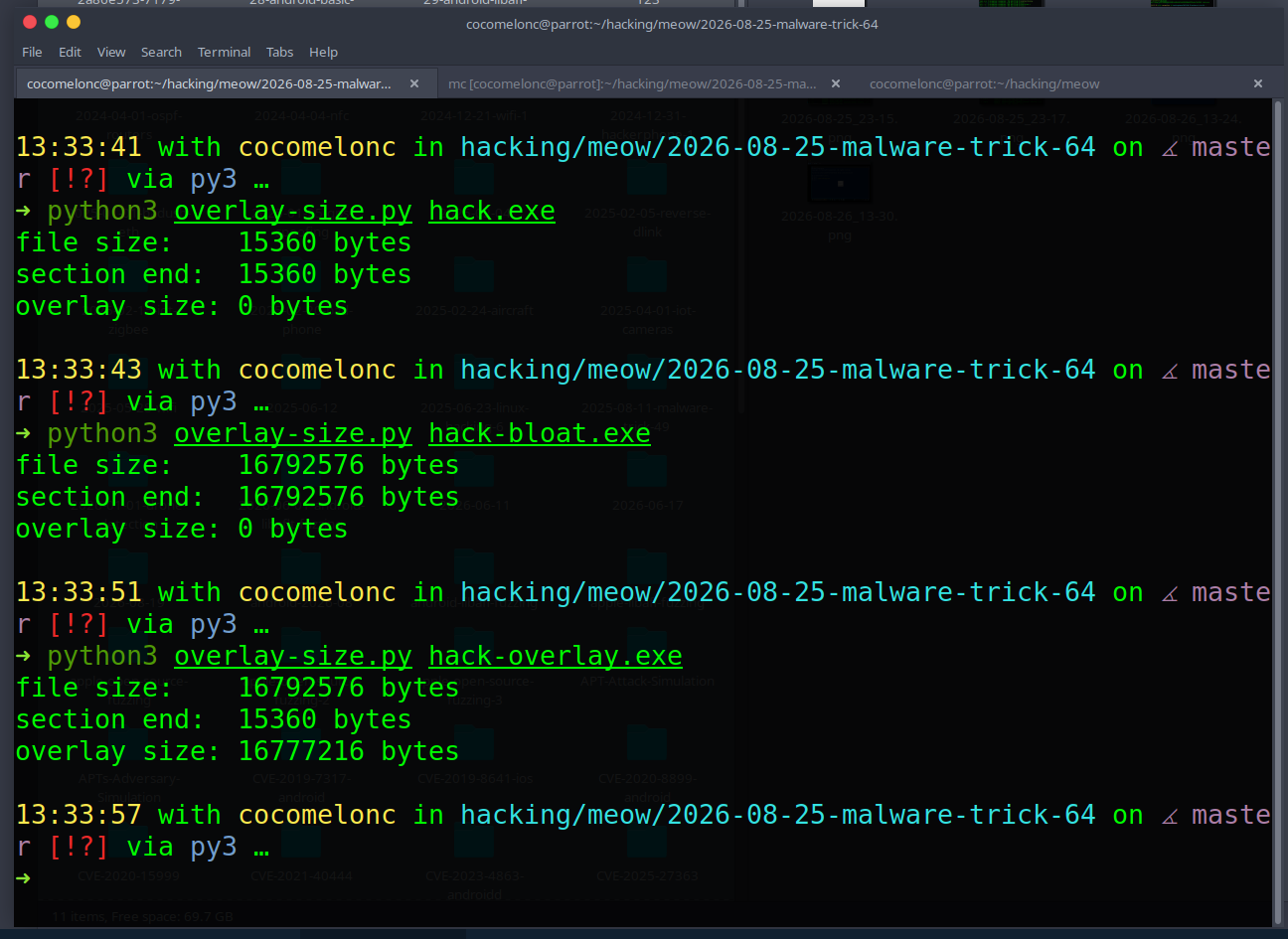
The .bloat array should be accounted for by a section, whereas the appended padding should be reported as overlay. A production parser must also understand the PE security directory and common installer formats; simply labeling every overlay as malicious creates false positives.
defensive notes
Useful indicators for this technique include:
- a file size that is unusual for the claimed application;
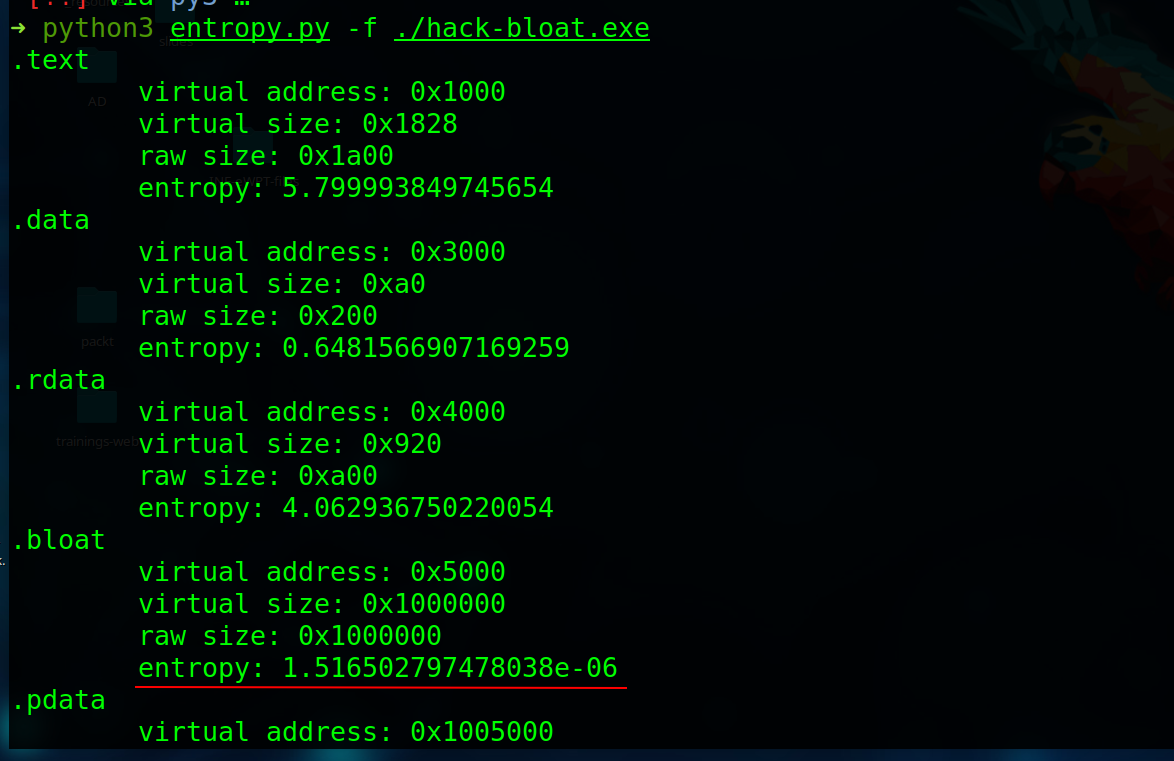
- an extremely large section with low entropy or a repeated byte pattern;
- a large overlay that the program never reads;
- a major difference between the on-disk file size and the meaningful PE content;
- inconsistent metadata, signature state, and expected software distribution path.
A basic hunting rule can flag unusually large unsigned PE files, but it should remain a low-confidence signal:
import "pe"

rule Suspicious_Oversized_Unsigned_PE_Draft
{
  meta:
    description = "Large unsigned PE file; triage signal only"
    author = "cocomelonc"

  condition:
    uint16(0) == 0x5a4d and
    filesize > 15MB and
    pe.number_of_signatures == 0
}
run:
yara detect.yar ./

Large legitimate applications are common, so size alone is not enough for a verdict. A better workflow combines PE structure, entropy, signature verification, reputation, execution telemetry, and knowledge of the expected publisher.
For example, Shannon entropy value for our hack-bloat.exe:
python3 entropy.py -f hack-bloat.exe
conclusion
File bloating changes the artifact, not its core behavior. An initialized array becomes part of a PE section, while appended bytes form an overlay outside the ordinary section layout. Both approaches increase the hash and file size, but they leave different forensic traces.
This simple experiment is useful for understanding why scanners must parse file formats instead of relying on superficial properties. It also shows why defenders should treat oversized sections and overlays as investigation clues rather than automatic proof of malware.
The sample code is available for educational purposes only. Test it in an isolated lab environment.
I hope this post is useful for malware researchers, C/C++ programmers, and blue teamers studying PE structure and masquerading indicators, and adds a weapon to the red teamers arsenal.
MITRE ATT&CK: T1027.001 Binary Padding
Microsoft PE format
pefile documentation
source code in github
This is a practical case for educational purposes only.
Thanks for your time happy hacking and good bye!
PS. All drawings and screenshots are mine