Malware development trick 63: modifying PE version metadata and icon. Simple C example
﷽
Hello, cybersecurity enthusiasts and white hackers!
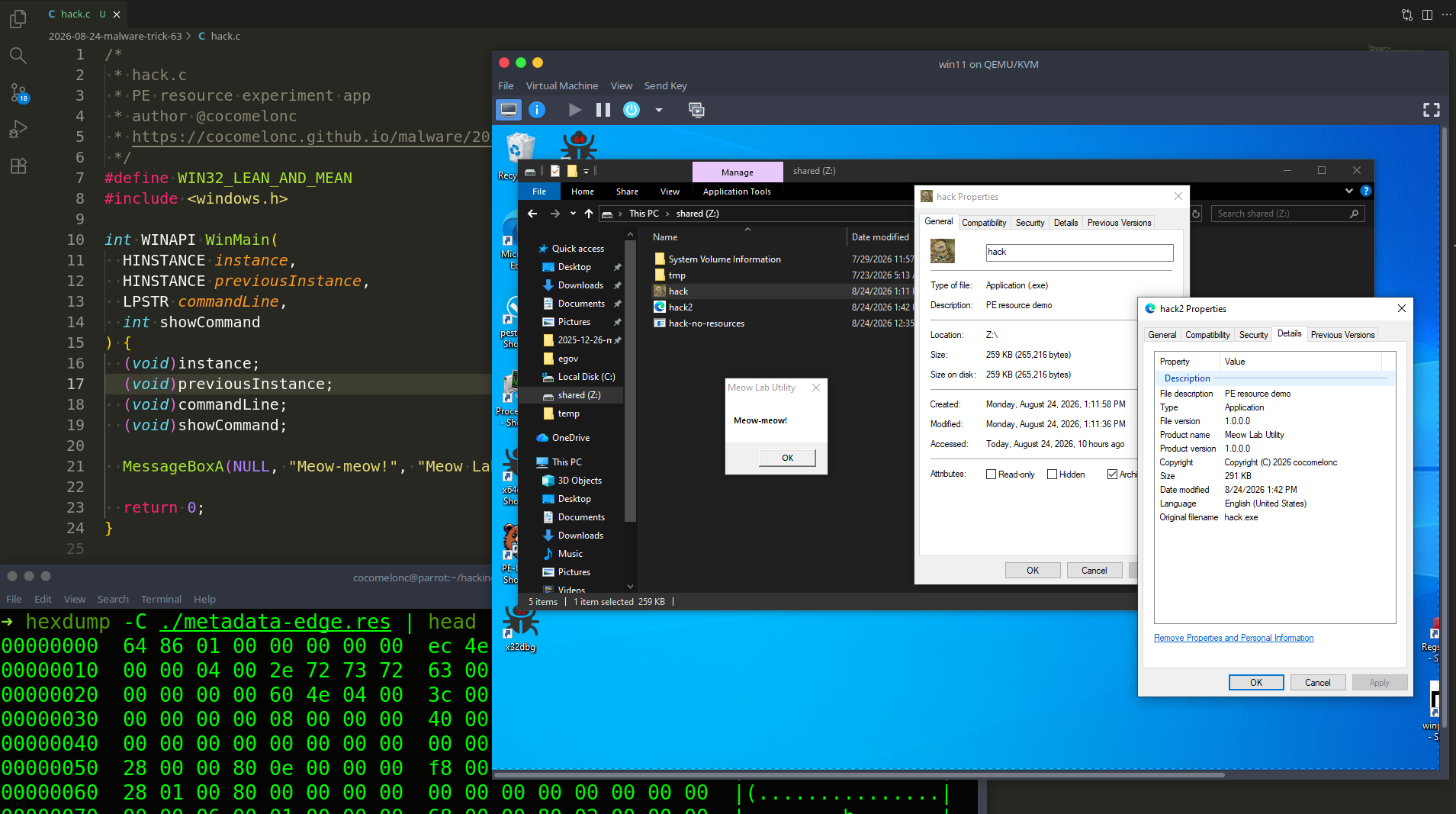
In this post I want to look at a very simple PE build-time trick: adding version information and an application icon to a Windows executable. This time I will start the experiment as usual with a small “malware” C program and the MinGW-w64 toolchain on Linux.
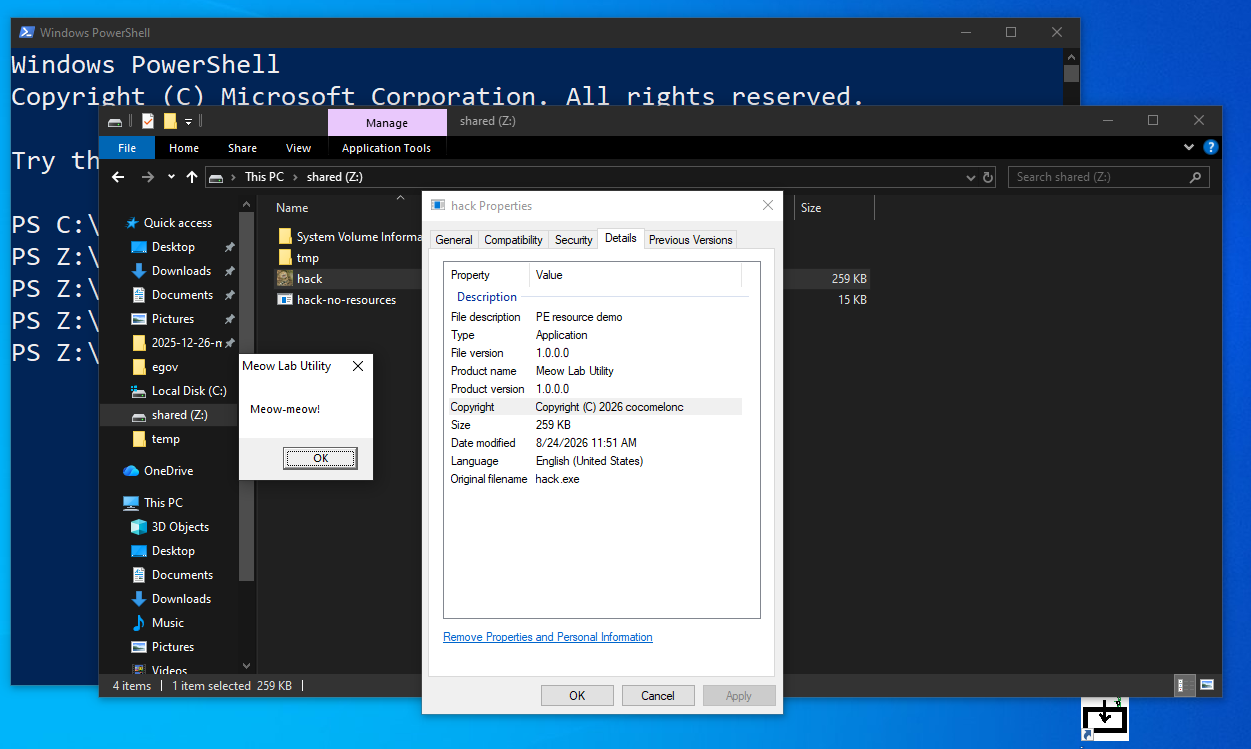
Windows executables often contain descriptive fields such as CompanyName, FileDescription, FileVersion, OriginalFilename, and ProductName. File Explorer displays these values in the Details tab, and other tools can read them from the PE resources.
An executable without version metadata is not automatically malicious, and an executable with a polished icon is not automatically trustworthy. These values are cosmetic and self-declared. They can improve the appearance of legitimate internal utilities, but they can also be abused for masquerading. Therefore, this experiment uses an honest fictional product called Meow Lab Utility rather than copying the identity of Microsoft, Google, or another real vendor.
PE resources
Windows stores icons, dialogs, manifests, strings, and version data as resources, normally inside the .rsrc section of a Portable Executable file. A resource script has the .rc extension.
The build pipeline looks like this:
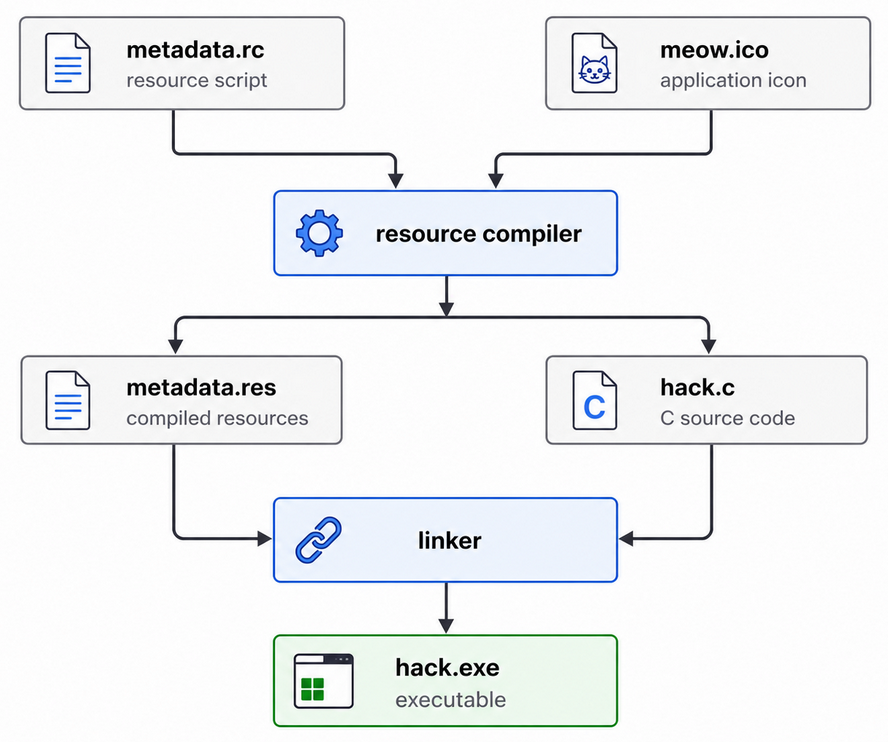
The important distinction is that resource metadata is not a digital signature. Anyone who builds a PE can write almost any company or product string into it. Authenticode, on the other hand, uses a certificate and a cryptographic signature to verify the publisher and file integrity. A familiar-looking CompanyName field must never be treated as proof of origin.
practical example
Our executable “malware” is simple as usual - only displays a message box (hack.c):
/*
 * hack.c
 * PE resource experiment app
 * author @cocomelonc
 * https://cocomelonc.github.io/malware/2026/08/24/malware-tricks-63.html
 */
#include <windows.h>

int WINAPI WinMain(
  HINSTANCE instance,
  HINSTANCE previousInstance,
  LPSTR commandLine,
  int showCommand
) {
  (void)instance;
  (void)previousInstance;
  (void)commandLine;
  (void)showCommand;

  MessageBoxA(NULL, "Meow-meow!", "Meow Lab Utility", MB_OK);

  return 0;
}
compile this baseline sample first:
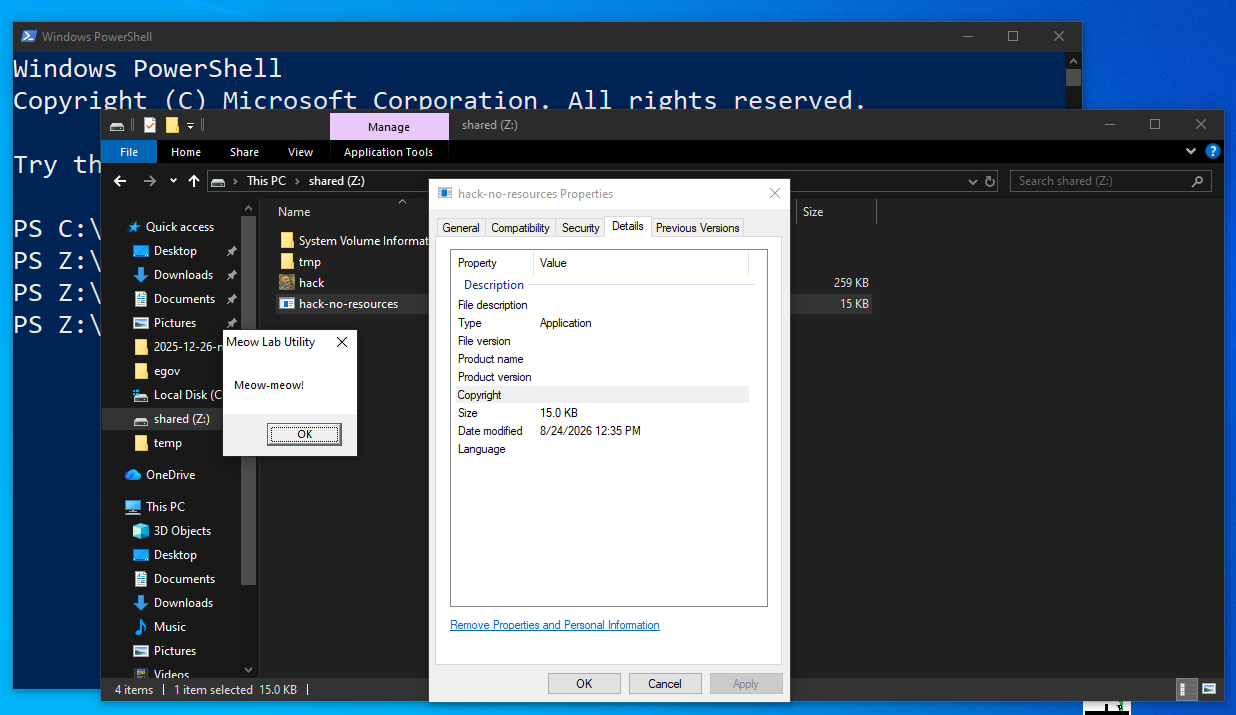
x86_64-w64-mingw32-gcc hack.c -o hack-no-resources.exe -mwindows -Wall -Wextra -s
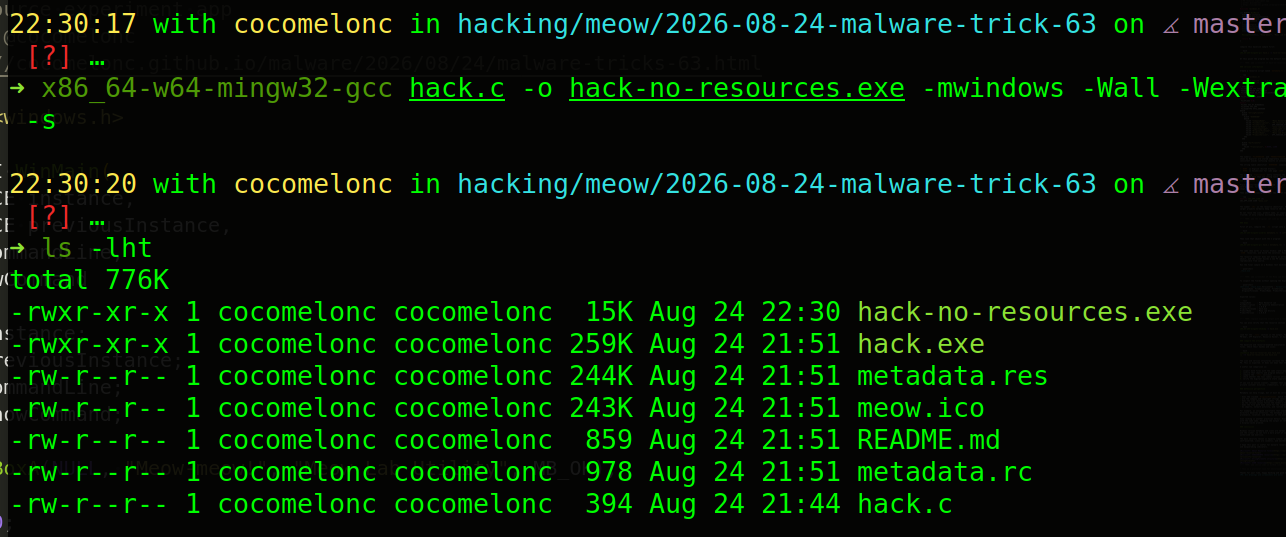
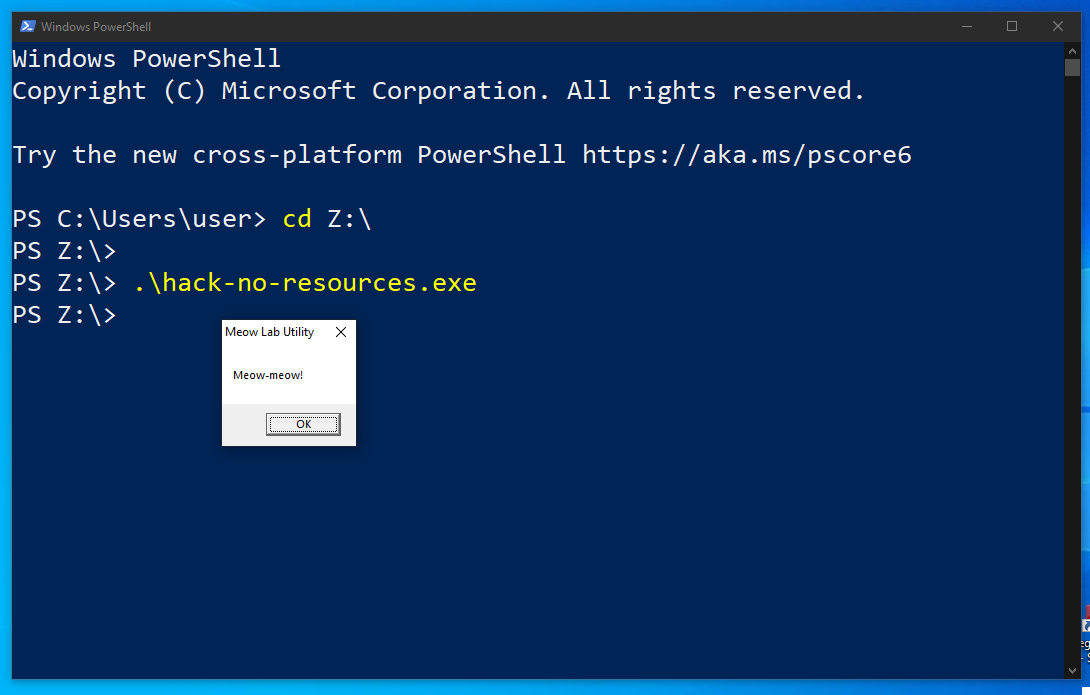
At this point the program has the default executable icon and almost no useful product information.
version information
Create a resource script named metadata.rc:
#include <windows.h>

#define APP_VERSION      1,0,0,0
#define APP_VERSION_STR  "1.0.0.0\0"

1 VERSIONINFO
 FILEVERSION APP_VERSION
 PRODUCTVERSION APP_VERSION
 FILEFLAGSMASK VS_FFI_FILEFLAGSMASK
#ifdef _DEBUG
 FILEFLAGS VS_FF_DEBUG
#else
 FILEFLAGS 0x0L
#endif
 FILEOS VOS_NT_WINDOWS32
 FILETYPE VFT_APP
 FILESUBTYPE VFT2_UNKNOWN
BEGIN
  BLOCK "StringFileInfo"
  BEGIN
    BLOCK "040904B0"
    BEGIN
      VALUE "CompanyName",      "Meow Research Lab\0"
      VALUE "FileDescription",  "PE resource demo\0"
      VALUE "FileVersion",      APP_VERSION_STR
      VALUE "InternalName",     "meow-lab-utility\0"
      VALUE "LegalCopyright",   "Copyright (C) 2026 cocomelonc\0"
      VALUE "OriginalFilename", "hack.exe\0"
      VALUE "ProductName",      "Meow Lab Utility\0"
      VALUE "ProductVersion",   APP_VERSION_STR
    END
  END

  BLOCK "VarFileInfo"
  BEGIN
    VALUE "Translation", 0x0409, 1200
  END
END
The numeric FILEVERSION and PRODUCTVERSION fields use four comma-separated 16-bit values. The strings shown by Explorer are stored separately inside StringFileInfo; keeping the numeric and string versions consistent avoids confusing results in inventory tools.
The string table identifier 040904B0 combines two values:
0409is English (United States);04B0is hexadecimal for code page1200, Unicode.
The matching Translation entry contains the same language and code page values. A multilingual application can provide more than one string table, but one is enough for this experiment.
application icon
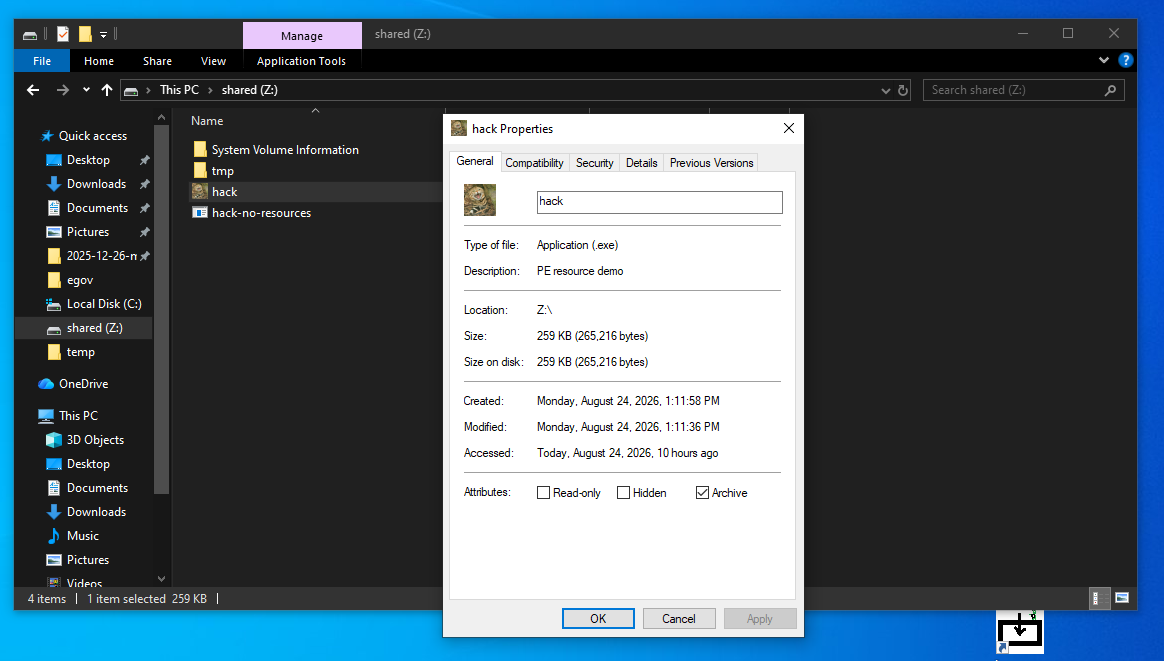
Place a multi-resolution icon named meow.ico next to metadata.rc. A practical .ico file should contain several sizes, for example 16x16, 32x32, 48x48, and 256x256, so Explorer can select an appropriate image.
Then add the following line near the top of the resource script, after the #define statements:
#define IDI_APP_ICON 101
IDI_APP_ICON ICON "meow.ico"
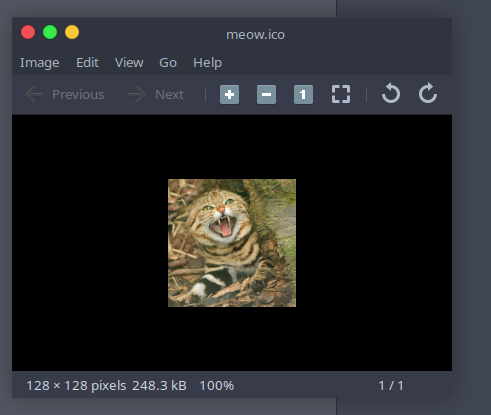
The number 101 is the resource identifier. For a small executable, using a low custom identifier is enough. Larger projects normally keep resource IDs in a separate resource.h file.
In real attacks, adversaries reuse the icon, product name, or copyright notice of a real company. Doing so does not make a sample trusted; it only creates misleading metadata and gives defenders another inconsistency to detect.
demo
First of all, compile the .rc script into a COFF resource object:
x86_64-w64-mingw32-windres metadata.rc -O coff -o metadata.res
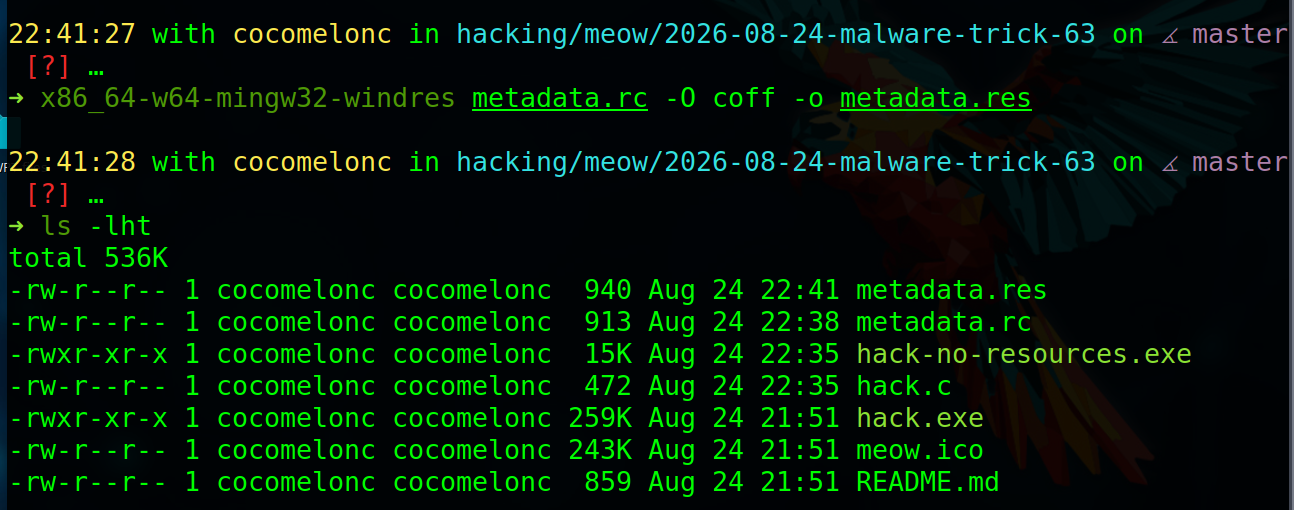
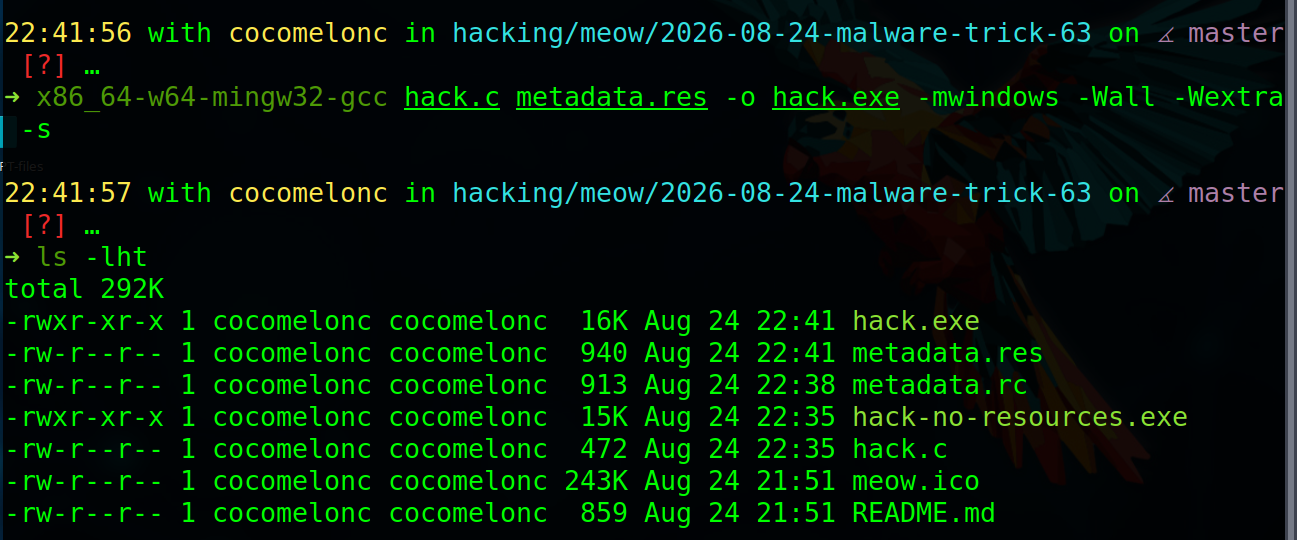
Then link that object with the C program:
x86_64-w64-mingw32-gcc hack.c metadata.res -o hack.exe -mwindows -Wall -Wextra -s
The same idea works in Visual Studio: add a Resource File (.rc) to the project, insert the VERSIONINFO and ICON resources, and build the solution. Visual Studio invokes its resource compiler and linker automatically.
The resource compiler does not modify an already compiled executable in this workflow. It creates a resource object, and the linker builds a new PE containing the program and resources together. This makes the result reproducible from source.
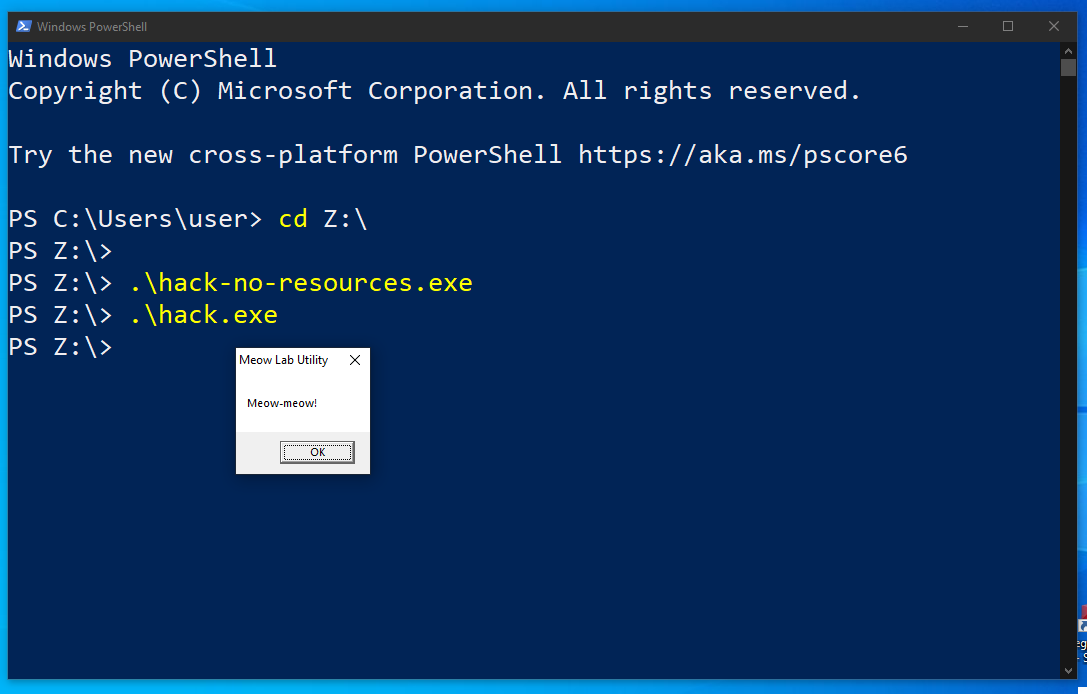
Run the final sample on a Windows test machine:
.\hack.exe
Icon:
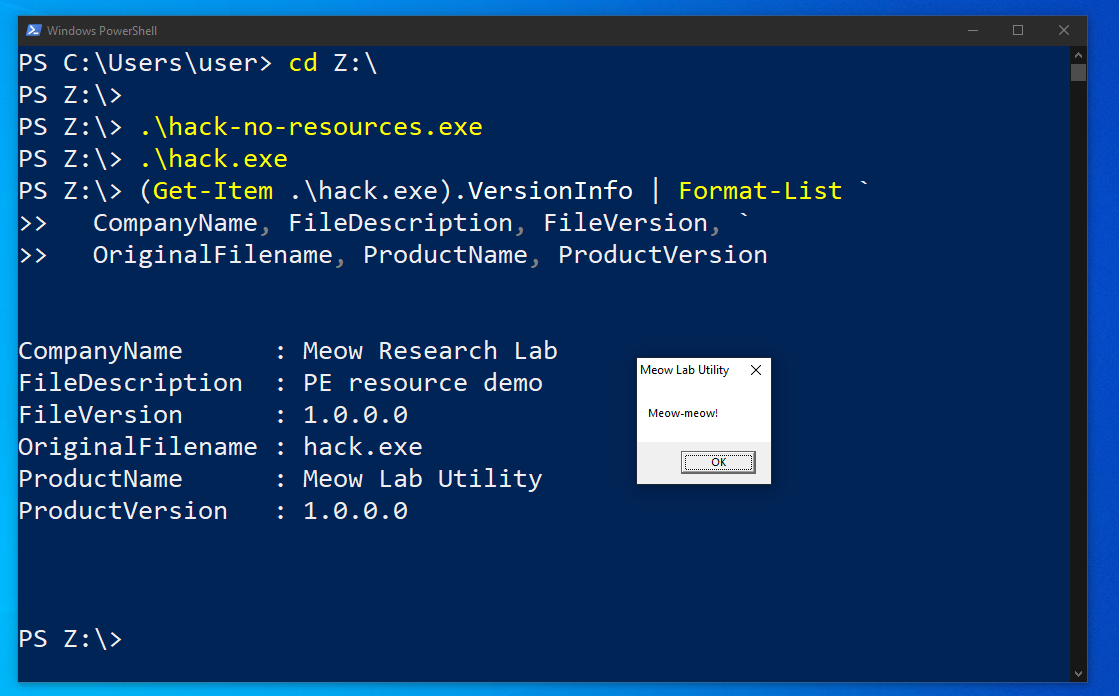
To inspect the fields without opening the Explorer dialog, use PowerShell:
(Get-Item .\hack.exe).VersionInfo | Format-List `
  CompanyName, FileDescription, FileVersion, `
  OriginalFilename, ProductName, ProductVersion
Expected values:
CompanyName      : Meow Research Lab
FileDescription  : PE resource demonstration
FileVersion      : 1.0.0.0
OriginalFilename : hack.exe
ProductName      : Meow Lab Utility
ProductVersion   : 1.0.0.0
You can also verify that the resource section exists from Linux:
x86_64-w64-mingw32-objdump -h hack.exe
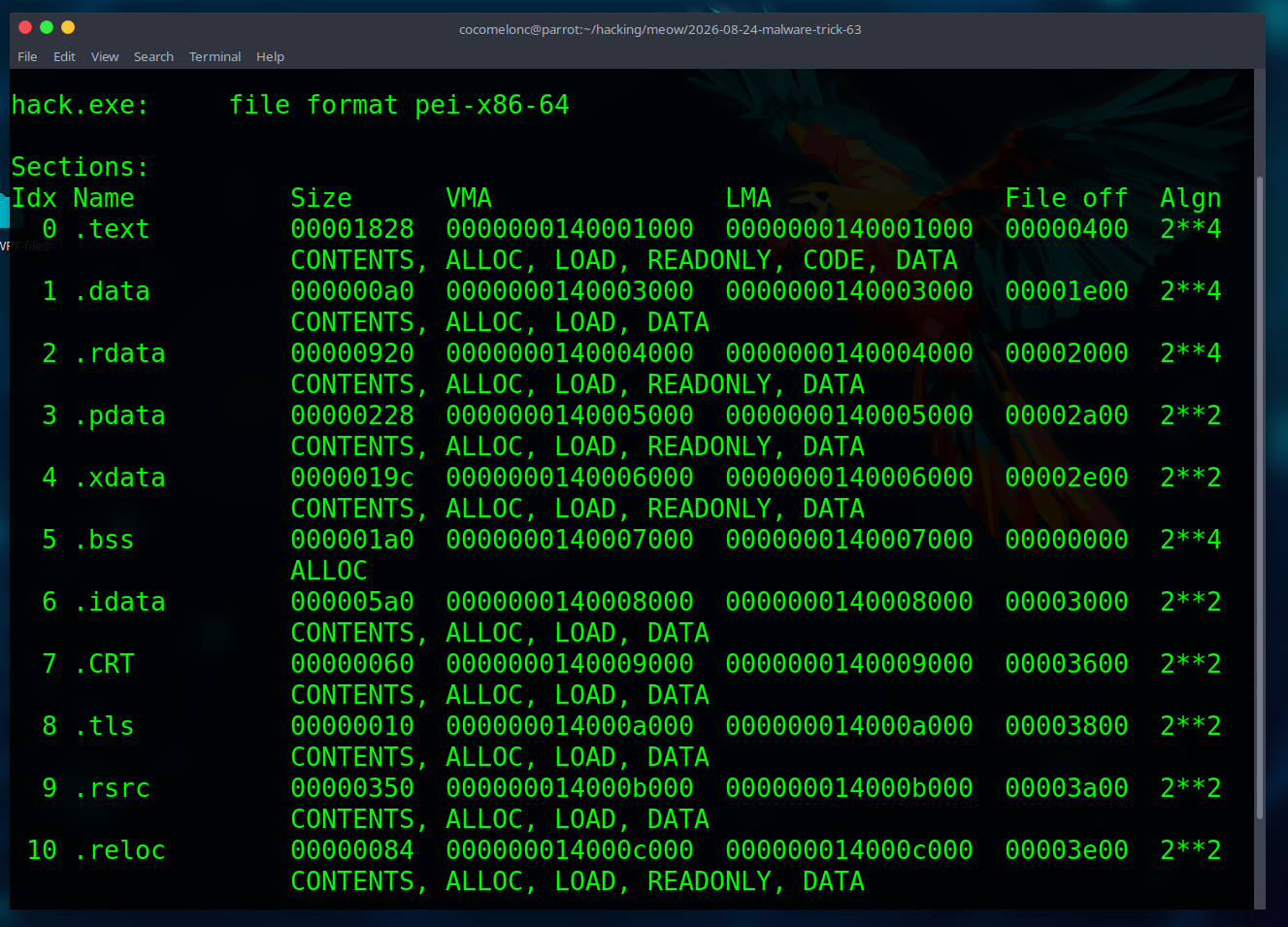
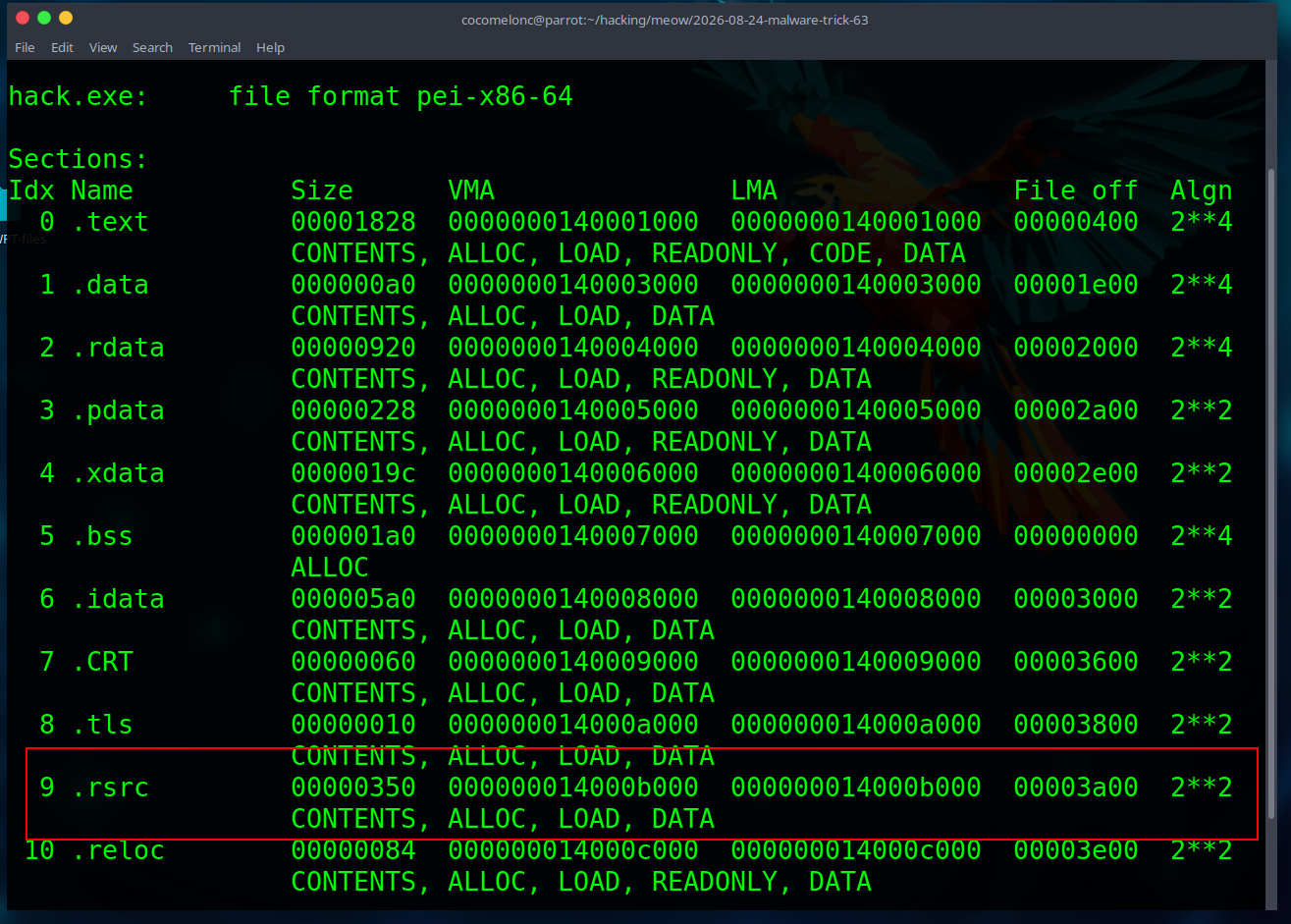
Look for the .rsrc section in the output. For a more detailed Windows-side inspection, tools such as PE-bear, CFF Explorer, Resource Hacker, or Sysinternals Sigcheck can display resources and version strings.
compare the artifacts
The baseline and resource-enabled executables execute the same application logic, but they are different files. Check their hashes and sizes:
sha256sum hack-no-resources.exe hack.exe
ls -lh hack-no-resources.exe hack.exe
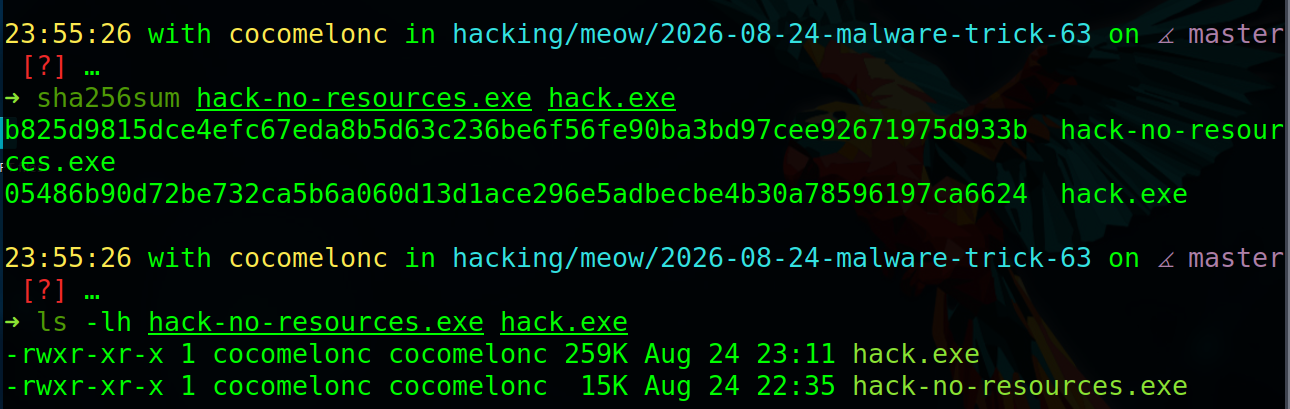
The icon and version structures increase the file size and change the hash because the linker adds data to the PE. This is expected. It does not mean that the executable became more or less malicious.
A useful lab comparison is:
- inspect both files with the same static-analysis tool;
- confirm that imports and program behavior remain equivalent;
- compare the
.rsrcsections; - check whether the tool labels version strings as unverified metadata;
- verify the digital-signature state separately.
If you use an online scanner, remember that uploaded files may be shared with security vendors.
practical example 2
Let’s say we have Microsoft Edge icon file:
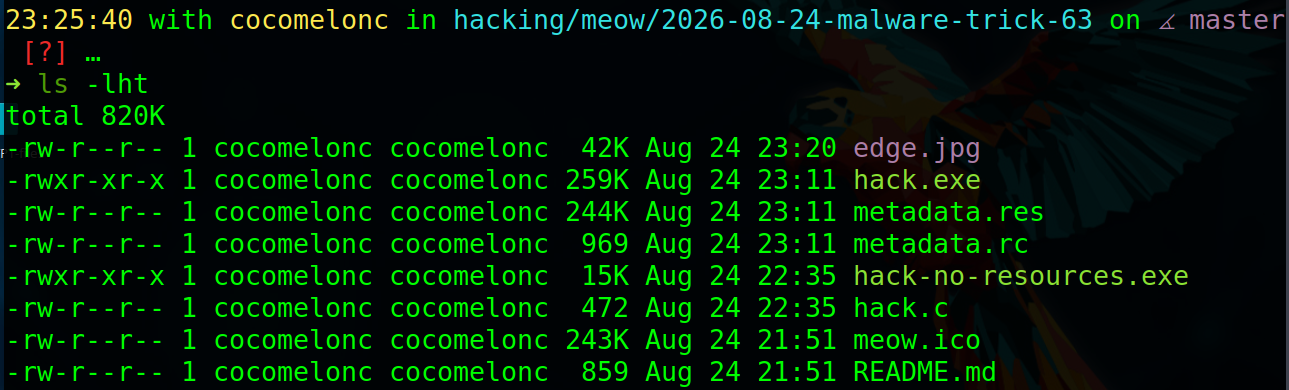

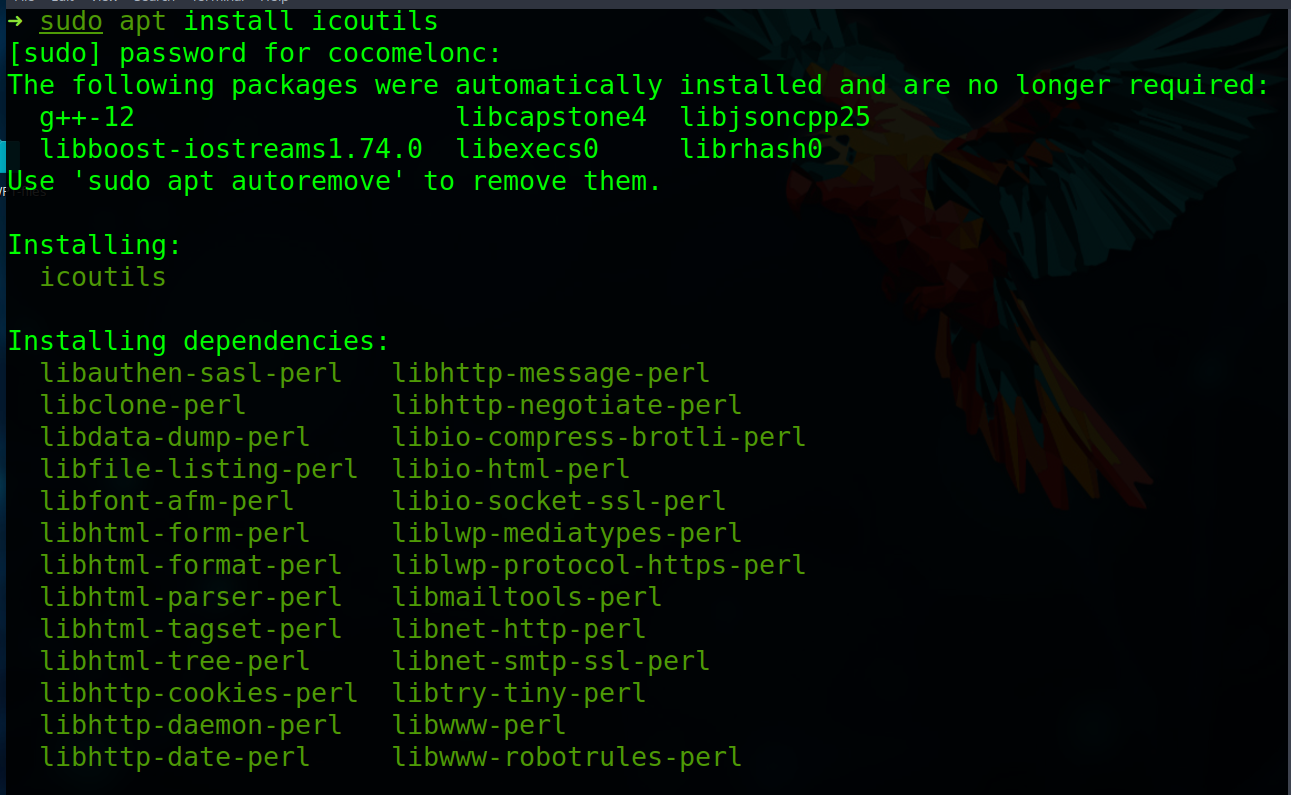
Craft our .ico file. First of all, install:
sudo apt install icoutils
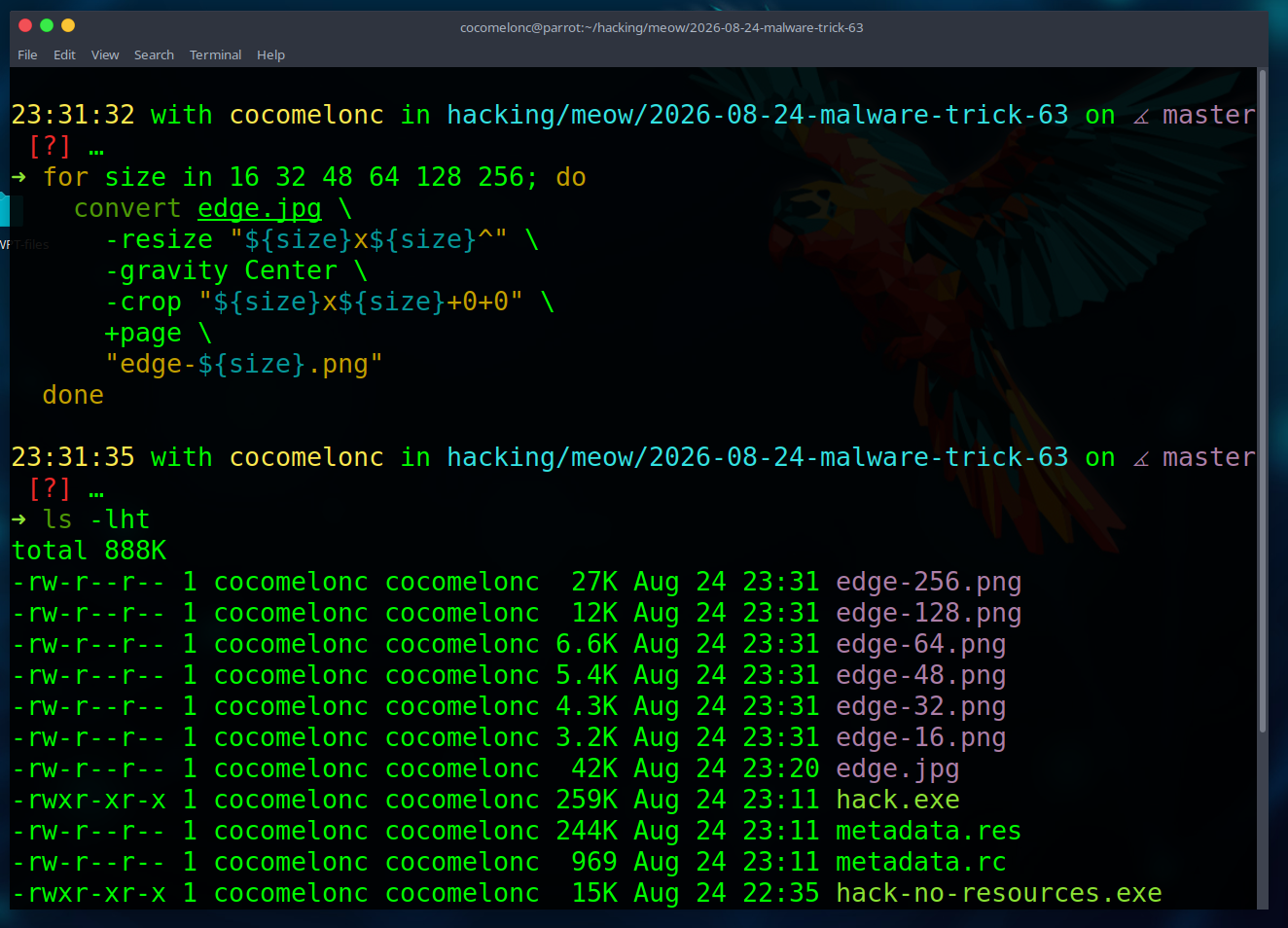
So, for high-quality multi-size Windows icons, we use icotool here:
for size in 16 32 48 64 128 256; do
  convert edge.jpg \
    -resize "${size}x${size}^" \
    -gravity Center \
    -crop "${size}x${size}+0+0" \
    +page \
    "edge-${size}.png"
  done
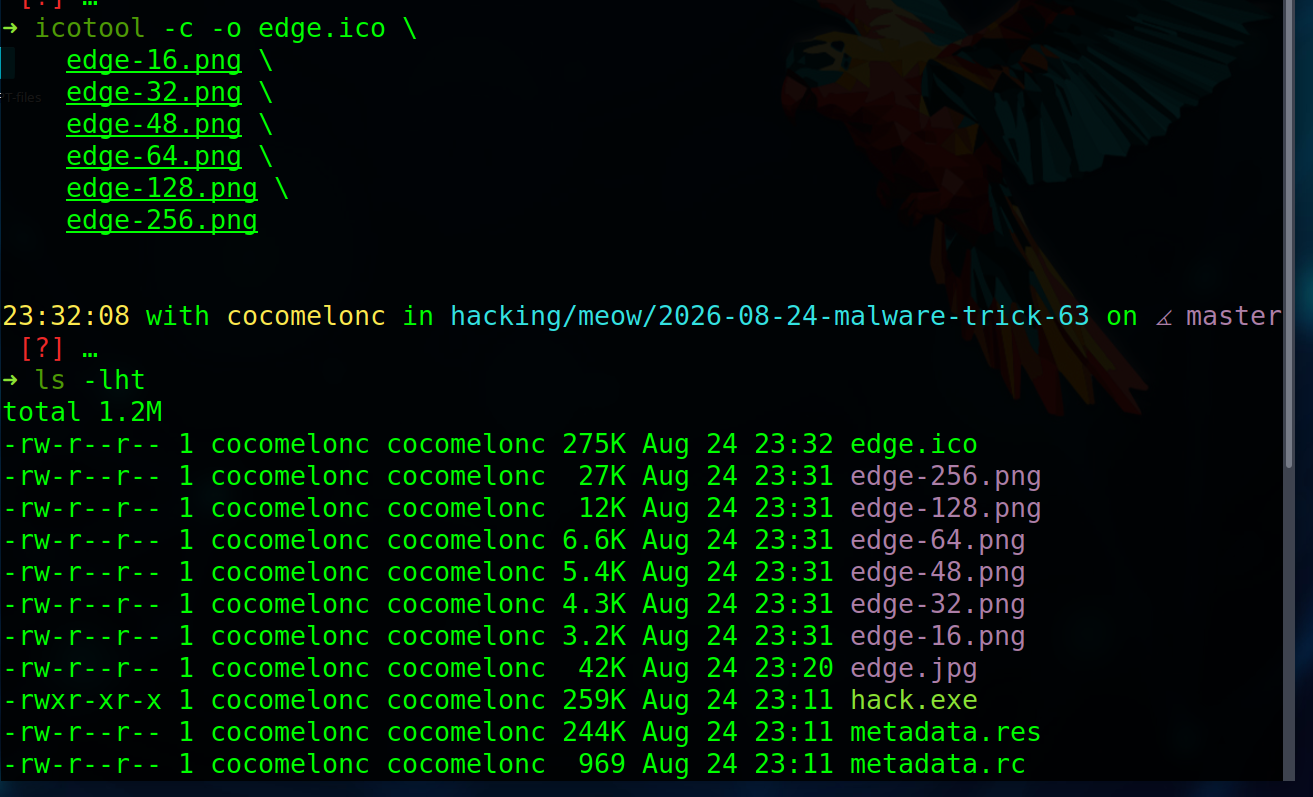
Then, for creating a multi-size icon:
icotool -c -o edge.ico \
  edge-16.png \
  edge-32.png \
  edge-48.png \
  edge-64.png \
  edge-128.png \
  edge-256.png

Then create new resource file (metadata-edge.rc):
#include <windows.h>

#define APP_VERSION      1,0,0,0
#define APP_VERSION_STR  "1.0.0.0\0"

#define IDI_APP_ICON 101
IDI_APP_ICON ICON "edge.ico"

1 VERSIONINFO
 FILEVERSION APP_VERSION
 PRODUCTVERSION APP_VERSION
 FILEFLAGSMASK VS_FFI_FILEFLAGSMASK
#ifdef _DEBUG
 FILEFLAGS VS_FF_DEBUG
#else
 FILEFLAGS 0x0L
#endif
 FILEOS VOS_NT_WINDOWS32
 FILETYPE VFT_APP
 FILESUBTYPE VFT2_UNKNOWN
BEGIN
  BLOCK "StringFileInfo"
  BEGIN
    BLOCK "040904B0"
    BEGIN
      VALUE "CompanyName",      "Meow Research Lab\0"
      VALUE "FileDescription",  "PE resource demo\0"
      VALUE "FileVersion",      APP_VERSION_STR
      VALUE "InternalName",     "meow-lab-utility\0"
      VALUE "LegalCopyright",   "Copyright (C) 2026 cocomelonc\0"
      VALUE "OriginalFilename", "hack.exe\0"
      VALUE "ProductName",      "Meow Lab Utility\0"
      VALUE "ProductVersion",   APP_VERSION_STR
    END
  END

  BLOCK "VarFileInfo"
  BEGIN
    VALUE "Translation", 0x0409, 1200
  END
END
demo 2
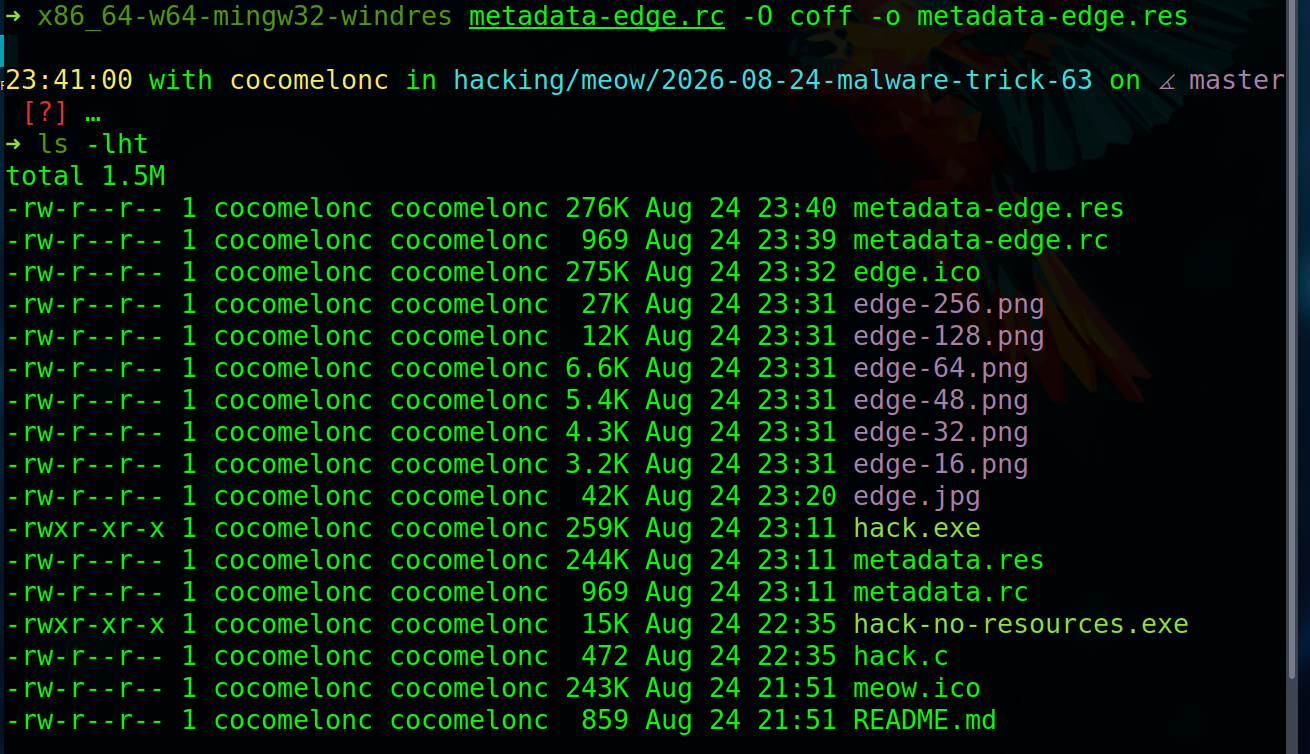
Compile everything:
x86_64-w64-mingw32-windres metadata-edge.rc -O coff -o metadata-edge.res
Then link that object with the C program again:
x86_64-w64-mingw32-gcc hack.c metadata-edge.res -o hack2.exe -mwindows -Wall -Wextra -s
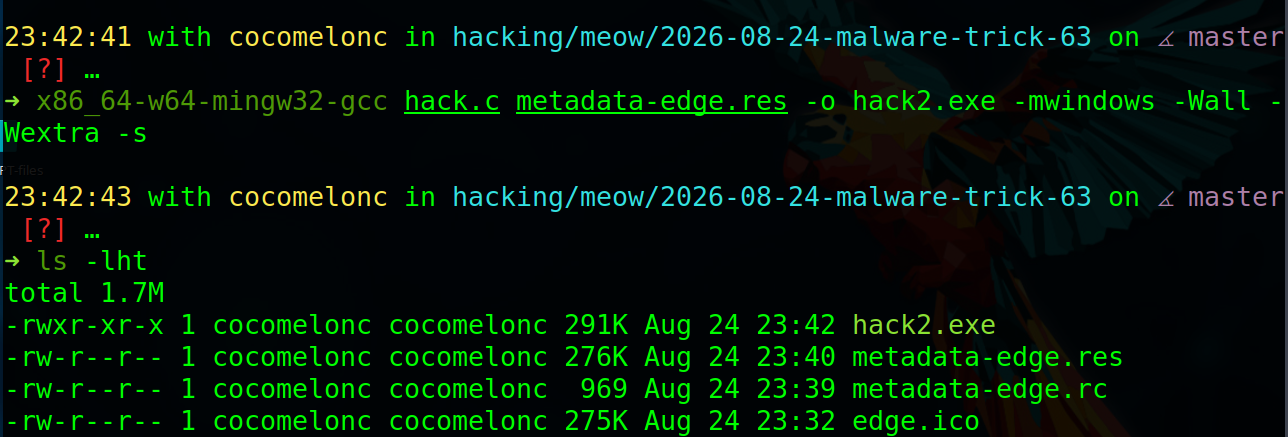
Run the second sample on a Windows test VM machine:
.\hack2.exe
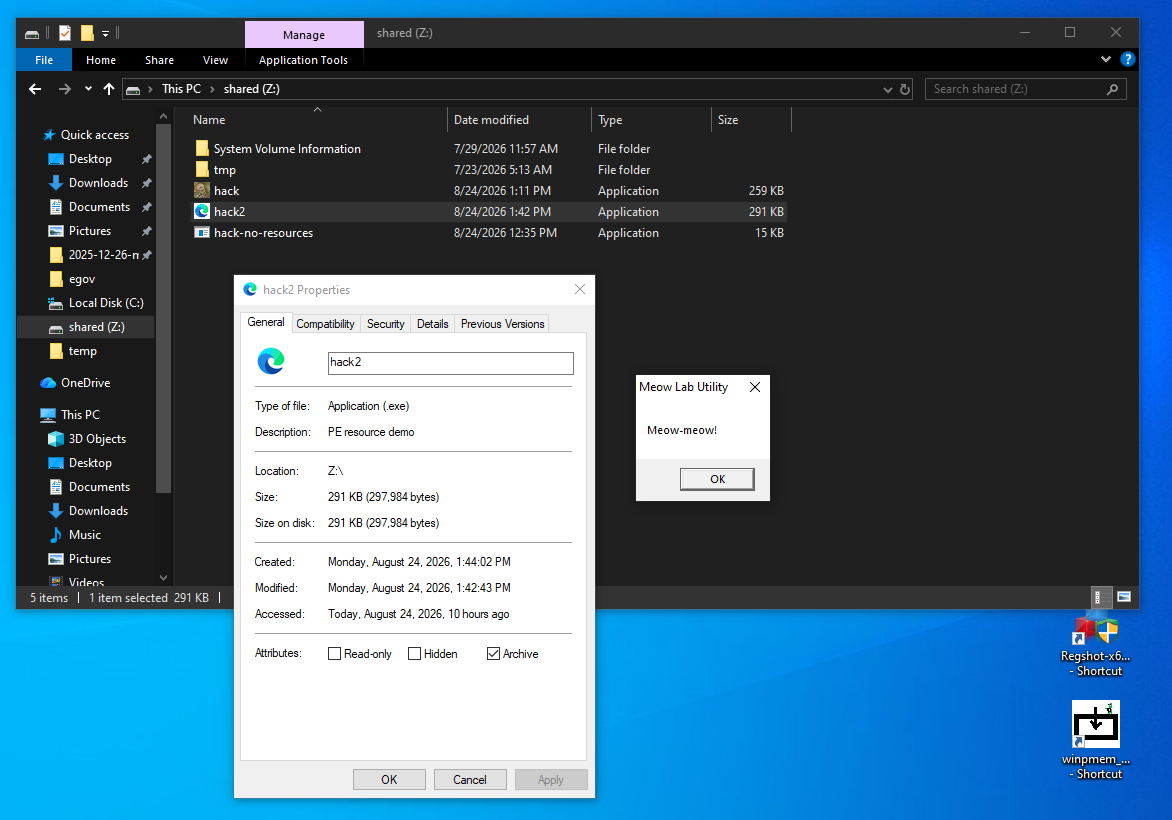
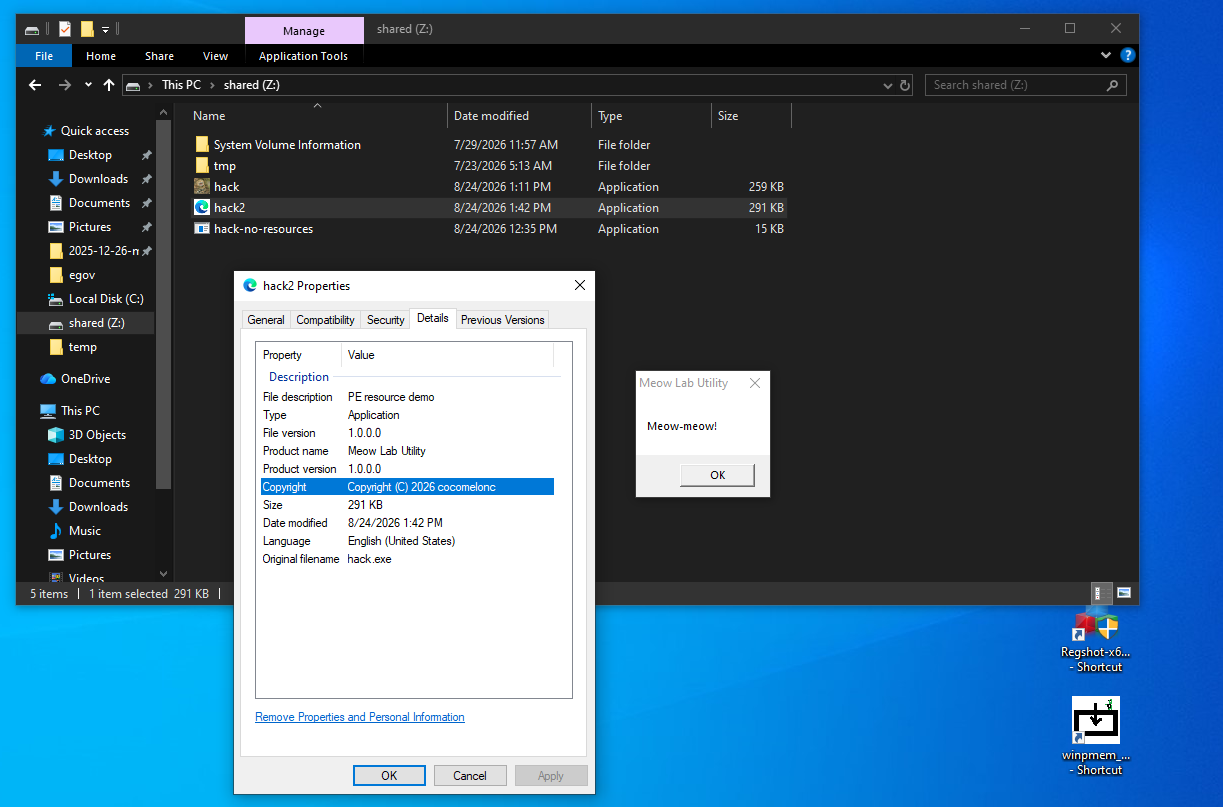
As you can see, everything is worked perfectly, as expected! =^..^=
Upload this compiled sample to ANY.RUN sandbox:
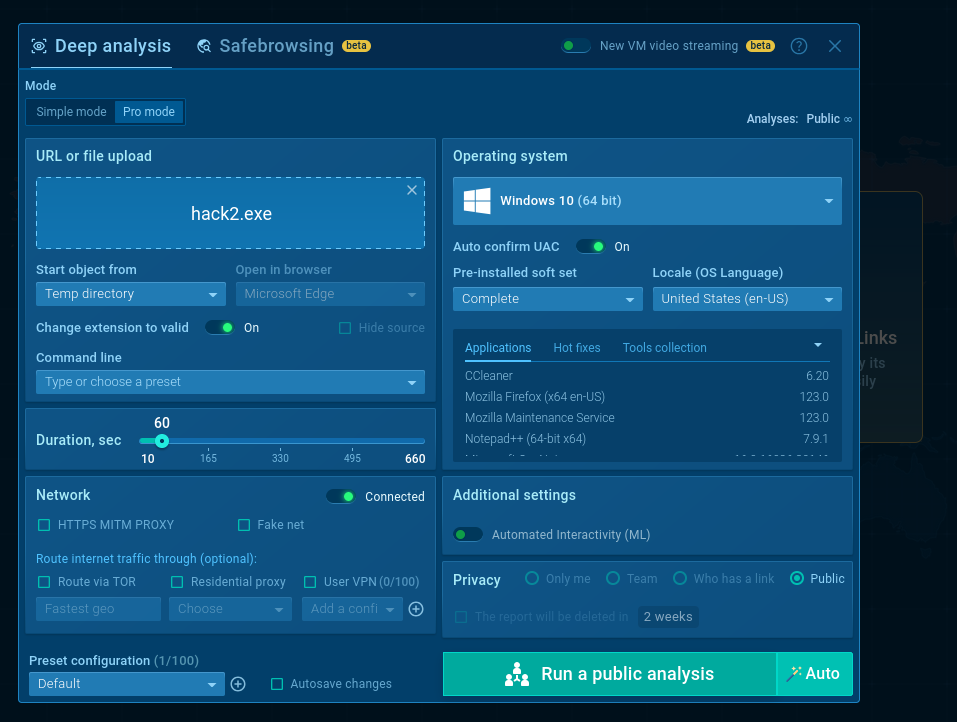
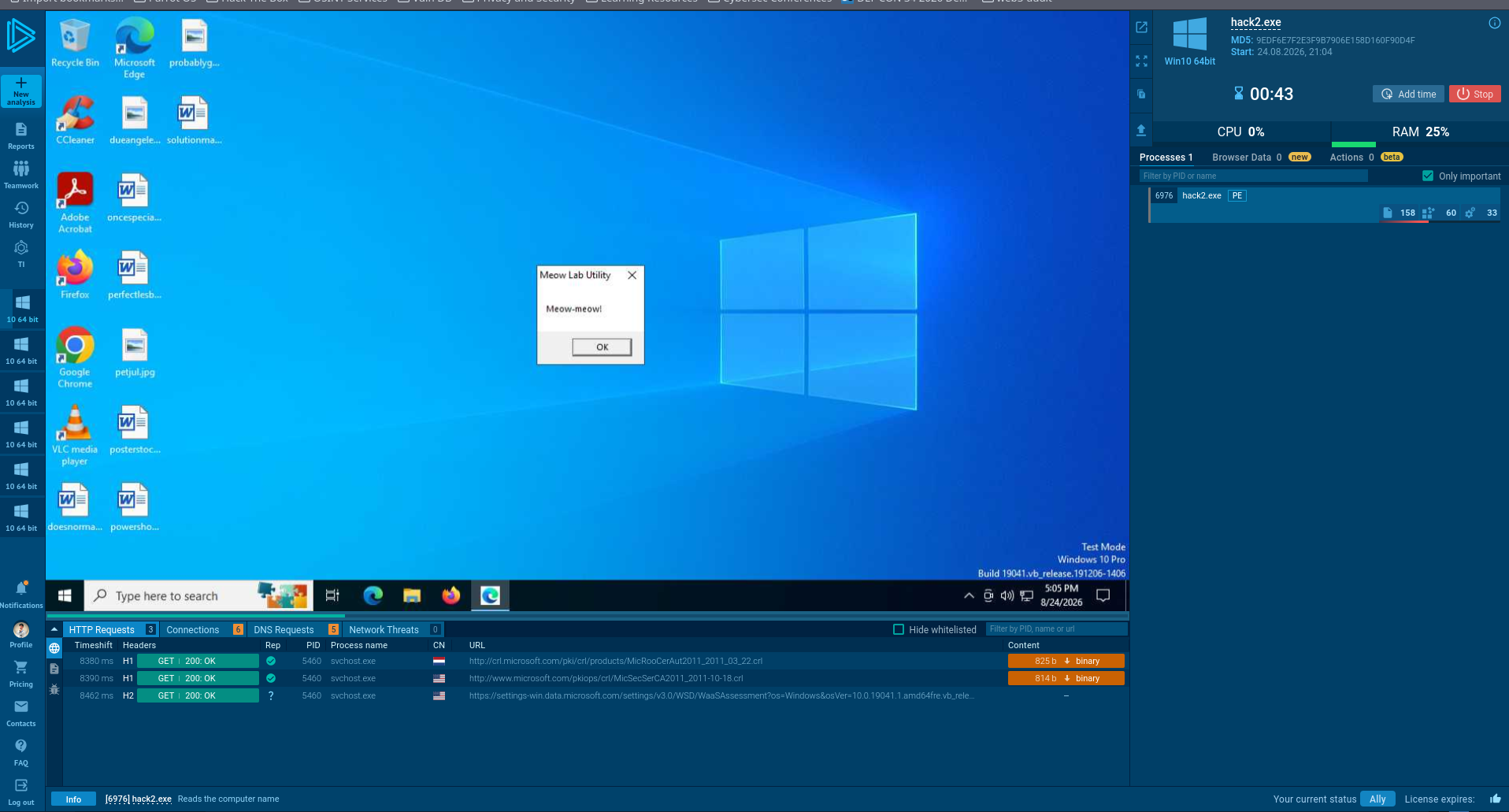
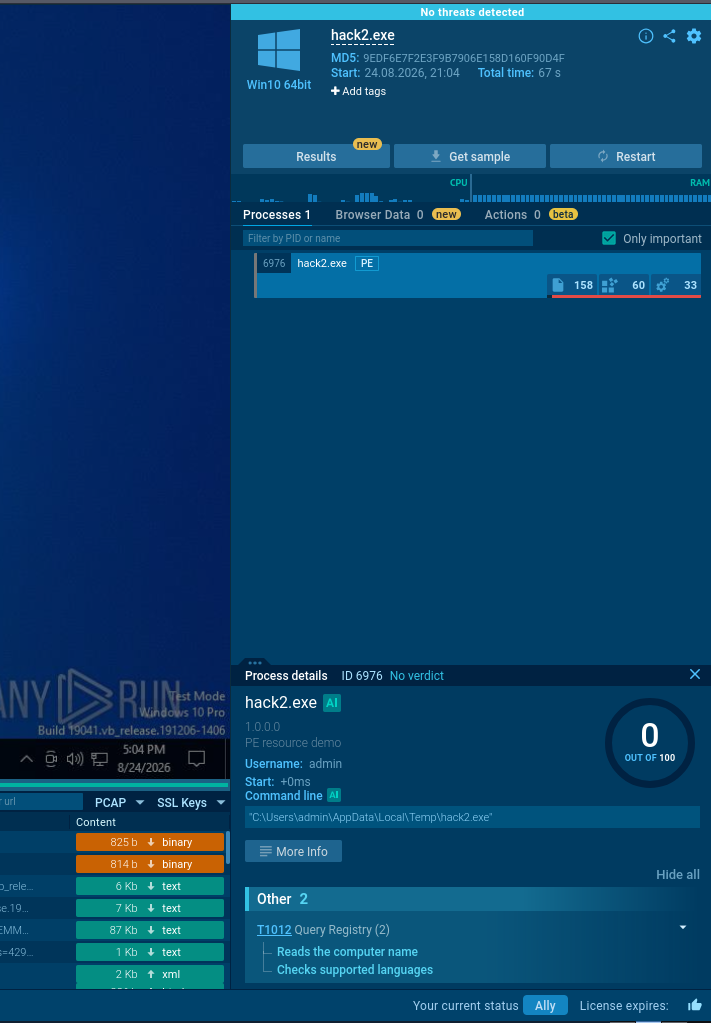
As you can see, verdict: no threats detected.
It’s fair because he really is harmless.
https://app.any.run/tasks/88a23eb3-9b25-4239-883e-27962fb49ca2
defensive perspective
Metadata can help triage, but it must be correlated with stronger evidence. Useful consistency checks include:
does the claimed OriginalFilename match the actual role of the program?
are the company and copyright strings consistent with the signing certificate?
does the icon imitate a document, browser, installer, or security product?
do the version values follow the vendor’s real release scheme?
does the file path make sense for the claimed application?
do imports, network activity, and runtime behavior match the description?
For example, an unsigned executable that claims to be a well-known system component but runs from a temporary directory deserves attention. The metadata alone is not the verdict; the contradiction between identity, provenance, location, and behavior is the useful signal.
Icon caching is another practical detail. Explorer may continue to show an old icon after rebuilding a file with the same name. Renaming the output or refreshing the icon cache can help distinguish a build problem from a display-cache problem.
conclusion
Windows version metadata and icons are normal PE resources. With one .rc file, one .ico file, windres, and the linker, we can turn a bare proof of concept into an executable that is easier to identify during an authorized lab exercise.
The main security lesson is equally simple: polished metadata is not trust. Resource strings are self-asserted, icons are cosmetic, and neither replaces Authenticode validation or behavioral analysis.
I hope this post is useful for malware researchers, C/C++ programmers, and blue teamers studying PE structure and masquerading indicators, and adds a weapon to the red teamers arsenal.

Thanks to ANY.RUN for API!
Microsoft: About Resource files
Microsoft: VERSIONINFO resource
Microsoft: StringFileInfo structure
Microsoft: ICON resource
ANY.RUN: hack2.exe
source code in github
This is a practical case for educational purposes only.
Thanks for your time, happy hacking and good bye!
PS. All drawings and screenshots are mine